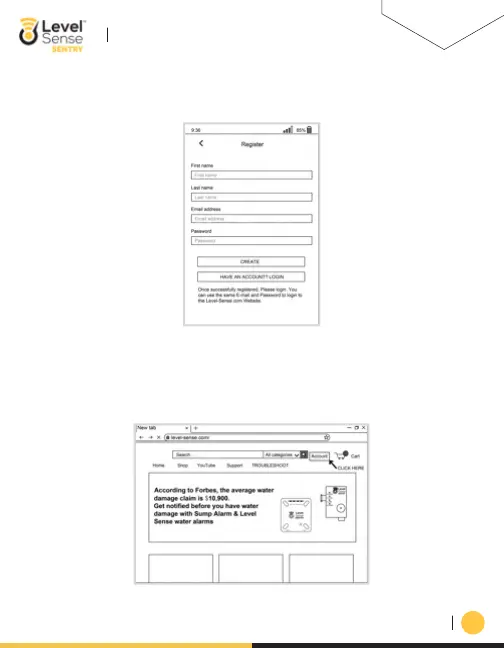
c. Next click on the register button and enter in your personal information into the register page,
and lastly click the create button. Congratulations, your Level Sense account has been created.
b. Computer:
05
a. Begin by opening an internet browser like Google Chrome or Safari.
b. In the address bar type in: Level-Sense.com
i.Click on the text labeled “Account”
LEVEL-SENSE.COM
LEVEL SENSE SENTRY USER MANUAL


 To Next Page