76
NOTE: Please make sure the higher compression ratio is supported by system
before setup.
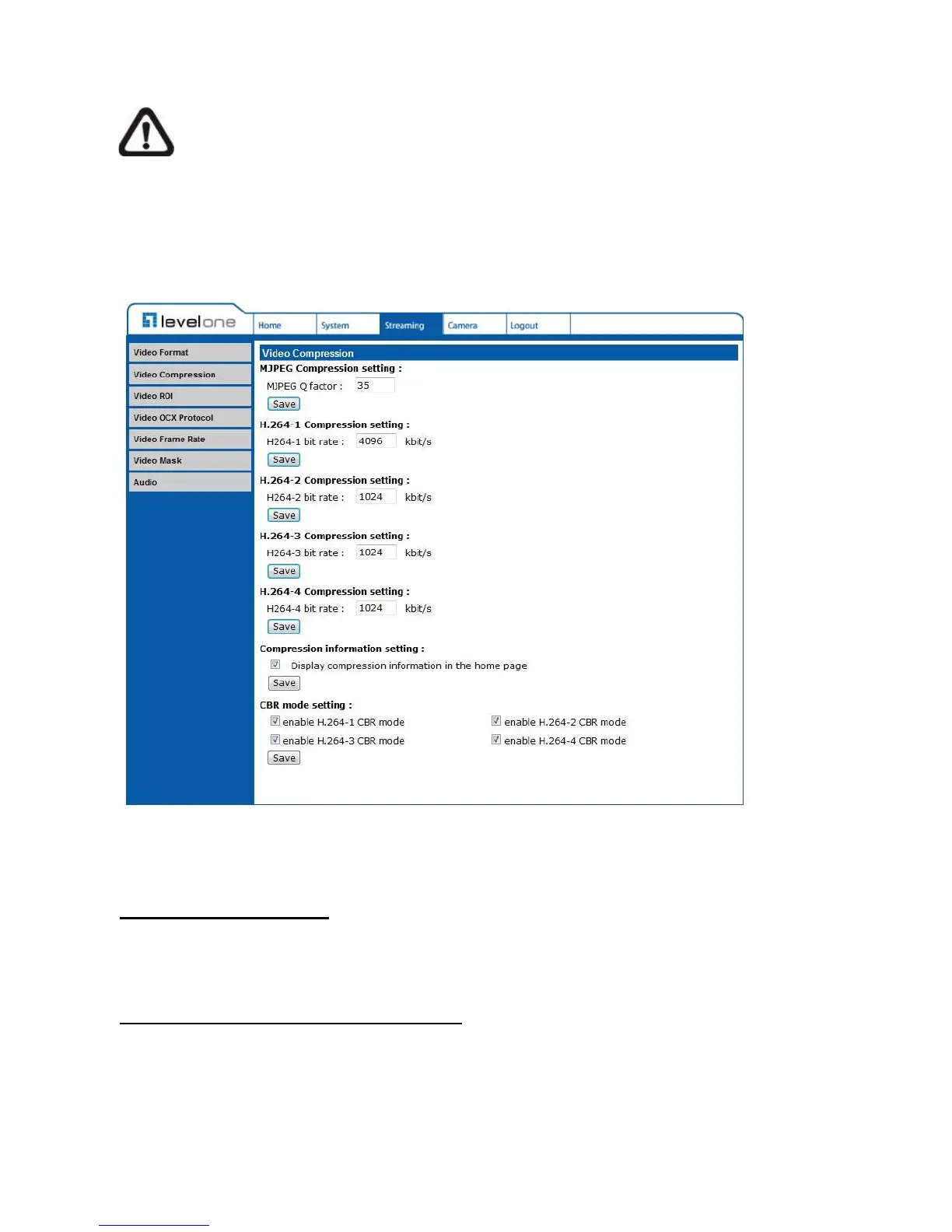
5.4.2 Video Compression
The Video Compression setting can be found under this path: Streaming> Video
Compression.
Users can select a proper MJPEG/H.264 compression mode in the video compression page
depending on the application.
MJPEG Q (Quality) factor
Higher value implies higher bit rates and higher visual quality. The default setting of MJPEG
Q factor is 35; the setting range is from 1 to 70.
H.264-1/ H.264-2/ H.264-3/ H.264-4 bit rate
The default setting of H.264-1 is 4096 kbit/s and for H.264-2/ H.264-3/ H.264-4 is 1024 kbit/s;
the setting range for H.264-1 is from 64 to 8192 kbps and for H.264-2/ H.264-3/ /H.264-4 is
from 64 to 2048 kbit/s.















 To Next Page