Hardware Manual
26
Use the default IP address of a camera:
If there is no DHCP server in the given network, the user may have to assign the IP addresses to
both PC and camera manually to make sure they are in the same network segment.
When the camera is plugged into network and it does not detect any DHCP services, it will
automatically assign itself a default IP:
192.168.0.100
Whereas the default port number would be 80. In order to access that camera, the IP address of
the PC has to be configured to match the network segment of the camera.
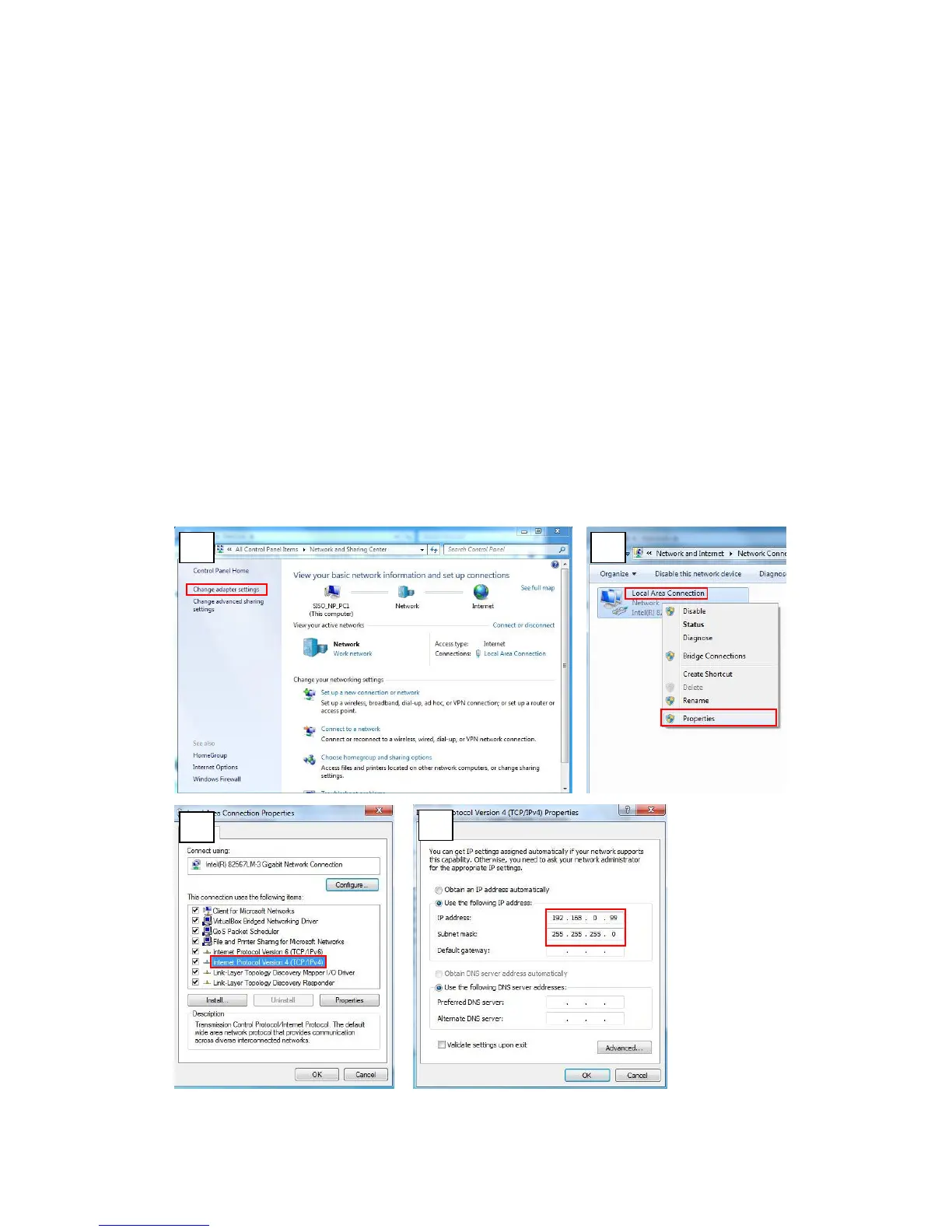
Manually adjust the IP address of the PC:
In the following example, based on Windows 7, we will configure the IP address to 192.168.0.99
and set Subnet Mask to 255.255.255.0 by using the steps below:















 To Next Page