Home
LevelOne
Security Camera
FCS-3052
Page 9 (Hardware Installation)
LevelOne FCS-3052 - Hardware Installation
66 pages
Manual
Save Page as PDF
To Next Page
To Next Page
To Previous Page
To Previous Page
Loading...
5
Hardware Inst
allation
a.
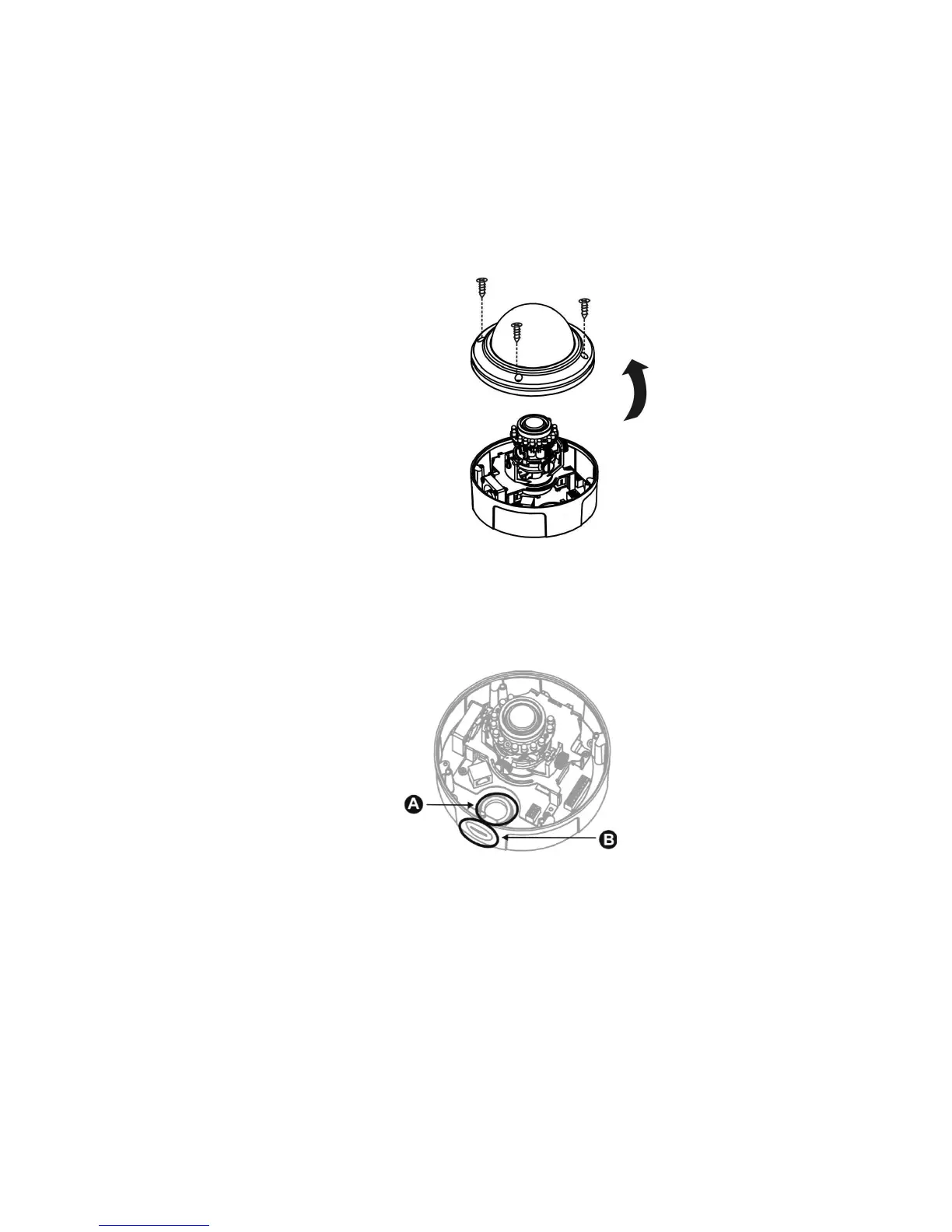
Remove the dome cover:
Unscrew the screws and remove the dome cover from the camera dev
ice.
b.
PoE, Power
, DIDO, A
udio Connection
i.
Insert the PoE, DIDO, and
Audio cable through conduit hole
A
or B.
8
10
Table of Contents
Main Page
Table of Contents
3
Package Contents
5
Hardware
6
Device Appearance
6
LED Indicators
7
DI/DO Diagram
7
Hardware Reset
8
Hardware Installation
9
Camera Connection
14
System Requirements
15
Software Installation
16
Access to the Network Camera
24
Check Network Settings
24
Add Password to Prevent Unauthorized Access
24
Authentication
25
Installing Plug-In
25
Live View
26
Configuration
29
Camera/Video/Audio
29
Camera
29
Video
33
Audio
36
Privacy Mask Control
37
Network
38
IP Settings
38
Upnp
39
DDNS (Dynamic Domain Name Service)
39
Http/Https
41
Multicast
42
Easylink
43
Event
44
Event Settings
44
Motion Detection
49
Digital Input (DI)
51
Audio Detection
51
Notifications
53
FTP Settings
53
E-Mail Settings
54
Samba Settings
55
HTTP Settings
55
Digital Output (DO)
56
Audio Clip
57
Video Clip
58
Maintenance
59
Language
59
User Management
59
IP Filter
60
Firmware Upgrade
60
Configuration
61
Reset to Default
62
Reboot
62
System
63
System Log
63
Date and Time
64
Save File Folder
65
Device Information
65
Related product manuals
LevelOne FCS-3053
24 pages
LevelOne FCS-3054
28 pages
LevelOne FCS-3071
90 pages
LevelOne FCS-3091
53 pages
LevelOne FCS-3062
67 pages
LevelOne FCS-3081
91 pages
LevelOne FCS-3064
32 pages
LevelOne FCS-3072
33 pages
LevelOne FCS-3000
82 pages
LevelOne FCS-3101
54 pages
LevelOne FCS-3403
168 pages
LevelOne FCS-5041
63 pages















 To Next Page