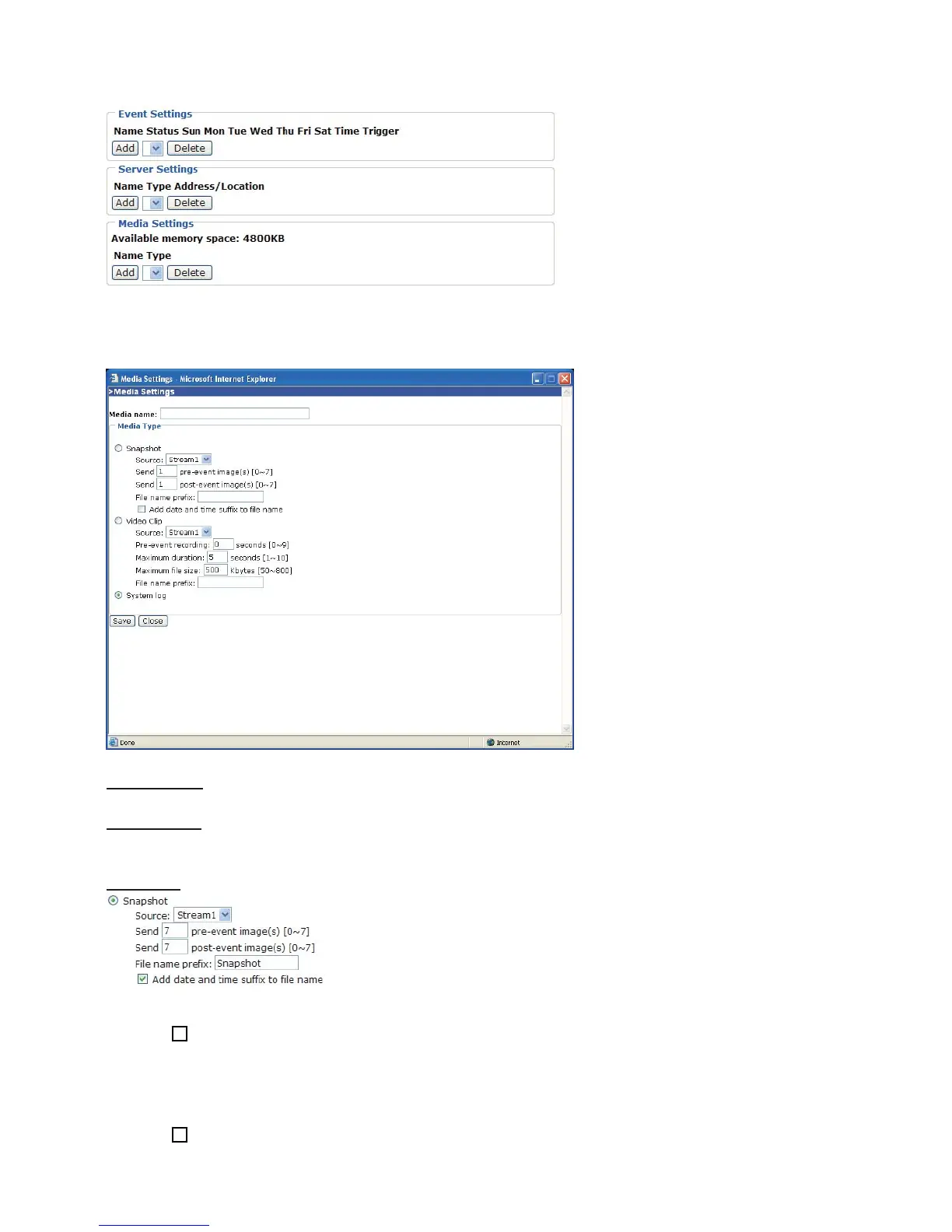
To start plotting an event, it is suggested to configure server and media columns first so that
the Network Camera will know what action shall be performed when a trigger is activated.
Media Settings
In Media Settings column, click Add to open the media setting page. In this page, you can
specify what kind of media to send when a trigger is activated. A total of five media settings
can be configured.
Media name: Enter a descriptive name for the media setting.
Media Type: There are three choices of media types available: Snapshot, Video Clip, and
System log.
Snapshot: Select to send snapshots when a trigger is activated.
■ Source: Select to take snapshots from stream 1 or stream 2.
■ Send pre-event images
The Network Camera has a buffer area; it temporarily holds data up to a certain limit. Specify
to capture how many images before a trigger is activated. Up to seven images can be
generated.
■ Send post-event images
Specify to capture how many images after a trigger is activated. Up to seven images can be
generated.















 To Next Page