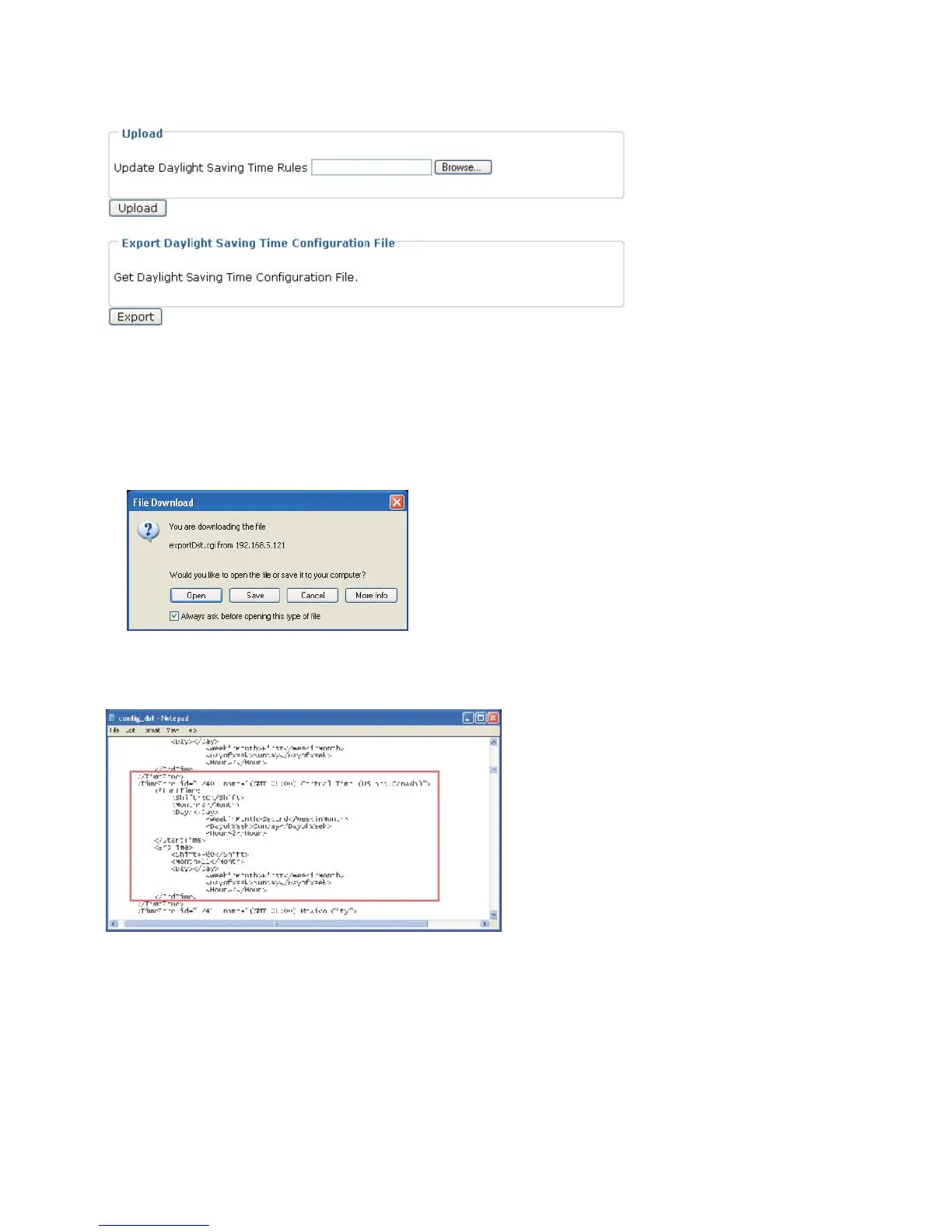
Upload / Export Daylight Saving Time Configuration File
This feature allows you to set the starting time and ending time of DST.
Follow the steps below to set up:
1. In the Export Daylight Saving Time Configuration File Column, click Export to export an
Extensible Markup Language (*.xml) file from the Network Camera.
2. Open the XML file using Microsoft® Notepad and locate your time zone; set the starting time
and
ending time of the DST. When completed, save the file.
In the example below, the DST begins each year at 2:00 a.m. on the second Sunday in
March and ends at 2:00 a.m. on the first Sunday in November.
3. In the Upload Column, click Browse… and specify the XML file.
If the incorrect date and time is assigned, you will see the following warning message when
uploading the file to the Network Camera.















 To Next Page