EasyManua.ls Logo

LevelOne GTL-2691 - User Manual

LevelOne GTL-2691
78 pages
Print Icon
To Next Page IconTo Next Page
Loading...
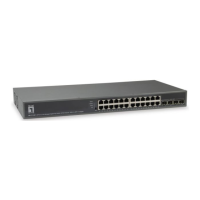
GTL-2691
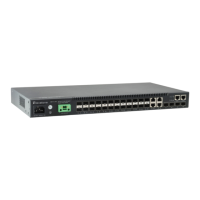
20GE + 4GE Combo SFP+2 10GE XFP Module slot
L3 SNMP Stackable Switch
Installation Guide
version 1.0

Table of Contents

Questions and Answers

  • N
    Nathan ReyesAug 11, 2025
    What to do if the Link LED is off on my LevelOne Switch?
    • P
      Phillip Randolph Jr.Aug 11, 2025
      If the Link LED is off on your LevelOne Switch, first ensure both the switch and the connected device are powered on. Next, check that the cable is securely plugged into both the switch and the device. Also, confirm that you are using the correct type of cable and that it doesn't exceed the specified length limits. Finally, inspect the adapter on the connected device and cable connections for any defects, replacing the adapter or cable if needed.
  • A
    Antonio AguilarAug 17, 2025
    How to troubleshoot a LevelOne GTL-2691 Switch when the Power LED is off?
    • L
      Leslie CruzAug 17, 2025
      If the Power LED is off on your LevelOne Switch, verify the connections between the switch, the power cord, and the wall outlet. If the problem persists, contact your dealer for assistance.
  • D
    Diana BarnesAug 25, 2025
    What to do if the Stack Link LED is flashing green/amber on my LevelOne Switch?
    • P
      Pamela VincentAug 26, 2025
      If the Stack Link LED is flashing green/amber on your LevelOne Switch, it indicates that the uplink/downlink has failed. Begin by checking that the stacking cables are properly connected. If the issue continues, try replacing the stacking cable. As a last resort, power cycle the switch to attempt to clear the condition.
  • S
    sarah31Sep 2, 2025
    What to do if Diag LED is amber on LevelOne GTL-2691?
    • M
      Melanie BriggsSep 2, 2025
      If the Diag LED is amber on your LevelOne Switch, power cycle the switch to try and clear the condition. If the issue persists, contact your local dealer for assistance.

Summary

Introduction to the GTL-2691 Switch

Network Management Options

Explains methods for configuring and monitoring the switch using LEDs and agents.

Hardware Description

Details the switch's ports, slots, LEDs, and stacking capabilities.

Management Capabilities

Explains the switch's management agent and access methods.

Switch Installation

Module and Connection Steps

Details installing optional modules, transceivers, and connecting switches/power.

Network Connections

Connecting Devices and Cabling

Outlines connecting devices using twisted-pair cables and provides cabling guidelines.

Troubleshooting

Diagnosing Indicators and Power

Helps identify issues using LED indicators and addresses power problems.

Stack Troubleshooting

Offers solutions for problems encountered with stacked switches.

LevelOne GTL-2691 Specifications

General IconGeneral
BrandLevelOne
ModelGTL-2691
CategorySwitch
LanguageEnglish

Related product manuals