3-4
Installing the Switch
3
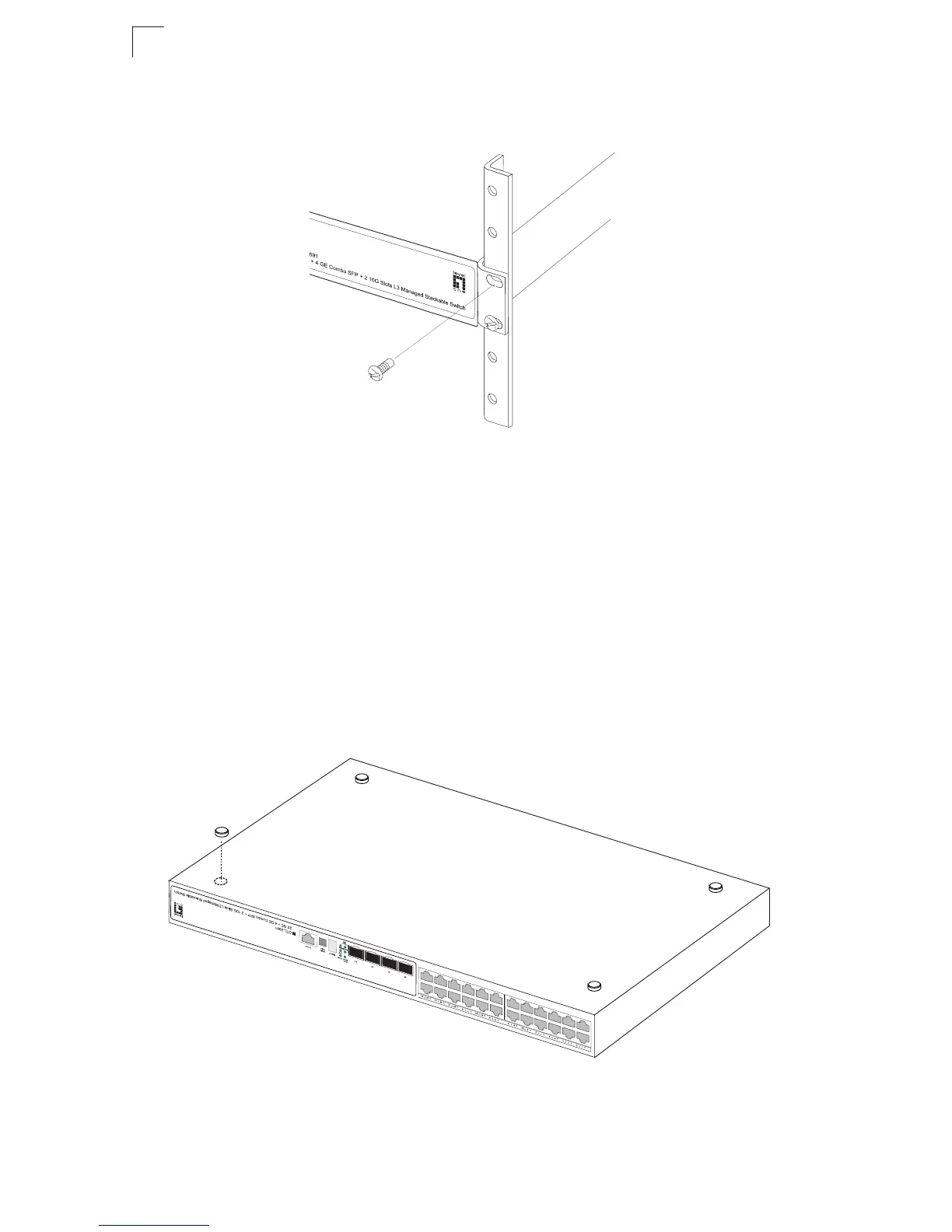
2. Mount the device in the rack, using four rack-mounting screws (not provided).
Figure 3-3 Installing the Switch in a Rack
3. If installing a single switch only, turn to "Connecting to a Power Source" at the
end of this chapter.
4. If installing multiple switches, mount them in the rack, one below the other, in
any order.
5. If also installing an RPS, mount it in the rack below the other devices.
Desktop or Shelf Mounting
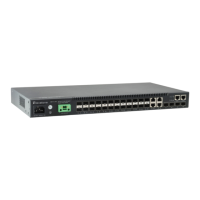
1. Attach the four adhesive feet to the bottom of the first switch.
Figure 3-4 Attaching the Adhesive Feet
2. Set the device on a flat surface near an AC power source, making sure there










 To Next Page