EasyManua.ls Logo

LevelOne KVM-0223 - User Manual

LevelOne KVM-0223
7 pages
Print Icon
To Next Page IconTo Next Page
Loading...
Ver. 1.0.0-0803
KVM-0223
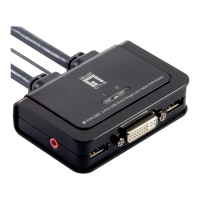
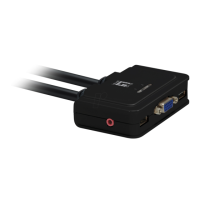
2-Port USB Cable KVM Switch
LevelOne
User Manual

Questions and Answers

LevelOne KVM-0223 Specifications

General IconGeneral
Product TypeKVM Switch
Ports2
Number of Computers Supported2
Video Resolution2048 x 1536
Video SupportVGA
USB SupportYes
CompatibilityWindows, Mac, Linux
Connectors Console1 x VGA, 1 x USB, 1 x Audio
Connectors Computer2 x VGA, 2 x USB
Switching MethodPush button
Power SupplyUSB powered

Summary

Requirements

Console Requirements

Console requires a VGA/SVGA monitor, USB keyboard, and USB mouse for installation.

Computer Requirements

Computers need a VGA/SVGA video port and a USB Type A port for connection.

Installation Guide

Connecting Peripherals

Connect keyboard, monitor, and mouse to KVM-0223 ports. Keyboard/mouse ports are labeled.

Connecting Speakers

Connect speakers to the KVM-0223 speaker jack. This step is optional.

Connecting to Computers

Connect KVM cable connectors (USB, video, speaker) to the respective computer ports.

Powering On Computers

Turn on the power to the computers after connecting all devices.

Operation

Hotkey Port Selection

Switch between connected computers using hotkey combinations, starting with Scroll Lock twice.

Invoking Hotkey Mode

Steps to enter Hotkey Mode: press and hold Num Lock, press minus, release Num Lock.

Skip Mode

Shortcut for port switching: tap Scroll Lock key twice to switch to the other port.

Hotkey Configuration

Configure hotkey functions like toggling invocation keys, auto-scan, and keyboard settings.

Troubleshooting Guide

Keyboard Emulation

Sun Keyboard Mapping

Maps PS/2 keyboard keys to equivalent Sun keyboard functions for emulation.

Mac Keyboard Mapping

Maps PS/2 keyboard keys to equivalent Mac keyboard functions for emulation.

Related product manuals