Network Video Recorder Administrator’s Manual
41
Delete Cameras
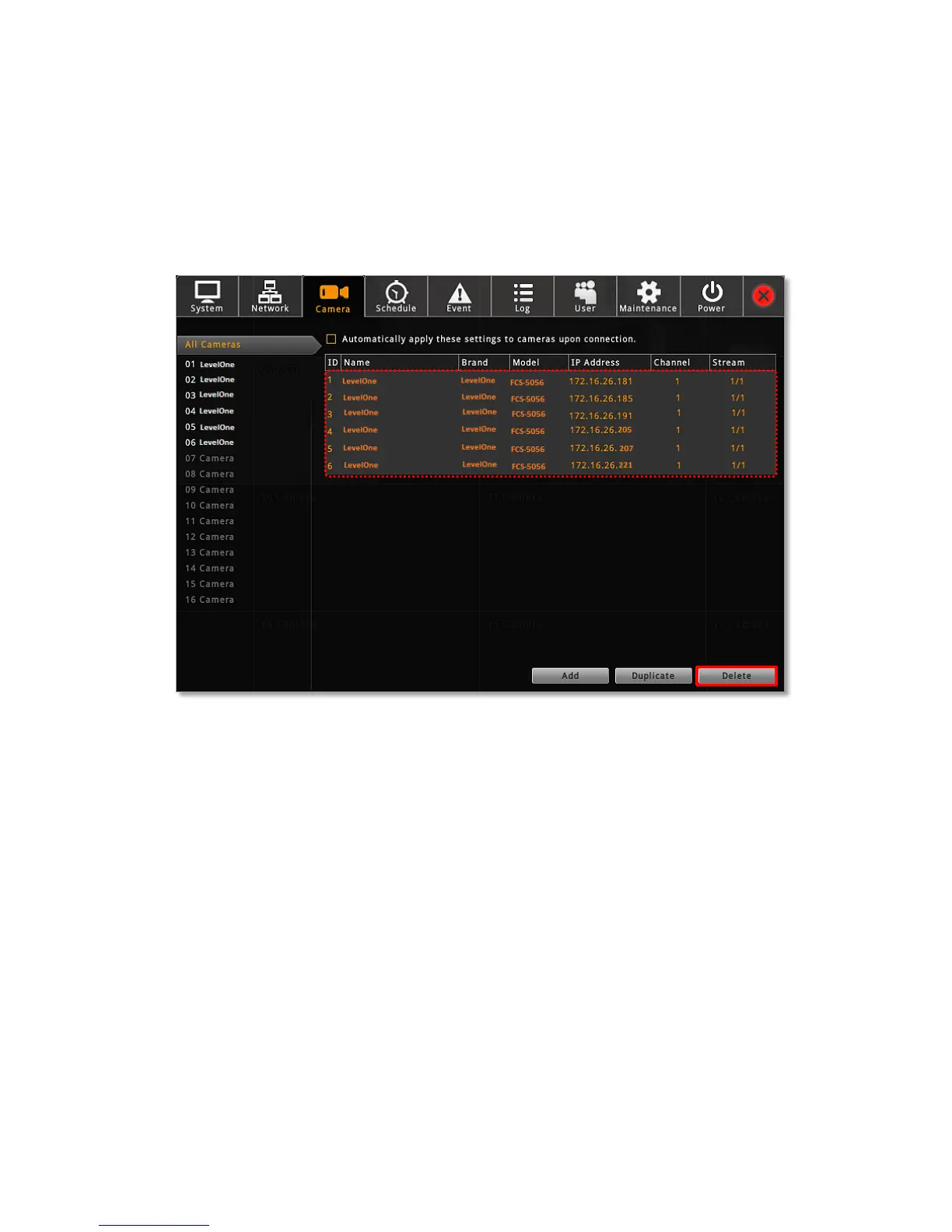
You may delete one channel at a time or delete more all at once.
On Camera tab, enter All Camera list, select the cameras you want to delete, and click
“Delete” . To deletae multiple cameras at once, you can use the mouse to drage out a
selection range and then select “Delete”.



 To Next Page