Network Video Recorder Administrator’s Manual
65
Set Event Rules
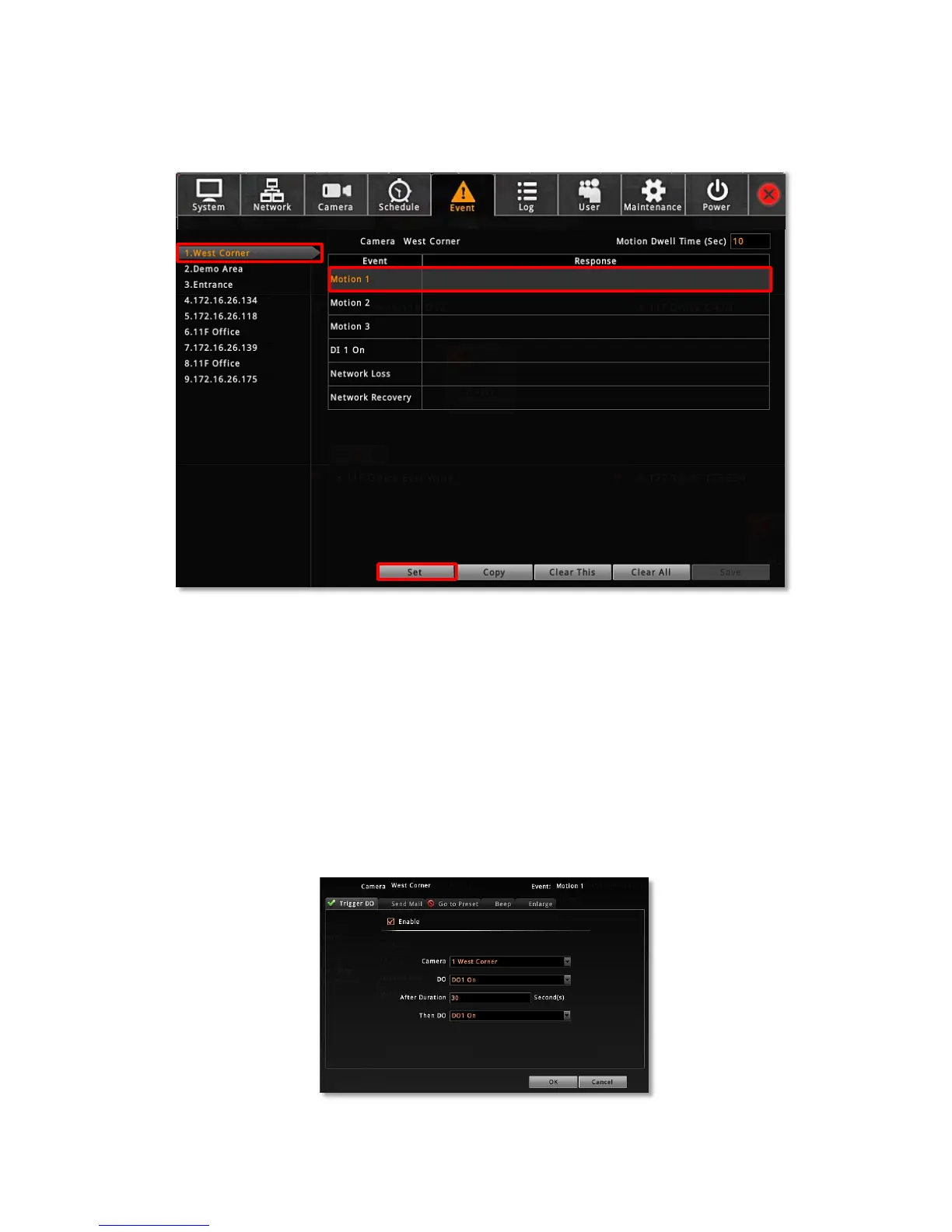
On Live screen, click Setup click Event tab select a camera.
1. Once a device is added to NVR server, the server would provide empty rules with
compatible trigger types for you to configure such as Motion 1, Motion 2, Motion 3,
DI 1, DI 2, Network Loss and Network Recovery. Select the Event Type, then click
“Set”.
2. Select the trigger type:
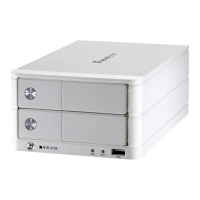
Trigger DO
Set the DO to become ON or OFF upon trigger, only the devices supporting DO functions
are available. Check the “Enable” to enable this function, and the device whose
connected DO(s) will be triggered. You may select one DO to be activated after the other
and the duration time between them. Clik “OK” to confirm.



 To Next Page