Network Video Recorder Administrator’s Manual
86
Log In / Out of NVR
After you By default, an administrator account has already been existing in your system. To
log in to NVR for the first time, you will have to key in the password in Login window.
Log In
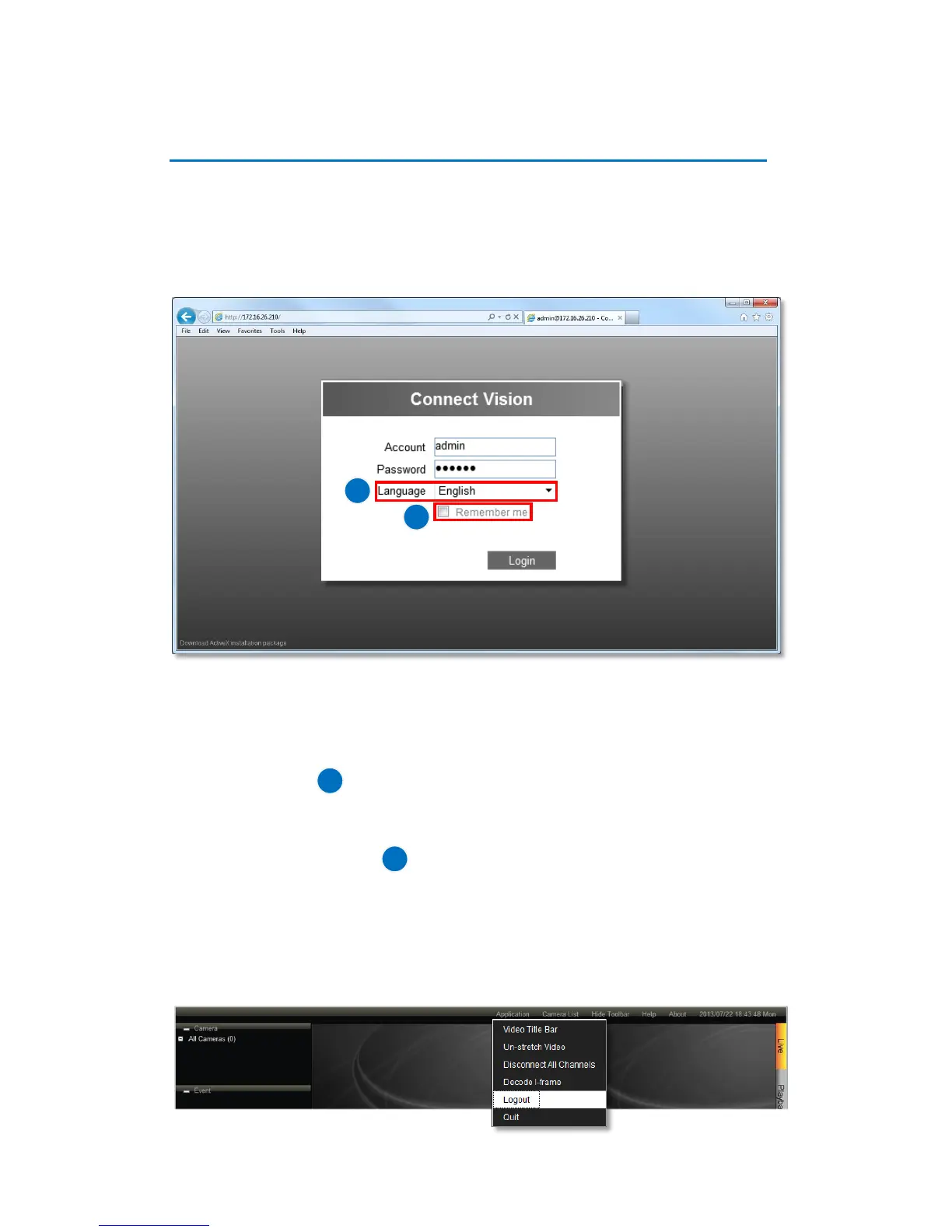
Enter Account & Password
●Account (non case-sensitive): Admin (default)
●Password (case-sensitive): 123456 (default)
Change UI language
To change UI language, select the desired language from “Language” dropdown list.
Remember Login Information
To have the server remember your Account, Password and language setting for future,
check “Remember me”.
Log Out
On Live screen, click “Application” “Logout”.



 To Next Page