Network Video Recorder Administrator’s Manual
63
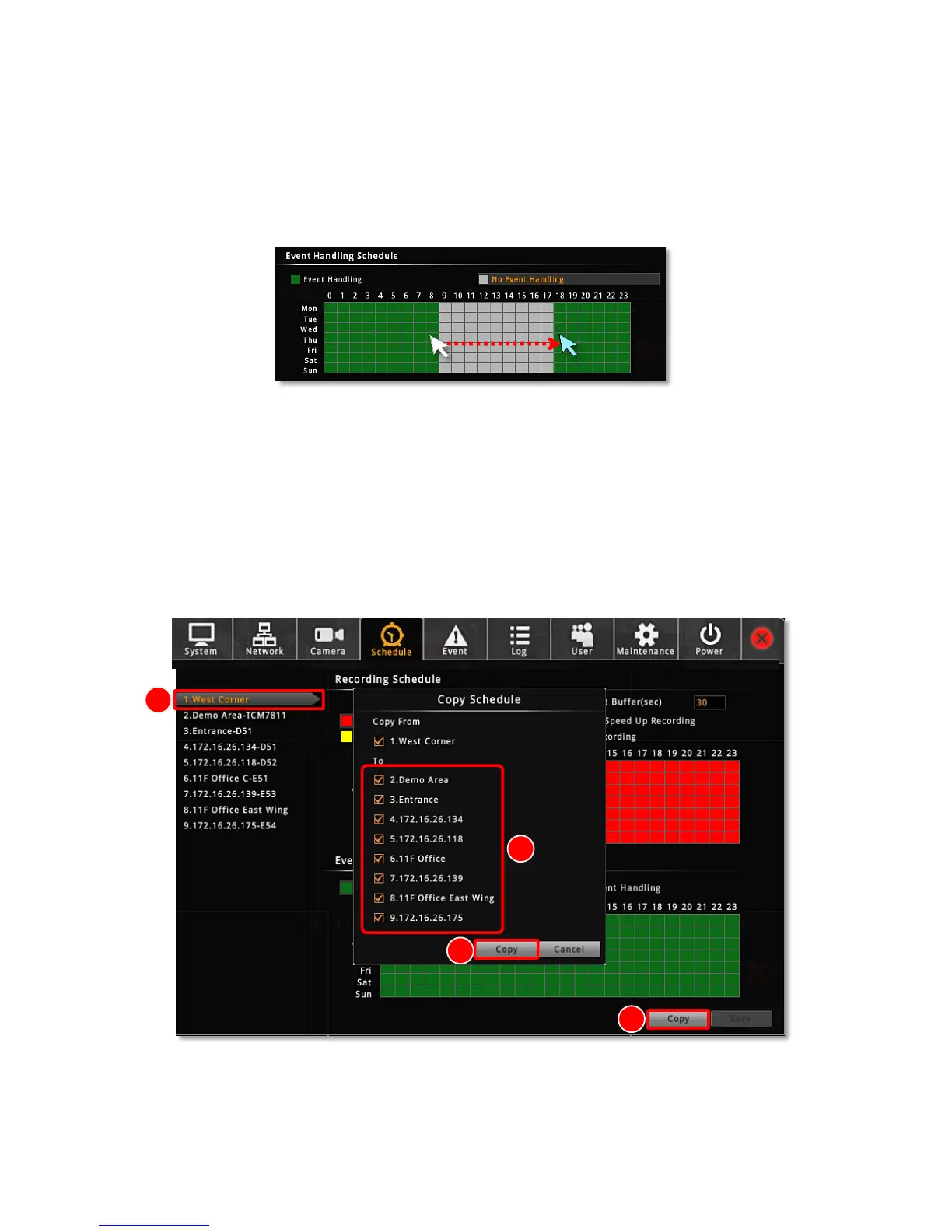
on page 65 for Event Rules settings. By default, the event handling is full-time activated; you
may disable it during certain time period.
1. Click on the recording mode “No Event Handling”.
2. Click and drag over the “Time Track” to set time period.
3. Click “Save”.
Copy Schedule
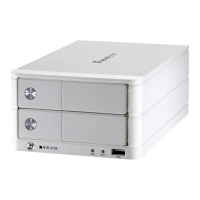
You may copy a camera’s schedule setting to other multiple cameras. This saves much your
time on configuring the schedules camera by camera.
1. On Schedule tab, select a source camera from camera list, its schedule will be copied
to others.
2. Click “Copy”
3. On Copy Schedule window, select the target cameras.
4. Click “Copy” on Copy Schedule window.



 To Next Page