-2-
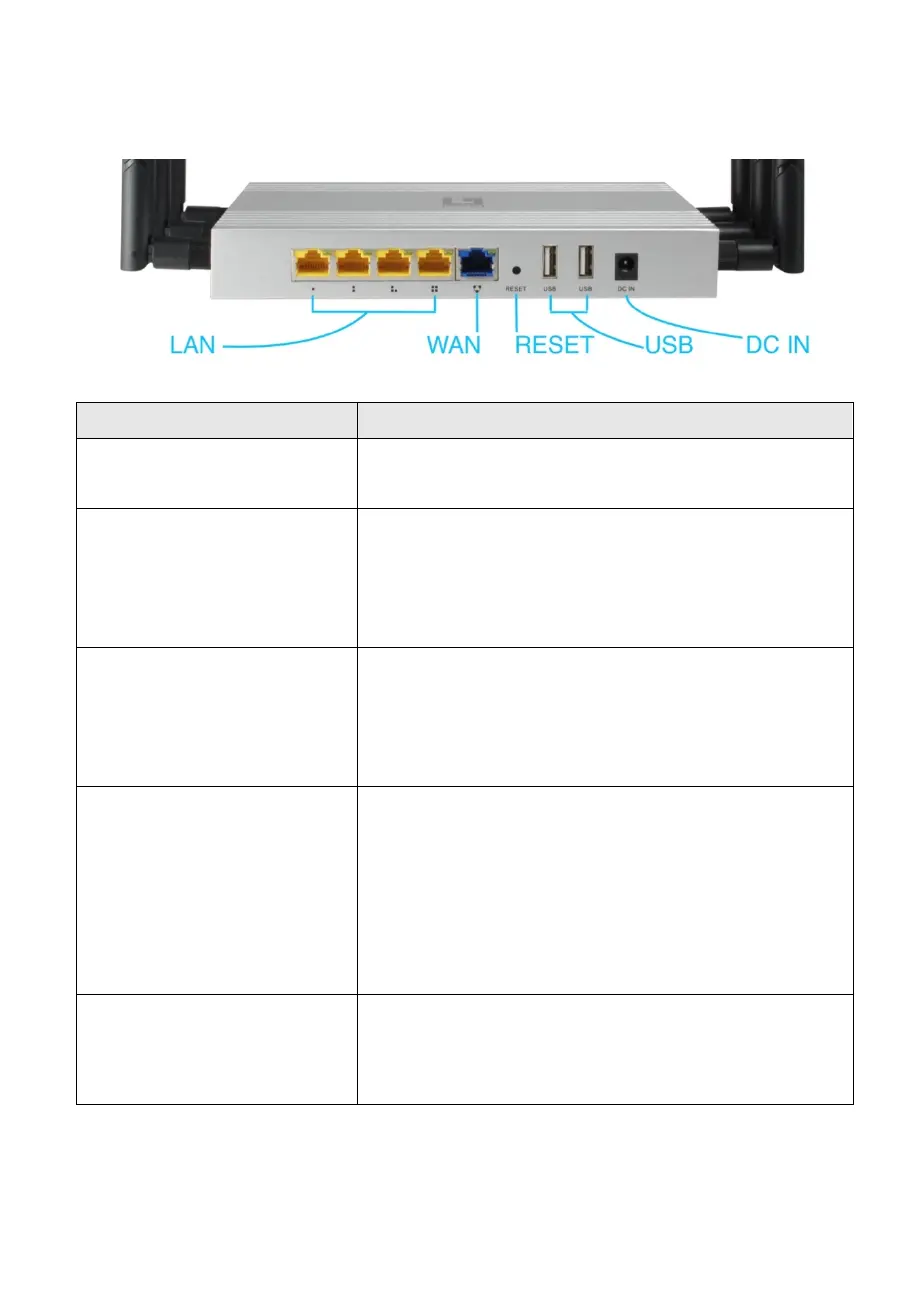
3. Interface Description
LAN port
(10/100Mbps RJ45 port)
The LAN port is used to connect to network
devices, such as a switch or PC / NB
WAN
port
(10/100Mbps RJ45 port)
The WAN port is used to connect to network
devices, such as xDSL Modem Router
Note: The factory default is AP mode. WAN port
functionality is available only in Gateway mode.
With the AP powered on, press the Reset button
for 8~10 seconds until the Signal Strength LED
blink faster than ever. The AP will restart itself
and reset the device to factory default settings.
To connect with USB storage device.
(Recommended Format to NTFS)
WAP-8021 share the files in USB disk to public
users through SAMBA server.
Note: Storage/server functionality is available
only in Gateway mode.
12V/1.5A DC input Power Adapter













 To Next Page