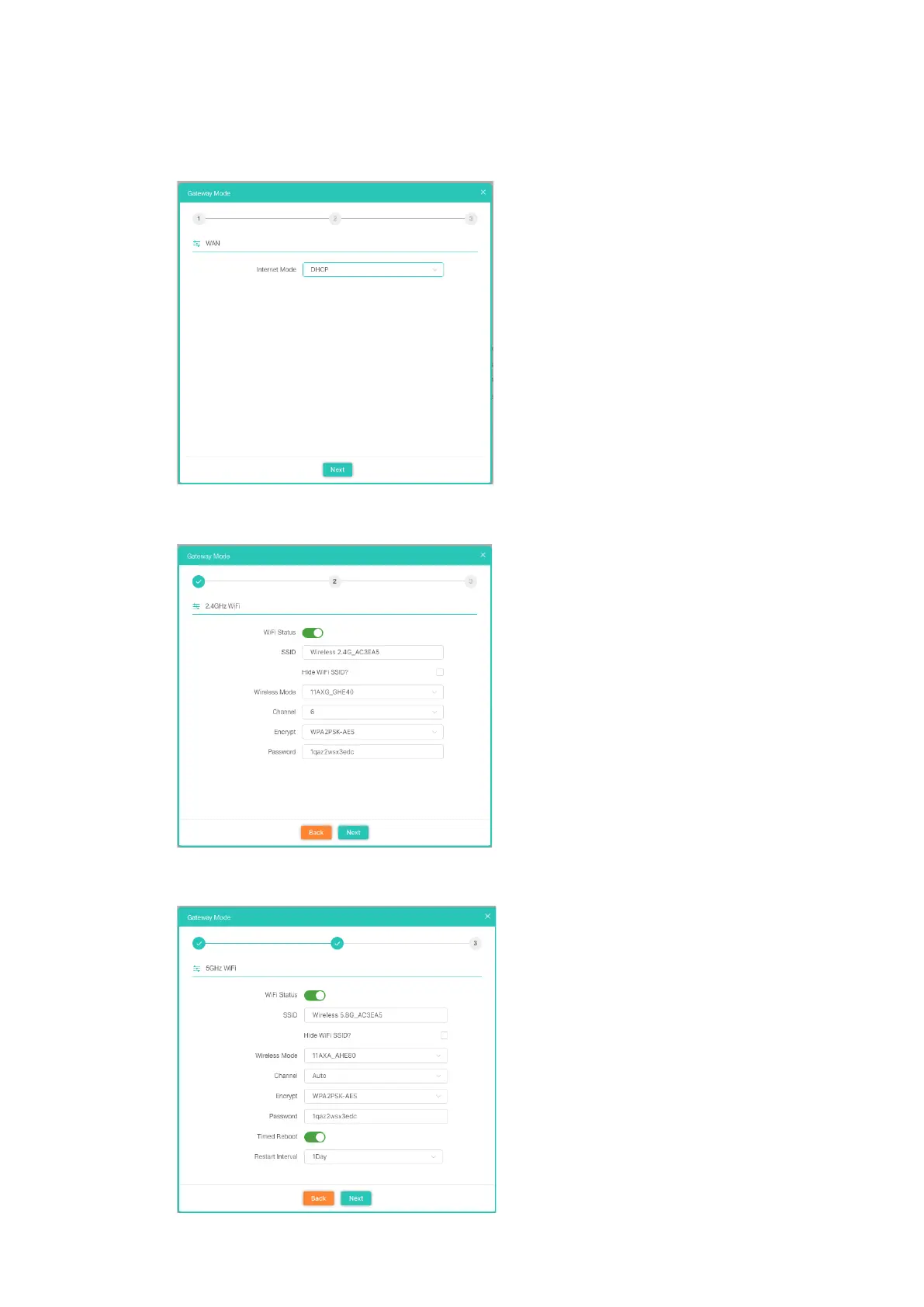
DHCP Setting in Gateway Mode
1. Sample DHCP mode setting method, then click next to continue.
(Please contact with ISP for correct IP address and DNS address)
2. Wireless 2.4GHz Setting in Gateway Mode (DHCP), Click Next
3.Wireless 5GHz Setting in Gateway Mode (DHCP), Click Next













 To Next Page