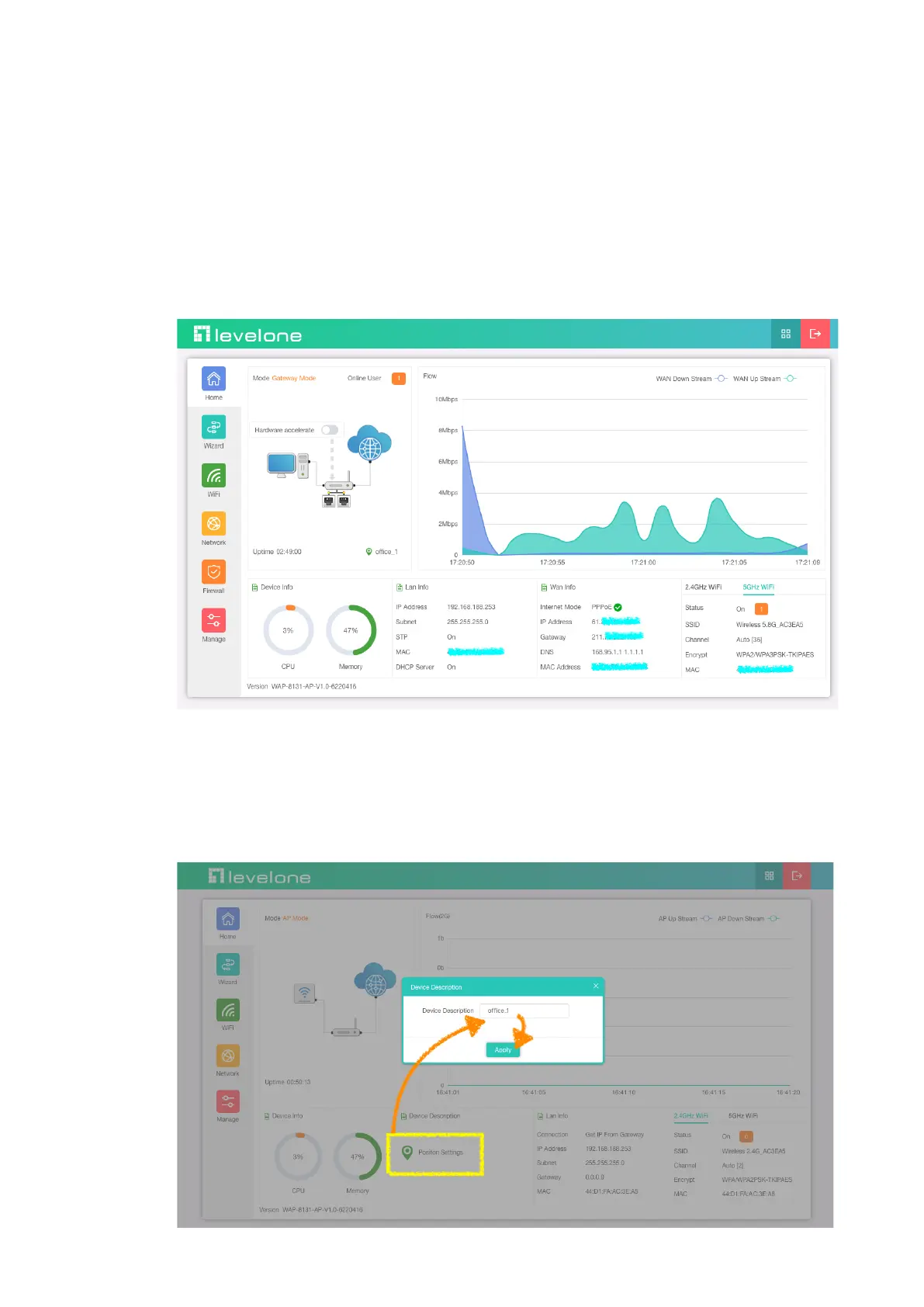
Section I Home
Introduction
This page will show the Wireless AP’s default operation mode, channel, connection
status, CPU usage, Wireless settings, LAN Setting, Wireless AP’s Location,
hardware/firmware version. It includes a management agent that allows you to
configure the features listed in this manual.
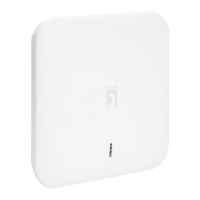
1.Different operation modes are slightly different on the Home screen. The example below is
AP Mode. Can set the location of the remark AP, which is convenient for future management
(Note: Device name can only be letters, numbers, underscores, middle horizontal lines;
length 1-10 bits)













 To Next Page