Default Settings
AP provides Web-based management login, you can configure your computers IP address manually
to log on to the AP. The default settings of the AP are shown below.
Note: WAP-8131 cannot be managed with Wireless LAN Controller (WAC-2000 / WAC-2003)
Logging on to the equipment
l
Connect the RJ-45 interface cable of a switch with a computer using a network cable.
l
Set the TCP/IP properties of the computer.
Windows
1.
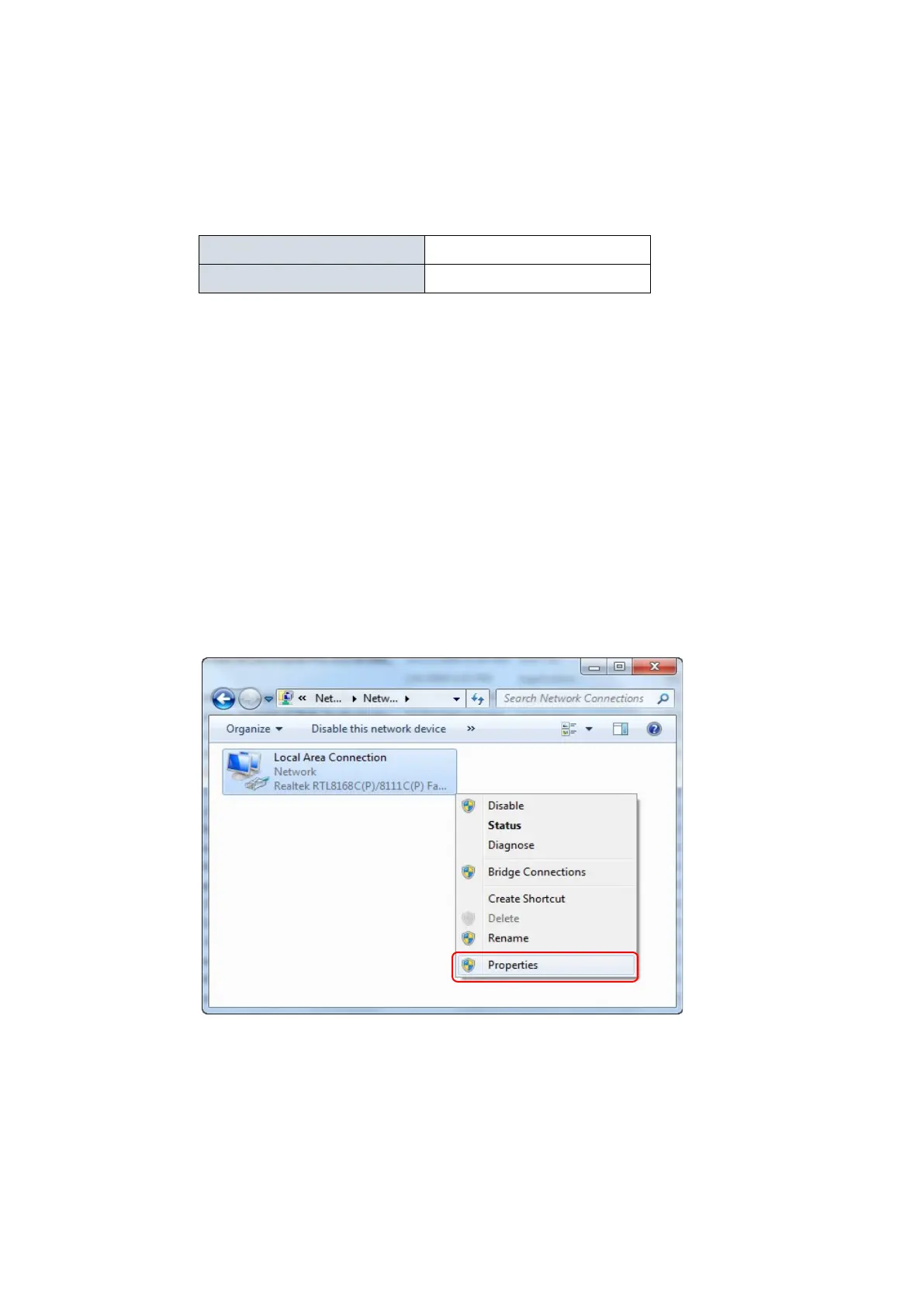
Click Start—> Control Panel—> Network and Internet—> Network and
Sharing Center—> Change adapter settings, right click Local connection and
select Properties;
2.
Double-click Internet Protocol 4 (TCP/IPv4); Set the computer's IP address:
The computer's IP address should be any one of the following free IP addresses
192.168.188.2 ~ 192.168.188.252, and then click OK, to return to the previous
page, click OK.













 To Next Page