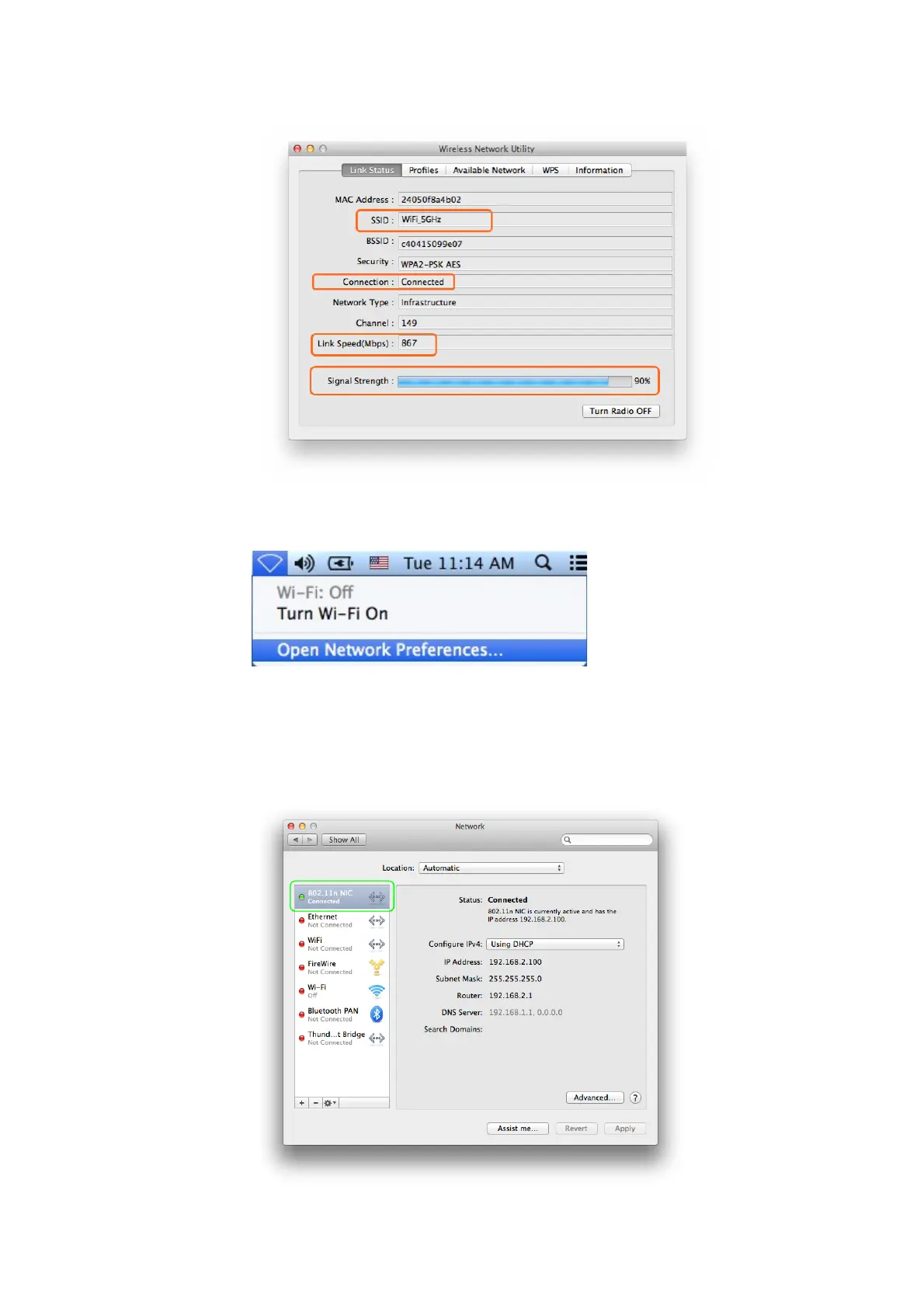
3.3.2 By clicking the “Open Network Preferences” in the screen below, you will
see all the Network information about your MAC
3.3.3 In the interface below, you can see all the WiFi adapters installed on your
MAC, the one marked in green color is AC Wireless USB adapter, due to a
displaying bug, it is being displayed as “802.11 N NIC”; actually, it is an
“802.11 AC NIC”, you can judge this by seeing its WiFi connection speed
as we introduced in “Link Status” in Part 3.3.1 above.



 To Next Page