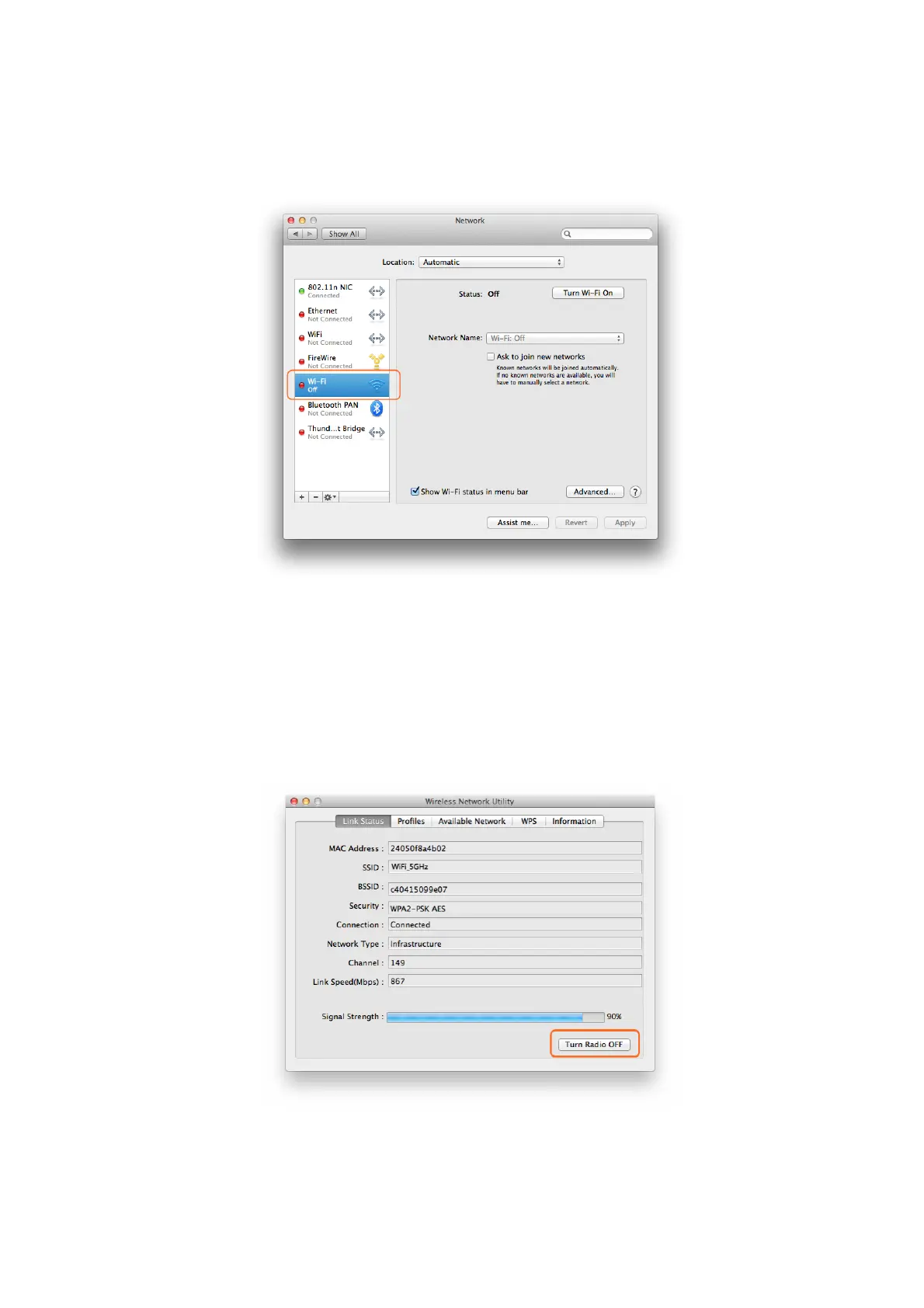
3.3.4 In the interface below, the one marked in Orange color is the Wi-Fi adapter
integrated in your MAC, you can click the “Turn Wi-Fi ON/OFF” to control it
here also.
3.4 Turn Wi-Fi ON or OFF
3.4.1 In “Link Status” in the screen below, once you click the “Turn Radio Off”,
your USB WiFi Adapter will be turned off and you will be disconnected
from the current WiFi network and not able to connect to other WiFi
network either. You need to click this button to Turn it ON again to make it
work for you. In case your USB WiFi adapter is not working properly, you
can check this button also.
4. Uninstall the Driver and Utility on MAC OS X
4.1 You can uninstall the USB WiFi Adapter driver and Wireless Network Utility by



 To Next Page