10
Brief description Leventi oven
confirmations en denials. Pressing a softkey will execute
the chosen demand in the screen literally.
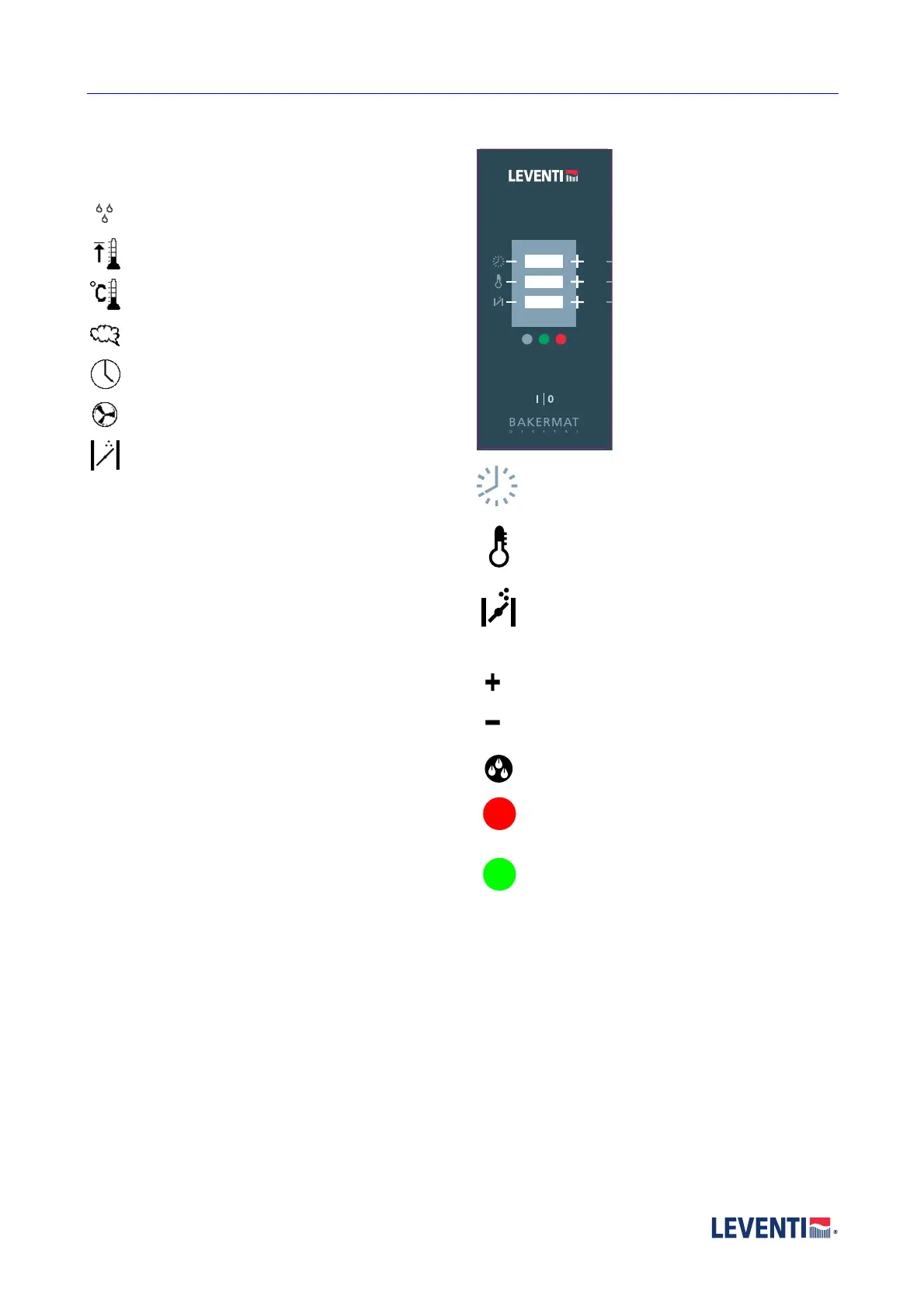
Symbols in the display
Quantity of moist in the moist phase (ml)
Pre-heat temperature (°C)
Oven room temperature (°C)
Humidity level in percentages
programme time (hr, min, sec)
Fan speed (low, medium, high)
Flap position
2.4.2 Digital
The display is provided with push
buttons besides and under the
screen. The function of the
buttons is related to the displays
aside.
The symbols
Next to the displays you find
symbols. The symbels
communicate what the displays
mean.
Time (hours:minutes)
Ovenroom temperature (°C)
Flap postion (open or close)
The panel has different buttons:
Increase the value (on the line).
Decrease the value (on the line).
Inject water into oven.
red button: stop, short stop
green button: start


 To Next Page