6
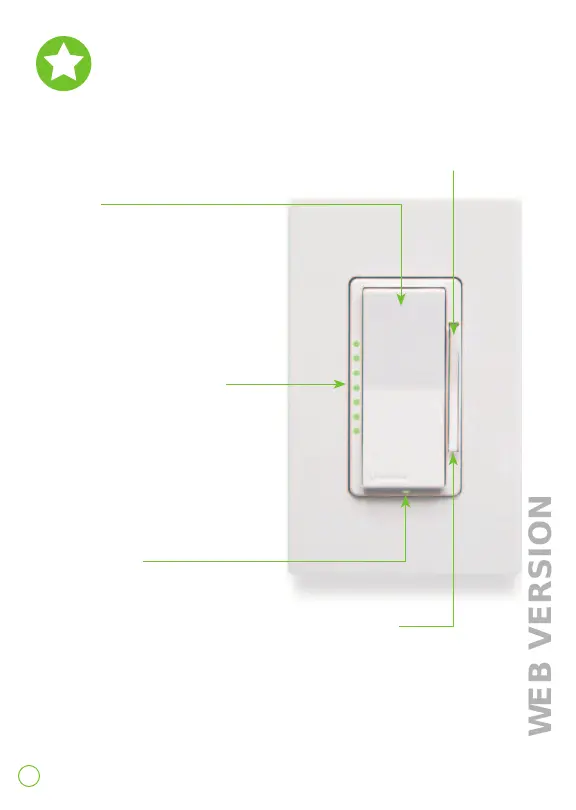
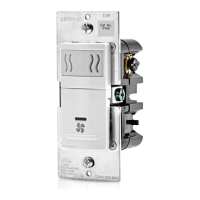
Features
Rocker
Manually turn fan on/o.
Fan speed bar
Manually adjust speed.
Speed indicator lights
Show fan speed when
adjusting levels.
Status light
Illuminates when fan is o.
Air gap switch
This feature will stop power to the
fan. Gently pull bottom out until a
click is heard. Power to the fan and
indicator lights will turn o. After
servicing is complete, push back in
for normal operation.




 To Next Page