Need help?
Do you have a question about the Leviton evr-green EV320 and is the answer not in the manual?
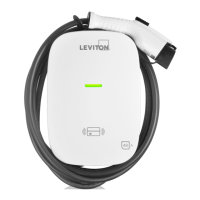
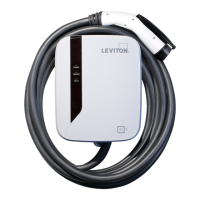
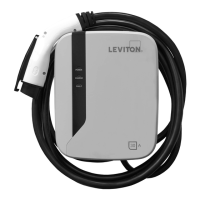
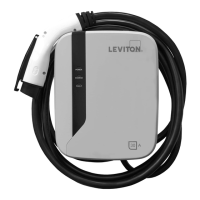
This document is an installation and operating manual for the Leviton evr-green® Electric Vehicle Charging Station, designed for Level 2 charging. The manual covers models EV320, EV32W, EV480, EV48W, and EV48S, providing comprehensive instructions for safe installation, operation, and maintenance.
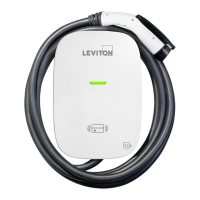
The Leviton evr-green® Electric Vehicle Charging Station is an Electric Vehicle Supply Equipment (EVSE) designed to provide Level 2 AC charging for electric vehicles. It connects to the vehicle's charging inlet via an SAE J1772 AC Charging Connector. The device is intended for wall-mounted or pedestal-mounted installation and requires a dedicated branch circuit with appropriate overcurrent protection.
The charging station features an LED light indication system that communicates the device's status, including standby, waiting for charge, charging in progress, and fault conditions. It supports user authorization, with some models offering RFID card activation to restrict access to charging. The charging process is initiated by plugging the connector into the vehicle and, if RFID is enabled, tapping an authorized card. Charging stops when the vehicle's battery is full or when the user manually disconnects the connector.
The device incorporates multiple safety features, including Under Voltage Protection (UVP), Over Voltage Protection (OVP), Residual Current Device (RCD), Surge Protection Device (SPD), Ground Fault Protection, Over Current Protection (OCP), Over Temperature Protection (OTP), and Control Pilot Fault Protection. These protections are designed to ensure safe operation for both the user and the connected vehicle.
The charging station is designed for straightforward operation. Upon power-on, the device goes through an initial self-test, indicated by various LED lights, before settling into a standby mode with a steady blue "READY" light.
To begin charging, users first plug the SAE J1772 AC Charging Connector into their vehicle's charging inlet. If RFID access control is enabled (standard on EV32W, EV480, EV48W, and EV48S, and optionally activatable on EV320), the user must tap an authorized RFID card to the RFID sensor on the front of the charger. Once authorized, the "CHARGE" light will turn solid green, indicating the unit is ready to charge. The user then presses and holds the black button on the top of the charge plug while inserting it into the car's inlet. Charging will commence automatically, and the "CHARGE" light will flash green.
To stop charging, the user presses the black button on the top of the charge plug and removes it from the vehicle. If charging needs to be restarted, the user taps the RFID card again, presses the black button, and reinserts the plug. After charging is complete, the manual advises looping the charging cable over the station to prevent tripping hazards.
The manual also details the process for activating RFID access control. This feature allows the owner to restrict charging to only those with authorized RFID cards. The unit comes with one administrative (admin) card and two standard cards. The admin card is used to enable RFID access control by holding it to the RFID sensor until a beep is heard. Once enabled, RFID access control cannot be disabled. Standard cards are then used by users to enable charging.
The manual emphasizes the importance of daily maintenance to ensure the longevity and safe operation of the charging station.
Key maintenance guidelines include:
The manual also provides a table of error and warning messages, detailing various fault conditions (e.g., Input OVP, Input UVP, Output OCP, OTP, RCD Abnormal, Ground Fault, Control Pilot Fault, MCU Self-Test Fail, Relay Self-Test Fail) and their corresponding LED indications (blue, green, red lights, and flashing patterns). For many faults, the device is designed for "Auto Recover," meaning it will attempt to clear the fault itself. However, for more critical issues like RCD Self-Test Fail or Relay Self-Test Fail, the user is advised to "Contact Customer Service." This proactive approach to fault reporting and resolution is a key maintenance feature, allowing for timely intervention and repair.
 General
| Type | Electric Vehicle Charger |
|---|---|
| Power Output | 7.7 kW |
| Input Voltage | 208-240 VAC |
| Charging Connector | SAE J1772 |
| Mounting Type | Wall Mount |
| Weather Resistance | NEMA Type 3R |
| Power | 32A |
| Cable Length | 18 feet |
| Enclosure Rating | NEMA Type 3R |
| Output Voltage | 208-240 VAC |
| Output Current | 32A |
| Charging Level | Level 2 |
| Cord Length | 18 feet |
| Operating Temperature | -22°F to 122°F (-30°C to 50°C) |

 To Next Page