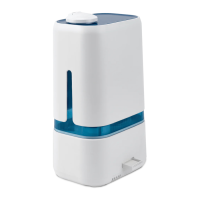
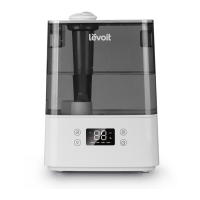
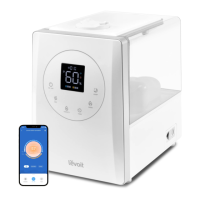
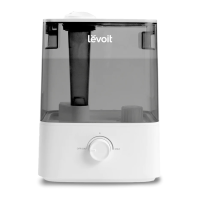
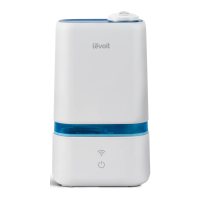
The Levoit Smart Ultrasonic Cool Mist Humidifier, Model: Classic 200S, is designed to enhance indoor air quality by adding moisture to the air and can also be used for aromatherapy. This smart humidifier offers a range of features for convenient and effective operation, with additional functionalities accessible via the VeSync app.
Function Description
The primary function of the Levoit Classic 200S is to humidify a room using ultrasonic cool mist technology. It is designed to maintain a comfortable and healthy humidity level, typically between 40% and 50%. The humidifier operates by breaking down water into a fine mist, which is then dispersed into the air. It also includes an aroma box, allowing users to diffuse essential oils for aromatherapy benefits. The device is equipped with a humidity sensor that enables it to automatically adjust mist levels to achieve a target humidity.
Usage Features
The humidifier offers multiple mist settings: Low, Medium, High, and Auto Mode, which can be cycled through using the control button on the device. The nozzles can be rotated to adjust the direction of the mist, allowing for targeted humidification.
For smart control and extended features, the Levoit Classic 200S integrates with the VeSync app. Through the app, users can remotely control mist levels, turn Auto Mode on/off, and manage display lights. The app also allows for customization of Auto Mode settings, such as setting a target humidity level and enabling an auto-off function. Users can monitor current humidity levels in the humidifier's environment directly from their phone. Additionally, the VeSync app supports setting individual timers and creating schedules for the humidifier's operation. For hands-free control, the humidifier is compatible with Amazon Alexa and Google Assistant for voice commands.
The device's control button changes color to indicate its current status:
- Green: Low mist setting selected.
- Cyan: Medium mist setting selected.
- Blue: High mist setting selected.
- White: Auto Mode selected.
- Red: No water in the tank or the tank is not on the base.
- Off: Humidifier is off, or display lights have been turned off.
- White (Flashing): Humidifier is in WiFi pairing mode.
- White (Solid): Humidifier has been paired with WiFi.
- Off (No WiFi): Humidifier is off and not connected to WiFi.
The indicator lights can be turned off by tapping the WiFi button. To configure the smart humidifier, the WiFi button needs to be pressed and held. If the tank is empty or removed, the humidifier will stop misting, the power button will turn red, and the fan will turn off after 5 seconds. The humidifier can be turned off by pressing and holding the power button for 2 seconds. To reset the humidifier to its default settings and disconnect it from the VeSync app, the power button and WiFi button should be pressed and held for 15 seconds.
Filling and refilling the humidifier involves removing the nozzle cover and lifting the water tank from the base. The water tank is then flipped over, and the cap is twisted counterclockwise to open. The tank should be filled with room-temperature purified or distilled water, avoiding hot water. It's crucial not to add water directly into the base chamber or through the mist tube. Essential oils should only be added to the aroma pad, not into the water tank or base chamber, as this can damage the humidifier and cause leaks. After filling, the water tank cap is replaced, aligning the arrow with the lock, and the tank is placed back on the base with the nozzle cover.
For aromatherapy, the aroma box is located at the back of the base and can be pulled out. Users can add 2-3 drops of essential oil to the aroma pad. The aroma box is then reinserted, and the humidifier will automatically diffuse the aroma when in use. The aroma is intended to be light, as this humidifier is not primarily an aroma diffuser.
Maintenance Features
Regular cleaning is essential for the humidifier's longevity and performance, recommended weekly and before storage. All maintenance should be performed on a water-resistant surface. Daily water changes are advised to prevent bacteria growth. The nozzles should be cleaned regularly with a tissue or cloth. If the humidifier will not be used for a week or longer, it should be cleaned and dried completely instead of leaving water inside.
To clean, first unplug the humidifier and remove the nozzle cover for rinsing. The water tank is then removed from the base, and any remaining water is poured out from both the tank and the base chamber. Both parts should be rinsed with room-temperature water. It's important never to immerse the base in water or any liquid, and no part of the humidifier should be placed in a dishwasher. Detergents should not be used for cleaning.
For descaling, the tank should be filled with 3 US cups / 710 mL of distilled white vinegar. The tank cap is replaced, and the vinegar is swished around. The tank is then placed on the base and allowed to soak for 15-20 minutes. This allows the vinegar to drain into the base chamber, loosening mineral buildup in both the tank and the base chamber, including the transducer and float. After soaking, the tank is removed, and all vinegar is poured out. The water tank is flipped over, and the tank cap and noise silencer are removed. The noise silencer is detached by pressing a release tab and gently pulling it away. The tank cap and noise silencer are placed in a small container and covered with vinegar to soak for 15-20 minutes. A soft cloth and the included cleaning brush are used to remove any scale. Finally, all parts are rinsed until no vinegar smell remains and dried completely with a cloth before reassembling or storing. The cleaning brush can be stored in the brush storage slots in the base.
The aroma pad can be cleaned and reused. To clean it, the aroma box is pressed to release it from the base and pulled out. The aroma pad is removed and rinsed under warm, running water, then dried with a clean cloth before being placed back into the aroma box. Liquid cleaners or detergents should not be poured into the aroma pad or box.
When storing the humidifier, all parts must be completely dry. It should be stored in a cool, dry location.


 To Next Page
 General