EasyManua.ls Logo

Levoit Dual 100 - User Manual

Levoit Dual 100
18 pages
Print Icon
To Next Page IconTo Next Page
Loading...
Ultrasonic Top-Fill Cool Mist
2-in-1 Humidifier & Diuser
Model: Dual 100
QUICK START GUIDE
1. Place the humidifier on a hard, flat,
water-resistant surface.
Note: Do not place on towels,
carpets, or other surfaces
with fibers. This will cause the
humidifier to overheat.
Note:
We recommend using
purified water.
Never pour water in the
base chamber directly.
2. Take the water tank o of the base
and remove all tape.
3. Fill tank with room temperature water
and place on base.
4. Plug in the humidifier and press
to turn it on.
5. Press repeatedly to cycle
through mist levels and to turn the
humidifier o.
6. Press to start Intelligent Sleep
Mode. A humidity sensor will
automatically adjust the mist level.
After 5 seconds, all display lights will
turn o.
Tank
Base
Remove Tape

Other manuals for Levoit Dual 100

Questions and Answers

  • J
    Johnny WestSep 4, 2025
    Why does my Levoit Dual 100 smell bad?
    • E
      Eric PerezSep 4, 2025
      If your Levoit Humidifier produces an unusual smell, it could be due to several reasons. If the humidifier is new, remove the top cover and place the water tank in a cool, dry place for 12 hours. The water may be dirty or has been sitting in the tank for a long period of time, so clean the humidifier and refill it with clean water. If essential oils were diffused, deep clean with white vinegar and allow the humidifier to dry. The smell can also be caused by using water with high mineral content, so use purified or distilled water.
  • S
    Sara BellSep 18, 2025
    Why does my Levoit Dual 100 Humidifier run out of water so fast?
    • M
      Mary TuckerSep 18, 2025
      If your Levoit Humidifier runs out of water too quickly, it may be due to the environmental conditions. The humidifier's water usage is influenced by the temperature and humidity of its surroundings. In colder or drier environments, the humidifier will use water at a faster rate.
  • A
    Aaron PetersSep 16, 2025
    Why does my Levoit Dual 100 Humidifier have white dust around it?
    • Y
      youngkayleeSep 16, 2025
      The white dust appears because you are likely using water with a high mineral content. To resolve this, use filtered water when you fill the Levoit Humidifier. You may also need to clean the humidifier.
  • W
    William OrtizSep 14, 2025
    Why do essential oils have little smell in my Levoit Dual 100 Humidifier?
    • K
      Kyle RiveraSep 14, 2025
      To address essential oils having little to no smell in your Levoit Humidifier, ensure you've added 10–15 drops of oil into the base chamber. For best results, it's recommended to use pure essential oil.
  • J
    jacob96Sep 12, 2025
    Why does my Levoit Dual 100 use water so quickly?
    • H
      Heather MathewsSep 13, 2025
      Your Levoit Humidifier uses water quickly because the humidifier uses up water based on the environmental temperature and humidity. If your environment is cold or dry, the humidifier will run out of water faster.
  • J
    Joanne BrownSep 12, 2025
    Why is there white dust around my Levoit Dual 100 Humidifier?
    • M
      Molly AndersonSep 12, 2025
      If white dust appears around your Levoit Humidifier: * Use purified water to fill the humidifier, as this issue is caused by using water with high mineral content. * Clean the humidifier regularly.
  • D
    Dr. Lonnie StephensSep 9, 2025
    Why is my Levoit Dual 100 hot and producing little mist?
    • V
      vanessa34Sep 9, 2025
      If your Levoit Humidifier is hot, or the water inside is hot, and little to no mist is coming out: * Make sure the air inlet at the bottom and the mist outlet at the top are not blocked. Avoid placing the humidifier on floors, carpets, rugs, or surfaces with fibers that may block the air inlet. * Ensure the mist tube is correctly installed. If it's not in place, the humidifier won't create mist, and the water temperature will rise.
  • M
    Mark TorresSep 7, 2025
    How to fix Levoit Dual 100 if no mist is coming out?
    • M
      Michael ReedSep 7, 2025
      If no mist or only a small amount of mist is coming out of your Levoit Humidifier, try the following: First, select a higher mist setting. Make sure the mist tube is correctly installed. Ensure the water level in the humidifier base is not too high. If the water is dirty or there's mineral buildup, clean the transducer with a cleaning brush and white vinegar, ensure all parts are properly installed, and fill with clean water. Check that the mist outlet is not blocked.
  • Y
    Yolanda HillSep 5, 2025
    Why is my Levoit Humidifier hot with no mist?
    • D
      David OlsonSep 6, 2025
      If your Levoit Humidifier is getting hot and producing low or no mist, ensure that the air inlet at the bottom and the mist outlet at the top are not blocked. Avoid placing the humidifier on floors, carpets, rugs, or surfaces with fibers that may block the air inlet. Also, make sure the mist tube is correctly installed.
  • L
    lewisjasonAug 21, 2025
    What to do if my Levoit Humidifier doesn’t turn on?
    • E
      egutierrezAug 21, 2025
      If your Levoit Humidifier doesn't turn on or the buttons aren't working, try these steps: First, unplug the humidifier and then plug it back in. Then, press the power button to turn the humidifier on. Also, make sure that the water tank is filled.

Overview

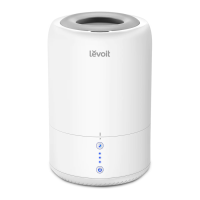
The Levoit Dual 100 is an Ultrasonic Top-Fill Cool Mist 2-in-1 Humidifier & Diffuser designed to improve air quality and provide aromatherapy benefits in household settings.

Function Description:

The primary function of the Levoit Dual 100 is to humidify the air by releasing a cool mist. It operates as an ultrasonic humidifier, which uses high-frequency vibrations to produce a fine mist that is then dispersed into the room. This helps to alleviate issues caused by dry air, such as dry skin, irritated sinuses, and static electricity. As a 2-in-1 device, it also functions as an essential oil diffuser. Users can add essential oils to the base chamber, allowing the humidifier to disperse aromatic mist for aromatherapy purposes. The device features a top-fill design for easy water refilling and includes an Intelligent Sleep Mode that automatically adjusts mist levels to maintain a comfortable 60% relative humidity (RH) while turning off display lights for an undisturbed sleep environment. Mist levels can be manually adjusted through low, medium, and high settings.

Important Technical Specifications:

  • Model: Dual 100
  • Power Supply: AC 100–120V, 60Hz
  • Rated Power: 24W
  • Water Tank Capacity: 0.48 gallons / 1.8 liters
  • Run Time: 8–20 hours (Note: Actual run time may vary depending on environmental temperature and humidity.)
  • Noise Level: < 28dB, ensuring quiet operation suitable for bedrooms and offices.
  • Effective Range: 107–260 ft² / 10–24 m², making it suitable for small to medium-sized rooms.
  • Dimensions: 7 x 7 x 10.6 inches / 17.6 x 17.6 x 27.1 cm

Usage Features:

  • Quick Start: To begin, place the humidifier on a hard, flat, water-resistant surface, at least 6 inches (15 cm) away from walls, furniture, bedding, and appliances. It is crucial not to place it on fibrous surfaces like towels or carpets, as this can block the air inlet and cause overheating. The water tank is easily removed from the base, and any tape should be removed before use.
  • Filling: The humidifier features a convenient top-fill design. To fill, remove the top cover from the water tank and pour room temperature water directly into the tank. It is recommended to use purified water to prevent white dust buildup caused by high mineral content in tap water. Never pour water directly into the base chamber or through the mist tube.
  • Essential Oil Diffusion: For aromatherapy, 10–15 drops of pure essential oil can be added directly into the base chamber. This allows the humidifier to disperse the scent along with the mist.
  • Operation: After filling and placing the tank back on the base (ensuring indicator marks are aligned), plug in the humidifier. Press the Control Button once to turn it on at the low mist level. Subsequent presses of the Control Button cycle through medium, high, and off settings.
  • Intelligent Sleep Mode: Press the Sleep Mode Button to activate this feature. The humidifier will automatically adjust the mist level to maintain a 60% relative humidity, and all display lights will turn off after 5 seconds to ensure a dark sleeping environment. Pressing the Sleep Mode Button again or the Control Button will cancel this mode, returning the humidifier to its previous mist level.
  • Safety Precautions: Always ensure the humidifier is stable to prevent spills. Do not block the mist outlet while in use, as this can damage the device. If the water tank is empty, the humidifier will not turn on, and the control button light will blink, indicating the need for a refill. Avoid moving or shaking the humidifier when it contains water to prevent excessive water release into the base chamber. Before moving, turn off, unplug, and remove the water tank. If the humidifier is not producing mist correctly, check the max water line in the base chamber and pour out any excess water if it's above the line.

Maintenance Features:

  • Regular Cleaning: Weekly cleaning is recommended to prevent bacteria growth and mineral buildup. All maintenance should be performed on a water-resistant surface.
  • Daily Water Change: Change the water in the tank daily to prevent bacteria growth.
  • Top Cover and Tank Cleaning: Remove and wash the top cover. Remove the water tank from the base and pour out all water from both the tank and base. Rinse the tank and base chamber with room temperature water. It is crucial not to let water enter the air outlet or near the control panel.
  • Scale Buildup Removal: To remove scale buildup in the water tank or base chamber, soak the affected areas with distilled white vinegar and then wipe with a cloth or cotton swab.
  • Essential Oil Residue Cleaning: If essential oils were used, fill the water tank and base chamber with distilled white vinegar and allow them to soak to clean any residue.
  • Mist Tube Cleaning: The mist tube can be detached for cleaning. Flip the tank over, pull the mist tube away from the center, and lift it out. After cleaning, ensure the mist tube is correctly reinstalled by aligning it with the mist outlet and pressing it down until the tab snaps into place.
  • Drying: After cleaning, rinse all parts and pour out any remaining water. Dry all parts thoroughly with a cloth, ensuring they are completely dry before storage.
  • Storage: If the humidifier will not be used for a week or longer, ensure all water is removed, and the device is completely dry before storing it in a cool, dry location.
  • Transducer Cleaning: The transducer, responsible for creating the mist, should be cleaned regularly to prevent mineral buildup, which can affect performance. Use a cleaning brush (not provided) and white vinegar for this.
  • Water Outlet Valve Assembly: If the water outlet is blocked by mineral buildup, clean the water outlet valve assembly with vinegar.

Levoit Dual 100 Specifications

General IconGeneral
BrandLevoit
ModelDual 100
CategoryHumidifier
LanguageEnglish

Related product manuals