EasyManua.ls Logo

Levoit LUH-D301S-WEU - User Manual

Levoit LUH-D301S-WEU
116 pages
Print Icon
To Next Page IconTo Next Page
Loading...
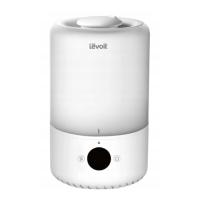
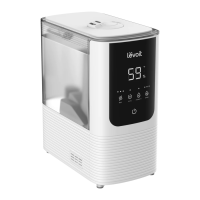
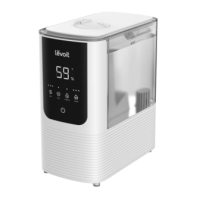
Dual 200S Smart Top-Fill Humidifier
Model: LUHD301SWEU
Questions or Concerns?
Please contact us at support.uk@levoit.com
support.de@levoit.com | support.fr@levoit.com
support.es@levoit.com | support.it@levoit.com
USER MANUAL
EN • DE • FR • ES • IT

Table of Contents

Questions and Answers

  • K
    Kelly BallardAug 16, 2025
    Why does my Levoit LUH-D301S-WEU Humidifier turn off unexpectedly?
    • E
      Erin CortezAug 16, 2025
      Your Levoit Humidifier might be turning off unexpectedly for a few reasons. First, ensure the humidifier is plugged in and turned on. Also, make sure there is enough purified or distilled water in the tank. If the humidifier is in Auto Mode, it may turn off automatically if the humidity level exceeds the set target.
  • T
    Teresa RiveraAug 19, 2025
    How to fix water leaks from my Levoit LUH-D301S-WEU?
    • M
      Marcus HartSep 12, 2025
      If your Levoit Humidifier is leaking, ensure the silicone sealing ring around the water outlet valve is secure. Avoid using the humidifier in rooms with over 60% relative humidity. Wipe off any excess water from the top and bottom of the base, and make sure the humidifier is placed on a flat, level surface. Also, avoid shaking the humidifier.
  • W
    William MathisAug 22, 2025
    How to reduce loud noise from Levoit Humidifier?
    • K
      Kristina MccormickAug 22, 2025
      If your Levoit Humidifier is making loud or unusual noises, ensure the water tank is correctly placed. Try setting the mist level to a lower setting. Also, empty the base chamber and refill the water tank, making sure to place it properly onto the base.
  • V
    Vincent WrightAug 25, 2025
    What to do if my Levoit LUH-D301S-WEU has little or no mist?
    • J
      James RichardAug 26, 2025
      If your Levoit Humidifier isn't producing enough mist, try these steps: * Increase the mist level setting. * Refill the water tank. * Empty the base chamber if it has too much water, then refill the water tank and correctly place it on the base. * Ensure the air inlet at the bottom isn't blocked, and the humidifier is on a level surface. * Check that the nozzle isn't blocked. * If recently cleaned with detergent, thoroughly rinse the water tank and base. * If the water temperature is too low, set the mist level to the highest setting temporarily, then adjust to the desired level.
  • M
    Michelle GarciaAug 28, 2025
    Why does my Levoit Humidifier have a strange smell?
    • D
      Daniel MartinAug 28, 2025
      If your Levoit Humidifier has an unusual smell, and it is new, unplug it, rinse all parts, and let them air dry in a cool, dry place for 12 hours. If you've used essential oils, clean all parts with white vinegar, following the descaling instructions, and let the humidifier dry. Regularly clean the water tank and base chamber, and only use purified or distilled water to avoid mineral buildup.
  • V
    Vincent BurchAug 31, 2025
    Why does my Levoit LUH-D301S-WEU use water so fast?
    • N
      Nicole CookAug 31, 2025
      The rate at which your Levoit Humidifier uses water depends on the environmental temperature and humidity. In colder and drier environments, the humidifier will use water more quickly.
  • H
    harmontracySep 3, 2025
    What to do if condensation forms around my Levoit LUH-D301S-WEU Humidifier?
    • J
      Jesse RaySep 3, 2025
      If you notice condensation forming around your Levoit Humidifier or on windows, the humidity may be too high. Try turning down the mist level or turning off the humidifier. You can also open a door or window to lower the room's humidity.
  • R
    Rebecca FieldsSep 6, 2025
    Why does my Levoit Humidifier display the wrong humidity?
    • A
      Anthony BullockSep 6, 2025
      If your Levoit Humidifier's display shows an incorrect humidity percentage, the room may be larger than the humidifier’s effective range. Move the humidifier to a smaller room. Also, moisture may have built up inside the humidity sensor. Turn off the humidifier and allow the sensor to air dry, ensuring the nozzle faces away from the sensor.
  • B
    Brian JonesSep 9, 2025
    How to prevent mould growth in my Levoit Humidifier?
    • J
      James LiuSep 9, 2025
      To prevent mould growth inside your Levoit Humidifier, clean the water tank and base chamber regularly.
  • S
    Steven WhiteSep 12, 2025
    What to do if my Levoit Humidifier has little or no smell of essential oil?
    • S
      Sharon SchultzSep 12, 2025
      If your Levoit Humidifier isn't emitting much scent from the essential oil, make sure you've added 10–15 drops of oil into the base chamber. For best results, use pure essential oil.

Summary

Safety Information

General Safety

Outlines general precautions for safe use and placement of the humidifier.

Controls & Display

Getting Started

Filling & Refilling

VeSync App Setup

Using Your Smart Humidifier

VeSync App Functions

Lists additional smart functions and remote controls available through the VeSync app.

Care & Maintenance

Reassembling

Troubleshooting

VeSync App Troubleshooting

Warranty Information

Customer Support

Levoit LUH-D301S-WEU Specifications

General IconGeneral
Model NumberLUH-D301S-WEU
Mist OutputUp to 300 mL/h
Mist Levels3
Auto ModeYes
Night LightYes
Aroma DiffuserYes
Water Level IndicatorYes
ColorWhite
Smart ControlYes
Automatic Shut-OffYes
Operating Voltage220-240V
Operating Frequency50/60 Hz
MaterialPlastic
Featuresaroma diffuser
Noise Level<30 dB

Related product manuals