EasyManua.ls Logo

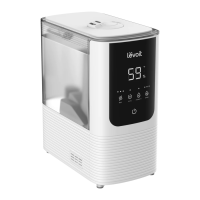
Levoit OasisMist LUH-0451S-WUS - User Manual

Levoit OasisMist LUH-0451S-WUS
28 pages
Print Icon
To Next Page IconTo Next Page
Loading...
OasisMist™ Smart Humidifier
Model: LUH-O451S-WUS
Questions or Concerns?
Please contact us MonFri, 9:00 am5:00 pm PST/PDT
at support@levoit.com or at (888) 726-8520.
USER MANUAL

Questions and Answers

  • D
    dclarkAug 20, 2025
    What to do if my Levoit OasisMist LUH-0451S-WUS Humidifier doesn’t turn on?
    • D
      Dana BergAug 20, 2025
      First, ensure the humidifier is plugged into a working outlet and turned on. If it still doesn’t turn on, add purified or distilled water to the water tank.
  • O
    orodriguezAug 22, 2025
    What to do if my Levoit Humidifier is leaking water?
    • Z
      zpinedaAug 22, 2025
      To prevent water leaks from your humidifier: * Avoid running the humidifier in a room with over 60% relative humidity. * Wipe off any excess water from the top and bottom of the base. * Do not shake the humidifier. * Make sure to place the humidifier on a flat, level surface. * Check the water tank for leaks.
  • P
    Paul SanchezAug 25, 2025
    Why is my Levoit Humidifier making a loud noise?
    • M
      Michael KhanAug 25, 2025
      A loud or unusual noise from your humidifier can occur for several reasons. Make sure the water tank is correctly placed. Try setting the mist level to a lower setting. Also, empty the base chamber and refill the water tank, ensuring it's properly placed on the base. If using the warm mist function, add more water to the tank if the water level is low.
  • S
    Sandra MitchellAug 26, 2025
    Why is the light on my Levoit Humidifier lighting up red?
    • A
      Amanda PattersonAug 26, 2025
      A red light indicates that you need to fill the water tank, place the water tank properly on the base, or clean/replace the water filter.
  • S
    Sara KirbyAug 27, 2025
    Why is my Levoit Humidifier producing white dust?
    • D
      david88Aug 28, 2025
      The appearance of white dust around the humidifier suggests that you might be using water with high mineral content, such as tap water. It’s recommended to use purified or distilled water instead. Also, clean the humidifier regularly.
  • C
    Connor GarciaAug 29, 2025
    What to do if my Levoit Humidifier produces an unusual smell?
    • J
      Jeffrey BaileyAug 30, 2025
      If your humidifier is new, unplug it, rinse all the parts, and place them in a cool, dry place for 12 hours. If you've used essential oils, rinse the aroma pad under clean water and let it dry. You may also need to clean the humidifier.
  • S
    Scott EllisAug 31, 2025
    What to do if my Levoit Humidifier has little or no mist?
    • M
      Mrs. Kimberly LeonardAug 31, 2025
      If your humidifier isn't producing enough mist, try these steps: * Increase the mist level. * Fill the water tank. * Empty the base chamber if it has too much water, then refill the water tank and place it correctly. * Ensure the air inlets are not blocked. * Clean the humidifier, especially the nozzles. * Place the humidifier on a level surface. * Rinse the water tank and base if they were washed with detergent. * Clean or replace the water filter.
  • D
    deborah07Sep 2, 2025
    Why is mist leaking from the base of my Levoit OasisMist LUH-0451S-WUS Humidifier?
    • J
      Jackie AlvaradoSep 2, 2025
      Mist leaking from the base usually indicates that the water tank isn't correctly placed. Make sure the water tank is properly in place.
  • S
    scottmillerSep 4, 2025
    How to prevent mold growth inside my Levoit OasisMist LUH-0451S-WUS?
    • E
      Emily CarrSep 4, 2025
      To prevent mold growth, regularly clean the water tank and base chamber.
  • W
    Wanda EllisSep 6, 2025
    Why does the essential oil have little or no smell in my Levoit OasisMist LUH-0451S-WUS?
    • C
      clinebruceSep 6, 2025
      If the essential oil has little to no smell, try adding more essential oil. For the best results, use pure essential oil.

Summary

Package Contents

Specifications

Safety Information

General Safety Guidelines

Essential safety precautions for operating the humidifier to prevent fire, electric shock, and injury.

Power and Cord Safety

Precautions regarding the power cord, plug, and electrical safety features of the humidifier.

Electromagnetic Fields (EMF) Compliance

Information on the humidifier's compliance with electromagnetic field standards for safe usage.

Getting to Know Your Smart Humidifier

Controls and Indicators

Getting Started

VeSync App Setup

Using Your Smart Humidifier

Warm Mist and Auto Mode

Details on using warm mist settings and enabling Auto Mode for automatic humidity control.

Sleep Mode and Display Control

How to activate Sleep Mode for quiet operation and turn off the display lights for nighttime.

Aromatherapy with the Aroma Box

Automatic Shutoff

VeSync App Functions

Care and Maintenance

General Cleaning

Instructions for regular cleaning of the humidifier's water tank and base chamber.

Descaling Your Humidifier

Steps for descaling the humidifier using vinegar to remove mineral buildup.

Cleaning and Replacing Aroma;Absorption Pads

How to clean and replace the aroma pads and absorption pads for optimal performance.

Reassembling and Storing

Guidance on reassembling humidifier parts and proper storage procedures for long-term use.

Troubleshooting

VeSync App Troubleshooting

Warranty Information

Warranty Terms and Policy

Details on the 2-year limited warranty, exclusions, and how to contact support for claims.

Customer Support

Levoit OasisMist LUH-0451S-WUS Specifications

General IconGeneral
BrandLevoit
ModelOasisMist LUH-0451S-WUS
CategoryHumidifier
LanguageEnglish

Related product manuals