10
Care &
Maintenance
Make sure the humidifier is disconnected
from any power source before cleaning.
1. Unplug the humidifier. Allow the device
and any remaining water to completely
cool before cleaning.
2. Remove the water tank from the base
and pour out any excess water.
3. Remove the air flume and mist tube.
Detach the mist tube from the air flume
by twisting the tube counterclockwise.
Rinse both parts in clean water and dry
thoroughly.
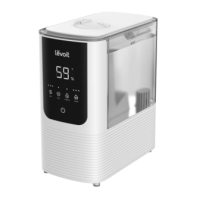
The “Low Water Level” icon
will appear on the display
when more water needs to
be added to the water tank.
When this happens, the
humidifier will automatically shut o and
will turn back on once a sucient amount
of water has been added. The minimum of
amount of water needed for the humidifier
to function is 2 cups (480 mL).
While the humidifier is operating, the
display will automatically dim itself after
30 seconds. If you want to turn o the
display, press and hold the AUTO button
for 3 seconds. To turn the display back on,
press any button (except the power button)
on the control panel.
Turning O the Display





 To Next Page