5
CONTROLS & DISPLAY
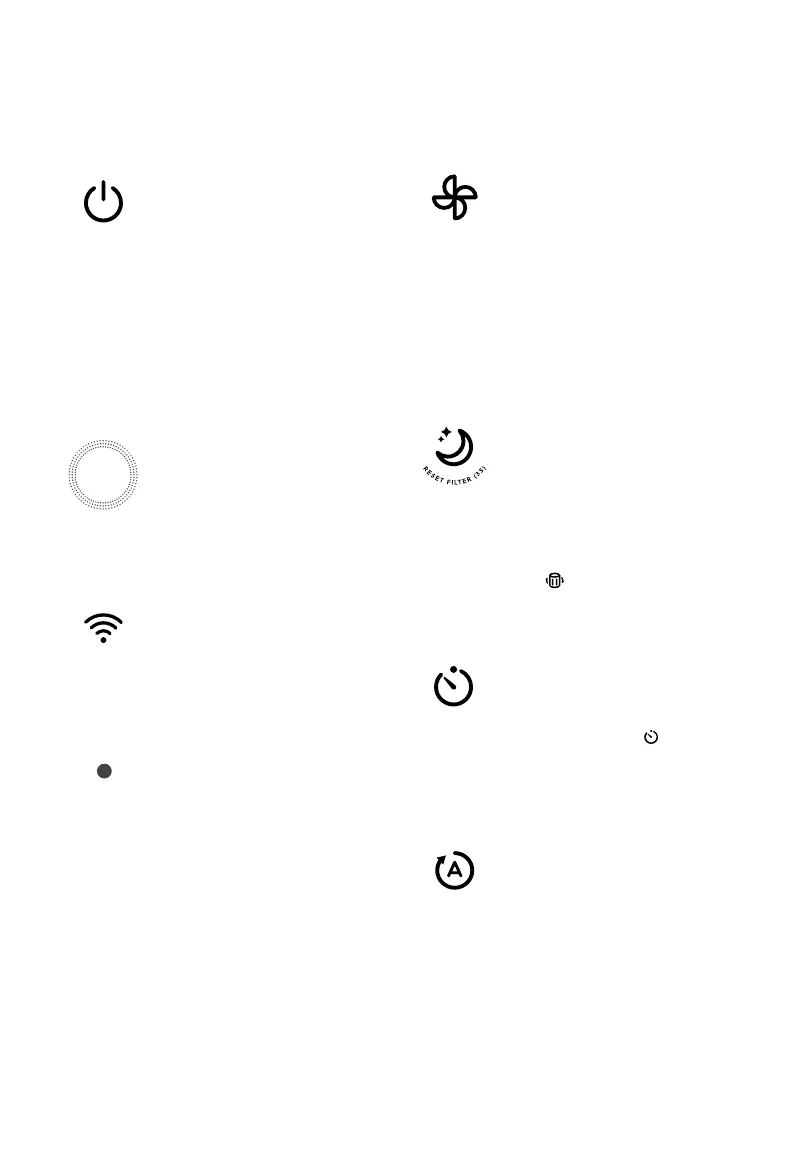
On/O Button
• Turns the air purifier on/o.
• Press and hold for 5
seconds to configure the
air purifier. See the VeSync
in-app instructions for
more information.
• Press and hold for 15
seconds to reset the air
purifier and disconnect from
Wi-Fi (see page 8).
Wi-Fi Indicator
• Turns on, o, or blinks to
indicate pairing status.
See the VeSync in-app
instructions for more
information.
Fan Speed Button
• Cycles through fan speeds:
low (1 indicator will light up),
medium (2 indicators), high
(3 indicators), and turbo
(4 indicators).
• Tapping the Fan Speed
Button while the air purifier
is in Auto Mode or Sleep
Mode (if the display is on)
will exit that mode.
Sleep Mode Button
• Turns Sleep Mode on/o
(see page 9).
• Press and hold for 3
seconds to reset the Check
Filter Indicator (see page 16).
• The Check Filter Indicator
( ) lights up when the
filter should be checked
(see page 16).
Timer Button
• Cycles through timer
options (see page 11).
• Press and hold for 2
seconds to begin cycling
through the timer options
in 1-hour increments.
Auto Mode Button
• Turns Auto Mode on/o
(see page 10).
Air Quality Indicator Rings
• These indicators use an
automatic sensor to display
the air quality: Blue (Very
Good), Green (Good),
Orange (Moderate), and
Red (Bad).
Note: You can also use the VeSync app to control these functions, as well as additional app-only features
(see page 13).
Light Sensor
The Light Sensor detects the
amount of light in the room to
automatically adjust the air purifier
settings (see Light Detection, page
12).
• Light Detection can be turned
on/o in the VeSync App.
• Press and hold display
button for 3 seconds
also turns on/o the light
detection function.





 To Next Page