USING YOUR SMART
AIR PURIFIER
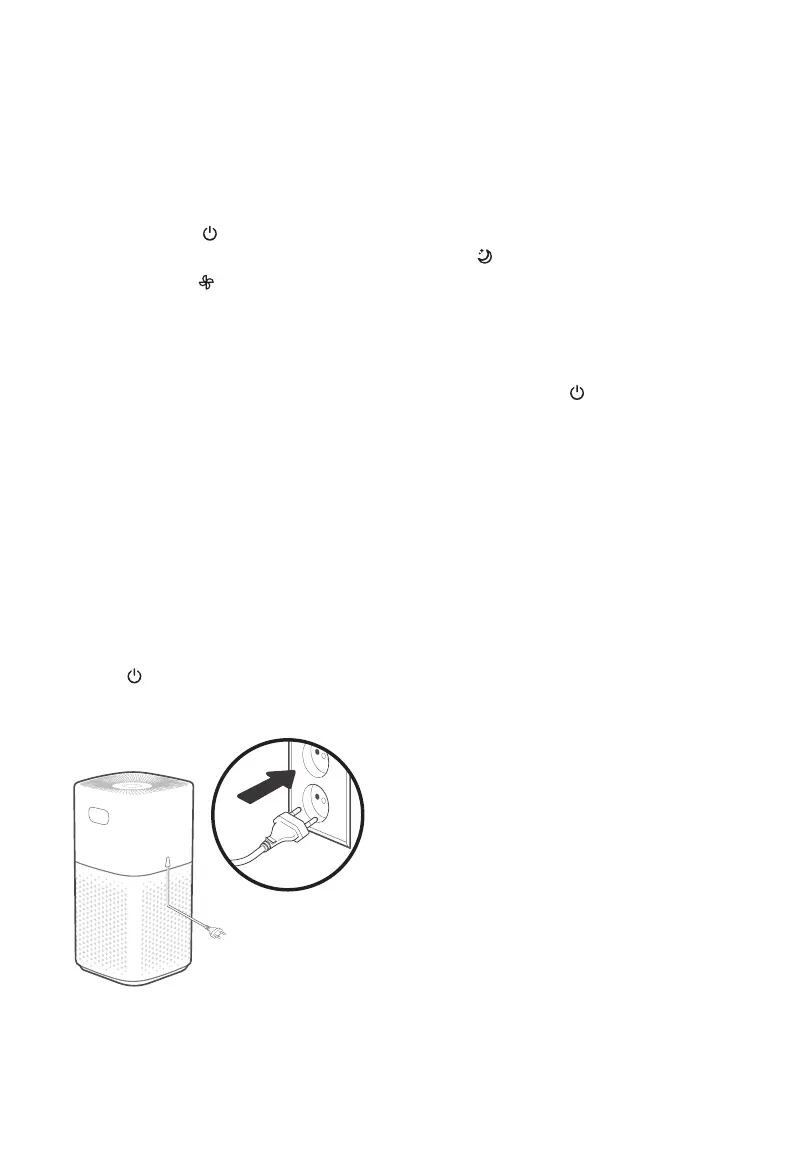
1. Plug in and tap to turn on the air
purifier. [Figure 2.1]
2. Optionally, tap to change fan speed
between low, medium, high, and turbo.
Note:
• The fan speed indicators will light up
when active. 1 indicator will light up for
low, 2 for medium, 3 for high, and 4 for
turbo.
• Turbo speed is the loudest, but cleans
air the quickest.
• For best results, or to address a specific
air quality issue such as smoke, run the
air purifier at turbo speed for 15–20
minutes before using a lower speed.
• To eectively clean air, keep windows
and doors closed while the air purifier
is on.
3. Tap to turn o the air purifier.
Figure 2.1
Note: Using the VeSync app allows you to control
your air purifier remotely and access additional
functions and features (see page 15).
Sleep Mode operates quietly by using a fan
speed lower than low speed.
1. Tap to turn Sleep Mode on/o.
2. Sleep Mode will turn o the display after
6 seconds if no other buttons are tapped.
Note:
• When the display is turned o, tap any
button (except ) to turn the display
back on. If you don’t tap another
button, the display will turn o again
after 6 seconds.
• The Check Filter Indicator will still turn
on and stay on if it’s time to check your
filter (see page 18).
Sleep Mode
EN
11




 To Next Page