13
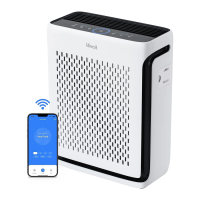
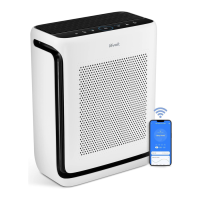
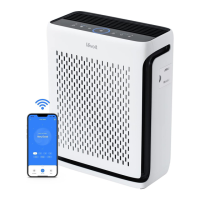
• The VeSync app allows you to access
additional smart air purifier functions,
including those listed below.
• As Vesync App develops, the design,
functions, content, etc., of Vesync
App may be subject to change or be
discontinued without prior notice.
Remote Control
• Change any air purifier settings
through the app, even while Display
Lock is on.
Air Quality Updates
• View real-time air quality updates in
the app.
• See your air quality history for the
previous 4 weeks.
VeSync App Functions
USING YOUR SMART AIR PURIFIER (CONT.)
Auto Mode
Access additional auto modes: Quiet Auto
Mode and Ecient Auto Mode.
• Quiet Auto Mode uses the medium
fan speed (2 indicator lights) instead
of the high or turbo fan speeds, even
when the air quality is poor, to avoid
making too much noise.
• Ecient Auto Mode lets you choose
the size of the area you want to
purify. The air purifier will use the
turbo fan speed to clean the air for a
designated amount of time. This time
is based on 1 ACH and the size of
the room, meaning how long it takes
for the air purifier to clean all the air
in your room one time, regardless of
the air quality. After this, the mode
will adjust the fan speed according
to the actual detected air quality in
the room.
Note: Ecient Auto Mode is useful for purifying
odors from the air. The air purifier’s dust sensor
can only detect particles in the air, not smells.
Ecient Auto Mode does not rely on the dust
sensor, but the room size instead.
Note:
• The Check Filter Indicator will still turn on
and stay on if it’s time to check your filter
(see page 16).
• With light detection on, it is unable to keep
the screen lit in a dark room.If you prefer to
keep the display lit up, you can turn o the
light detection by pressing and holding the
display button for 3 seconds or Vesync APP.
Schedules
• Create and customize schedules
for your air purifier to match your
routines.
Display O
• Turns o the display lights on the air
purifier, including button lights and
indicator lights (except the Check
Filter Indicator).
Filter Replacement Info
• Keep tabs on the remaining filter life
by checking the filter life percentage
in the app.
• Shop for replacement filters.
Timer Function
• Set a timer between 1–24 hours.
• Easily view the exact time remaining
on a timer.





 To Next Page