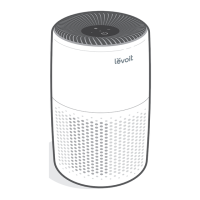
This document is a user manual for the Levoit Vital 100S Smart True HEPA Air Purifier, a device designed to improve indoor air quality.
Function Description
The Levoit Vital 100S is a smart air purifier that utilizes a 3-stage filtration system to clean the air. It features a Washable Pre-Filter, an H13 True HEPA Filter with HEPASmart™ Technology, and a High-Efficiency Activated Carbon Filter. The pre-filter captures large particles like dust, lint, fibers, hair, and pet fur, extending the life of the other filters. The H13 True HEPA filter is designed to trap at least 99.97% of airborne particles 0.3 microns in size, including fine dust, smoke, pollen, and pet dander, and uses statically charged fibers to capture viruses and bacteria. The activated carbon filter physically adsorbs smoke, odors, fumes, and volatile organic compounds (VOCs) such as formaldehyde, benzene, and ammonia. The air purifier operates with a powered fan system, and its efficiency is measured by its Clean Air Delivery Rate (CADR) and Air Change Per Hour (ACH), indicating the volume of clean air produced per minute and how many times the air in a room can be purified in an hour, respectively.
Usage Features
The air purifier can be controlled manually via its display or remotely through the VeSync app, which offers additional smart functions.
- On/Off: The device can be turned on or off with a dedicated button.
- Fan Speed: Users can cycle through low, medium, high, and turbo fan speeds to adjust purification intensity. Turbo speed is the quickest for cleaning air, recommended for 15–20 minutes to address specific air quality issues like smoke.
- Auto Mode: This mode uses the AirSight™ infrared dust sensor to automatically adjust the fan speed based on real-time air quality. If air quality is poor, the fan speed increases. The VeSync app also offers "Efficient Auto Mode" and "Quiet Auto Mode" for more tailored automatic operation.
- Sleep Mode: This mode operates at a quieter fan speed, lower than the standard low speed, and turns off the display after 6 seconds if no other buttons are tapped, ensuring minimal disturbance during sleep.
- Timer Function: A manual timer can be set for 2, 4, or 8 hours directly on the device. The VeSync app expands this to allow timers from 1 to 24 hours. The air purifier will turn off automatically once the timer finishes.
- Display Off Button: This button turns off all display lights, including button and indicator lights (except the Check Filter Indicator), for use in dark environments. Tapping any button temporarily turns the display back on.
- Display Lock: This feature prevents accidental changes to settings by locking the display. The Display Lock Indicator lights up when active and blinks if other buttons are tapped, indicating the display is locked. It can be activated or deactivated by pressing and holding the Display Lock button for 3 seconds, or through the VeSync app.
- Light Detection: When enabled via the VeSync app, the light sensor automatically adjusts air purifier settings based on room light levels. In dark rooms, the display turns off, and in Auto or Pet Mode, it avoids high or turbo fan speeds to reduce noise. Settings revert to previous states when the room becomes light again.
- Pet Mode: Available through the VeSync app, this mode efficiently filters allergens while conserving energy. It cycles between high and medium fan speeds for specific durations. If the light sensor detects darkness, it limits operation to medium fan speed to minimize noise.
- Memory Function: The air purifier remembers its last fan speed, Sleep Mode, Auto Mode, Pet Mode, and in-app Display and Light Detection settings even after being turned off or unplugged. It does not remember timer settings.
- Standby Mode: When the air purifier is off but plugged in, the infrared dust sensor continues to detect air quality and provide updates in the VeSync app. Display Lock can be used in Standby Mode to prevent accidental power-on.
- VeSync App Integration: The VeSync app provides remote control, real-time air quality updates, and a 4-week air quality history. It also allows for creating and customizing schedules, accessing additional auto modes (Quiet Auto Mode, Efficient Auto Mode), and viewing filter life percentage. The app can connect the air purifier to Amazon Alexa or Google Assistant for voice control.
Maintenance Features
Regular maintenance is crucial for optimal performance and filter longevity.
- Cleaning the Smart Air Purifier: The exterior should be wiped with a soft, dry, or damp cloth. The interior can be vacuumed. Abrasive chemicals or flammable cleaning agents should not be used.
- Check Filter Indicator: This indicator lights up red after approximately 9 months of use, reminding users to check the filter. It can be reset by pressing and holding the Sleep Mode button for 3 seconds. The VeSync app also provides filter life percentage and notifications.
- Cleaning the Pre-Filter: The washable pre-filter should be cleaned every 2–4 weeks. It can be cleaned with a soft brush or vacuum hose to remove large particles, or washed with water and a mild detergent. After washing, it must be air-dried completely before being reinserted. Avoid scrubbing, scraping, or vigorously brushing the pre-filter.
- Replacing the True HEPA / Activated Carbon Filter: This filter should be replaced every 9 months, or sooner depending on usage and air quality. Signs that the filter needs replacement include decreased filtering efficiency, increased noise, decreased airflow, unusual odors, or visible dust/discoloration on the HEPA filter. Only official Levoit filters should be used. After replacement, the Check Filter Indicator must be reset.
- Cleaning the Dust Sensor: The AirSight™ Infrared Dust Sensor lens should be cleaned every 2 months to maintain efficiency. This involves unplugging the device, opening the dust sensor cover, and wiping the lens with a water-dipped cotton swab, then drying it with a dry cotton swab.
- Storage: For extended periods of non-use, the air purifier and filter should be wrapped in plastic packaging and stored in a dry place to prevent moisture damage.

 Need help?
 General

 To Next Page