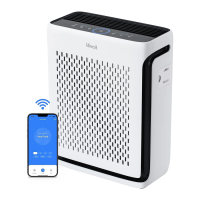
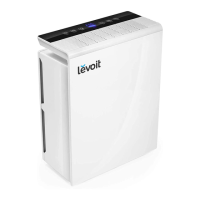
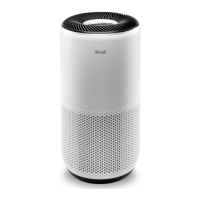
The Levoit EverestAir™ Smart True HEPA Air Purifier (Model: LAP-EL551S-AUS) is designed to improve indoor air quality through a 3-stage filtration system. This smart air purifier offers various modes and features for efficient and customizable air purification, with additional functionalities accessible via the VeSync app.
Function Description:
The EverestAir™ is a smart air purifier that utilizes a True HEPA 3-Stage Original Filter to capture airborne particles, odors, and gases. It is equipped with an AirSight Plus™ 2.0 Laser Dust Sensor that automatically detects air quality and adjusts fan speed in Auto Mode. The device can be controlled manually via its display and buttons, or remotely through the VeSync app, which unlocks additional smart features like custom schedules, ECO Auto Mode, and detailed air quality history. The air purifier is designed for household use and is not intended for commercial applications. It is effective in rooms up to 558 ft² / 52 m² for 5 air changes per hour (ACH) or 1,395 ft² / 130 m² for 2 ACH, though purification will take longer in larger rooms.
Important Technical Specifications:
- Model: LAP-EL551S-AUS
- Power Supply: AC 120V, 60Hz
- Rating: 70W, 1A
- Ideal Room Size: 558 ft² / 52 m² (5 ACH), 1,395 ft² / 130 m² (2 ACH)
- CADR (CFM): 360 CFM / 612 m³/h
- Operating Conditions: Temperature: 14°–104°F / -10°–40°C, Humidity: < 85% RH
- Noise Level: 24–52dB
- Dimensions: 18.9 x 8.5 x 24.5 in / 48 x 21.6 x 62.2 cm
- Weight: 20.3 lb / 9.2 kg
- Filtration System: True HEPA 3-Stage Original Filter (Pre-Installed), consisting of a Washable Pre-Filter, H13 True HEPA Filter, and High-Efficiency Activated Carbon Filter.
- Connectivity: Wi-Fi® enabled for VeSync app integration.
- Sensors: AirSight Plus™ 2.0 Laser Dust Sensor, Light Sensor.
Usage Features:
- On/Off Button: Powers the air purifier on/off. Also used for VeSync app connection (press and hold for 5 seconds) and Wi-Fi reset (press and hold for 15 seconds).
- Display: Shows air quality information (PM1.0, PM2.5, PM10, and overall clean air percentage) and air purifier settings. The display defaults to overall clean air percentage and resets upon restart.
- Air Info Button: Cycles through different air quality readings on the display.
- Air Quality Indicator Rings: Color-coded rings (Blue: Very Good, Green: Good, Orange: Moderate, Red: Bad) visually indicate current air quality based on an automatic sensor.
- Fan Speed Button: Cycles through low (1 indicator), medium (2 indicators), and high (3 indicators) fan speeds. Tapping this button in Auto, Turbo, or Sleep Mode (if display is on) exits that mode.
- Sleep Mode: Operates quietly at a fan speed lower than low, with the display turning off after 6 seconds of inactivity.
- Auto Mode: Uses the AirSight Plus™ 2.0 Laser Dust Sensor to automatically adjust fan speed based on detected air quality.
- Turbo Mode: Cleans air quickly at a fan speed higher than high, ideal for rapid purification of heavy odors or visible smoke.
- Vent Angle Button: Cycles through vent angles of 45°, 60°, 75°, and 90° to optimize purified air dispersion. Custom angles between 45°-90° are available via the VeSync app.
- Timer Button: Sets a timer for 1–12 hours in 1-hour increments. The VeSync app allows for a timer up to 24 hours.
- Wi-Fi® Indicator: Shows pairing status for VeSync app connection.
- Light Sensor: Automatically adjusts air purifier settings based on room light levels. In Auto Mode, it prevents high fan speeds when the room is dark to reduce noise. Can be toggled on/off in the VeSync app.
- Memory Function: Remembers previous fan speed, vent angle, Sleep Mode, Auto Mode, Turbo Mode, and in-app Display Off and Light Detection settings when plugged in and turned off. When unplugged, it remembers previous fan speed, Sleep Mode, Auto Mode, Turbo Mode, and in-app Light Detection settings. The timer setting is remembered but does not automatically resume.
- Standby Mode: When turned off but plugged in, the laser dust sensor continues to detect air quality and provide updates in the VeSync app.
- VeSync App Functions:
- Remote Control: Control all air purifier settings remotely.
- Display Lock: Prevents changes to settings on the physical device.
- Air Quality Updates: View real-time PM1.0, PM2.5, PM10 data, and air quality history.
- Schedules: Create custom purification schedules.
- ECO Auto Mode: An energy-saving Auto Mode that intermittently turns the fan on/off when air quality is Very Good.
- Filter Replacement Info: Monitor remaining filter life percentage and shop for replacement filters.
- Voice Assistant Integration: Connects with Amazon Alexa or Google Assistant™ for voice control.
Maintenance Features:
- Cleaning the Smart Air Purifier: Unplug before cleaning. Wipe the exterior with a soft, dry or damp cloth. Vacuum the interior. Do not use abrasive chemicals or flammable cleaning agents.
- Check Filter Indicator (FILTER Button): Lights up to remind users to check the filter, typically after 12–15 months of use. The VeSync app also provides filter life percentage and notifications.
- Resetting the Check Filter Indicator:
- If the FILTER light is on (indicating it's time to check/replace the filter): Replace the filter, turn on the air purifier, then press and hold the FILTER button for 3 seconds to reset. The indicator light will turn off, and filter life will show 100%.
- If the filter was changed before the FILTER light came on: Press and hold the FILTER button for 3 seconds until it flashes, then it will stop flashing and turn off, showing 100% filter life.
- Cleaning the Pre-Filter: Should be cleaned every 2–4 weeks. Remove the front cover and pull out the pre-filter. Clean with a soft brush or vacuum hose to remove hair, dust, and large particles. Optionally, wash with water and mild detergent, then air-dry completely before reinserting. Avoid scrubbing or using abrasive materials.
- Replacing the True HEPA / Activated Carbon Filter: Recommended every 12–15 months, or sooner depending on usage and pollution levels. Unplug the air purifier, remove the front cover, and remove the old filter. Vacuum any remaining dust or hair inside the air purifier. Remove plastic packaging from the new filter, insert it, replace the front cover, plug in, turn on, and reset the Check Filter Indicator. Only use official Levoit filters.
- Cleaning the AirSight Plus 2.0 Laser Dust Sensor: Clean every 3 months, or more often in dusty environments. Unplug the air purifier, place a vacuum cleaner end over the sensor openings, and turn the vacuum on for at least 10 seconds to clean out dust.
- Storage: If storing for an extended period, wrap the air purifier and filter in plastic packaging and store in a dry place to prevent moisture damage.


 To Next Page
 General