EasyManua.ls Logo

Levoit Vista 200 - User Manual

Levoit Vista 200
16 pages
Print Icon
To Next Page IconTo Next Page
Loading...
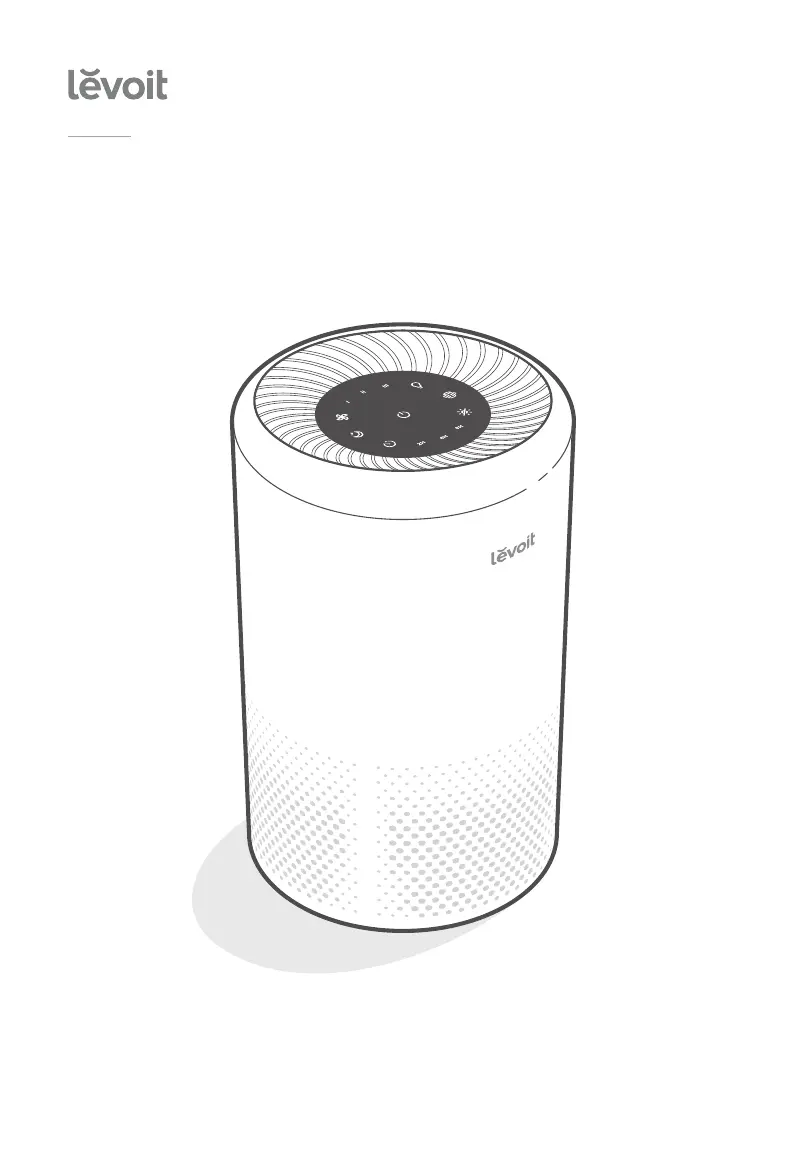
True HEPA Air Purifier
Model: Vista 200
Questions or Concerns?
Please contact us Mon–Fri, 9:00 am–5:00 pm PST/PDT
at support@levoit.com or at (888) 726-8520.
USER MANUAL

Questions and Answers

  • K
    Kevin PierceAug 14, 2025
    What to do if my Levoit Air Cleaner won't turn on?
    • T
      Tanner MoralesAug 14, 2025
      First, ensure the air purifier is properly plugged in. If it still doesn't turn on, try disconnecting and reconnecting the AC power adapter. Also, test the air purifier with a different outlet. If the problem persists and the AC power adapter is damaged, stop using the air purifier.
  • K
    kdavisAug 17, 2025
    How to fix unusual noise from my Levoit Vista 200 Air Cleaner?
    • J
      Julie CainAug 18, 2025
      Ensure the air filter is correctly placed and the plastic packaging has been removed. Check that the air purifier is on a hard, flat, even surface. If the noise continues, consider replacing the air filter. If the air purifier may be damaged, or a foreign object may be inside, stop using it.
  • K
    Kathryn RoblesAug 20, 2025
    What to do if my Levoit Vista 200 will not turn on?
    • E
      erin51Aug 20, 2025
      First, ensure the air purifier is properly plugged in. If it still doesn't turn on, try disconnecting and reconnecting the AC power adapter. You can also try plugging the air purifier into a different outlet. If the AC power adapter is damaged or the air purifier is malfunctioning, stop using it and contact Customer Support.
  • B
    bradleyjohnsonAug 25, 2025
    How to improve the air purification quality of my Levoit Air Cleaner?
    • A
      Andrea GardnerAug 25, 2025
      To improve air purification, increase the fan speed. Ensure that the sides and top of the air purifier (the inlet or outlet) aren't blocked. Also, make sure the filter is removed from its packaging and properly placed. Close doors and windows while using the air purifier. Keep in mind that the air purifier may be less effective if the room is larger than 15 m² / 161 ft².
  • K
    Kathryn GloverAug 27, 2025
    Why is the airflow significantly reduced in my Levoit Vista 200 Air Cleaner?
    • S
      Sandra GibsonAug 27, 2025
      The airflow may be reduced because the filter is not properly installed or still in its packaging, so make sure the filter is removed from its packaging and properly in place. Try tapping to increase the fan speed. Ensure there is at least 38 cm / 15 in of clearance on all sides of the air purifier. It may also be time to replace the air filter.
  • V
    vancewayneAug 30, 2025
    Why does my Levoit Vista 200 have a strange smell?
    • A
      Anthony HansonAug 31, 2025
      The strange smell can be eliminated by cleaning or replacing the filter. Also, make sure you are not using your purifier in an area with high humidity or while diffusing essential oils.
  • E
    Elizabeth WyattSep 3, 2025
    What to do if my Levoit Air Cleaner has poor air purification quality?
    • S
      Sarah LunaSep 3, 2025
      To improve air purification, first, try increasing the fan speed. Make sure nothing is blocking the sides or top of the air purifier. Ensure the filter's packaging has been removed and that the filter is correctly installed. Close doors and windows while using the air purifier. Also, ensure the room size is smaller than 171 ft² / 15.9 m², as the air purifier may be less effective in larger rooms. Finally, consider replacing the filter.
  • E
    Elizabeth BowenSep 6, 2025
    Why does my Levoit Vista 200 Air Cleaner make unusual noises?
    • F
      Frank SnyderSep 7, 2025
      Unusual noises from your air purifier can be due to several factors. First, ensure the air filter is properly in place and that all plastic packaging has been removed. Make sure the air purifier is operating on a hard, flat, even surface. If the noise persists, try replacing the air filter. If you suspect damage or a foreign object inside, stop using the air purifier and contact Customer Support, and do not attempt to repair it yourself.
  • S
    Samantha SmithSep 9, 2025
    Why doesn't air flow evenly out of my Levoit Vista 200 Air Cleaner?
    • C
      Catherine BrownSep 10, 2025
      This is normal due to the design of the air purifier and will not affect its efficiency.

Summary

Specifications Overview

Power Supply Details

Specifies input voltage, frequency, amperage, and output voltage/amperage for the AC adapter.

Performance Specifications

Details rated power, effective coverage area, noise level, and standby power consumption.

Physical Specifications

Lists operating conditions (temperature, humidity) and physical dimensions/weight of the purifier.

SAFETY INFORMATION

General Safety Guidelines

Essential safety rules for operating the air purifier, including usage restrictions and child supervision.

AC Adapter and Cord Safety

Specific safety instructions for the AC power adapter and its cord to prevent hazards.

GETTING TO KNOW YOUR AIR PURIFIER

Component Identification

Identifies and labels all external and internal components of the air purifier for user familiarity.

Airflow and Inlet;Outlet Ports

Highlights the air outlet and air inlet locations critical for proper air circulation and purification.

CONTROLS

Control Panel Functions

Details the functions of each button and indicator on the control panel for managing the air purifier.

GETTING STARTED

Initial Filter Installation

Step-by-step guide to removing the filter from packaging and correctly installing it into the purifier.

GETTING STARTED (CONT.)

Purifier Placement and Final Assembly

Instructions for replacing the filter cover and positioning the purifier for optimal airflow and stability.

USING YOUR PURIFIER

Connecting Power and Basic Operation

How to connect the AC adapter, turn the purifier on, and its initial fan speed setting.

Adjusting Fan Speed

Instructions on how to cycle through and select fan speeds I, II, and III.

Memory Function

Explanation of how the air purifier retains its last fan speed setting when powered off and on.

USING YOUR PURIFIER (CONT.)

Sleep Mode Operation

Details on activating Sleep Mode, its quiet operation, and indicator brightness reduction.

Timer Functionality

How to set a timer for 2, 4, or 8 hours and cancel it.

Night Light Control

Instructions for turning the night light on, adjusting brightness, and turning it off.

ABOUT THE FILTER

3-Stage Filtration System Explained

Overview of the three filtration stages: Nylon Pre-Filter, True HEPA Filter, and Activated Carbon Filter.

Nylon Pre-Filter Role

Describes the Nylon Pre-Filter's function in capturing large particles like dust, lint, and pet fur.

True HEPA Filter Performance

Details the True HEPA Filter's efficiency in removing 99.97% of airborne particles 0.3 µm in size.

Activated Carbon Filter Benefits

Explains how the Activated Carbon Filter absorbs odors and harmful compounds.

ABOUT THE FILTER (CONT.)

Humidity and Filter Care

Advice on humidity levels and how moisture can affect air filters, leading to mold.

Essential Oils Warning

Caution against using essential oils or diffusers near the purifier due to filter damage and odor issues.

KEEPING THINGS CLEAN

Cleaning the Air Purifier Housing

Instructions for cleaning the exterior of the air purifier using appropriate cloths.

When Should I Replace the Air Filter?

Filter Lifespan and Replacement Indicators

Guidance on filter replacement intervals (6-8 months) and the role of the indicator light.

Signs of a Clogged Filter

Symptoms indicating the air filter needs replacement, such as increased noise or decreased airflow.

Using Official Replacement Filters

Recommendation to use only official Levoit filters for optimal performance and longevity.

KEEPING THINGS CLEAN (CONT.)

Check Filter Indicator Functionality

Explanation of the Check Filter Indicator's purpose and when it activates.

Cleaning the True HEPA Filter

Instructions for monthly cleaning of the True HEPA Filter using a soft brush or vacuum hose.

Replacing the Air Filter

Air Filter Replacement Procedure

Step-by-step guide to removing the old filter and installing a new one, including cover reassembly.

Resetting the Check Filter Indicator

Indicator Reset Procedures

Detailed steps to reset the Check Filter Indicator after replacing the air filter.

Storage Recommendations

TROUBLESHOOTING

Air Purifier Not Turning On

Solutions for issues where the air purifier does not respond to button controls or power.

Reduced Airflow Issues

Troubleshooting steps for when the airflow from the purifier is significantly reduced.

Unusual Noise During Operation

Possible causes and solutions for the air purifier making unusual noises while the fan is on.

Poor Air Purification Quality

Guidance on addressing issues related to poor air purification quality, including filter and placement checks.

TROUBLESHOOTING (CONT.)

Strange Smell from Purifier

Solutions for troubleshooting strange smells coming from the air purifier, including filter cleaning.

Check Filter Indicator Behavior

Understanding the Check Filter Indicator's behavior after filter replacement or based on usage time.

Uneven Airflow Explanation

Explanation for why air may not flow evenly out of the air purifier and its impact on efficiency.

WARRANTY INFORMATION

Product and Warranty Details

Information on the product model, default warranty period, and recommendation to record order details.

Extended Warranty and Returns

Information on how to extend the product warranty and procedures for handling defective products.

CUSTOMER SUPPORT

Contacting Customer Support

Information on how to contact Levoit Customer Support via email, phone, and support hours.

Support Hours and Requirements

Details on the availability of customer support and the information needed for assistance.

Levoit Vista 200 Specifications

General IconGeneral
Efficiency99.97 %
Night modeYes
Noise level43 dB
Air purify rate- m³/h
Number of speeds3
Noise level (night mode)26 dB
Operating temperature (T-T)-10 - 40 °C
Suitable for room area up to16 m²
Operating relative humidity (H-H)0 - 85 %
Particle filtration0.3 µm
Filtering capabilityCigarette smoke, Fine dust, Pollen
Control typeTouch
Product colorBlack, White
AC input voltage120 V
AC input frequency60 Hz
Power consumption (max)24 W
Power consumption (standby)0.5 W
Weight and Dimensions IconWeight and Dimensions
Width200 mm
Height330 mm
Weight2400 g

Related product manuals