EasyManua.ls Logo

Levoit LAP-C201S-AUSR - User Manual

Levoit LAP-C201S-AUSR
20 pages
Print Icon
To Next Page IconTo Next Page
Loading...
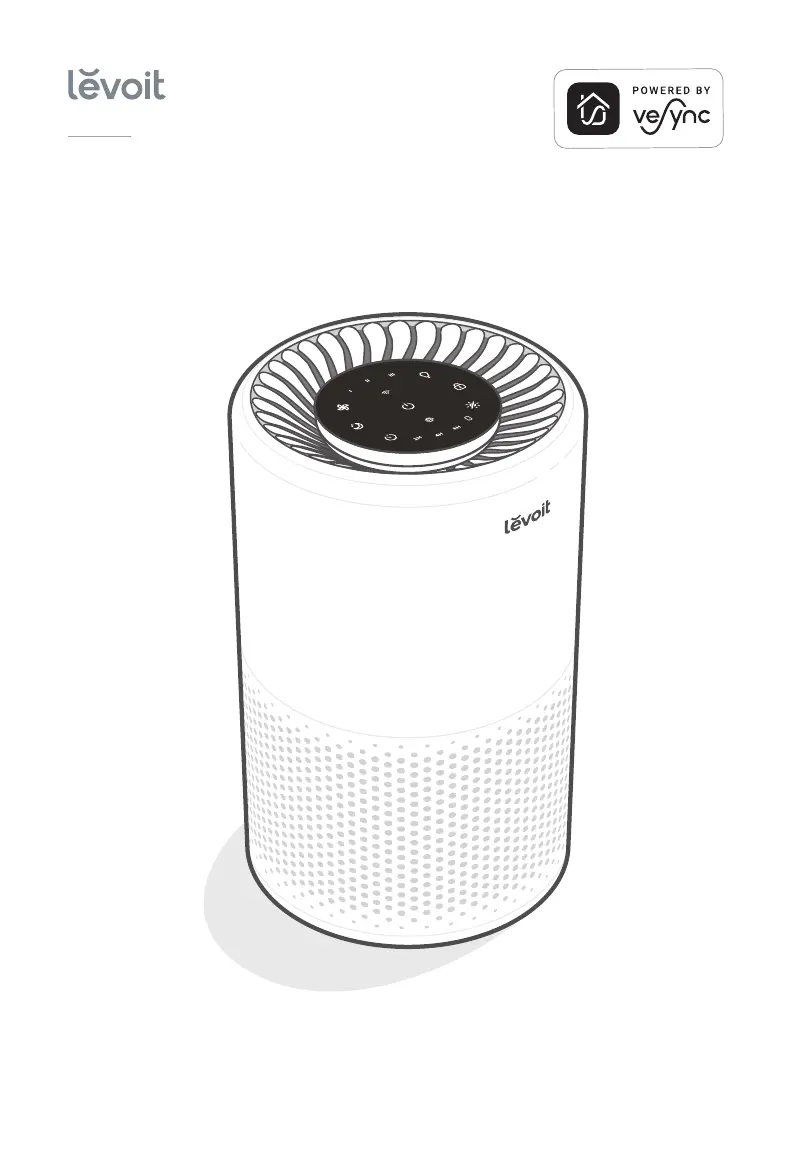
Smart True HEPA Air Purifier
Questions or Concerns?
Please contact us Mon–Fri, 9:00 am–5:00 pm PST/PDT
at support@levoit.com or at (888) 726-8520.
USER MANUAL
Core
200S Series
Models: Core 200S, LAP-C201S-AUSR

Questions and Answers

  • V
    Victor HuffmanAug 5, 2025
    What to do if my Levoit LAP-C201S-AUSR Air Cleaner will not turn on?
    • G
      Gary ColonAug 5, 2025
      First, ensure the air purifier is plugged in. If it still doesn't turn on, check the power cord for any damage. If the cord is damaged, stop using the air purifier. Try plugging the air purifier into a different outlet. If none of these steps work, the air purifier may be malfunctioning.
  • G
    gibsonbrentAug 10, 2025
    What to do if my Levoit Air Cleaner is offline?
    • M
      Mark ContrerasAug 10, 2025
      If your air purifier is offline, first ensure it is plugged in and has power. Then, refresh the VeSync menu by swiping down on the screen. Check that your router is connected to the internet and your phone's network is working. You can also try deleting the offline air purifier from the VeSync app and then reconfiguring it.
  • C
    chendustinAug 15, 2025
    Why is the airflow significantly reduced in my Levoit LAP-C201S-AUSR?
    • K
      Kathleen LinAug 15, 2025
      Several factors can cause reduced airflow. Ensure the filter's packaging has been removed and that it is correctly placed. Try increasing the fan speed. Also, make sure there's at least 15 inches / 38 cm of clearance on all sides of the air purifier. The pre-filter may be clogged with particles like hair or lint, so clean it. Finally, consider replacing the filter.
  • M
    Marvin WilliamsAug 20, 2025
    Why is my Levoit LAP-C201S-AUSR making unusual noises?
    • H
      hutchinsonwhitneyAug 20, 2025
      Unusual noises can stem from a few issues. Check that the filter is properly in place and that all plastic packaging has been removed. Ensure the air purifier is on a hard, flat, level surface. It may also be time to replace the filter. If the noise persists, the air purifier may be damaged, or there might be a foreign object inside.
  • T
    Tyler EdwardsAug 25, 2025
    What to do if my Levoit LAP-C201S-AUSR has poor air purification quality?
    • S
      shelly85Aug 26, 2025
      If you notice poor air purification, try increasing the fan speed. Ensure that nothing is blocking the sides or top of the air purifier. Make sure the filter is properly installed, with the packaging removed. Close doors and windows while the air purifier is running. Keep in mind that the air purifier may not be as effective in rooms larger than 183 ft² / 17 m². You may also need to replace the filter.
  • J
    Jeremy WilliamsAug 30, 2025
    Why is there a strange smell coming from my Levoit LAP-C201S-AUSR?
    • J
      Jessica WilliamsAug 30, 2025
      A strange smell may indicate that the filter needs to be cleaned or replaced. Also, avoid using your air purifier in areas with high humidity or while diffusing essential oils.

Summary

Product Specifications

Package Contents

Safety Information and Precautions

General Safety Guidelines

Essential safety rules for operating the air purifier.

Power Cord Safety

Instructions for safe handling and placement of the power cord.

Electromagnetic Fields (EMF)

Information regarding the appliance's compliance with EMF standards.

Air Purifier Component Overview

Control Panel Operations

Power, WiFi, and Fan Speed

Controls for powering on/off, fan speed, and WiFi status indicator.

Sleep Mode and Timer Functions

Activating Sleep Mode and setting the timer.

Light and Display Management

Controlling the night light and turning off the display.

Display Lock and Filter Indicator

Locking the display and understanding the filter indicator.

Initial Setup and Assembly

VeSync App Setup

Voice Assistant Integration

Operating Your Smart Air Purifier

General Operation Steps

Instructions for turning on, off, and adjusting fan speed.

Sleep Mode Functionality

How to activate and use the quiet Sleep Mode.

Timer Settings

How to set the auto-off timer for the air purifier.

Additional Air Purifier Features

Night Light and Display Lock

Adjusting night light brightness and locking the display.

Memory Functionality

How the unit retains settings after power loss.

VeSync App Smart Functions

Remote Control and Schedules

Controlling the purifier and automating routines via the app.

App Timer and Filter Info

Using the app for timer settings and filter status.

Air Purifier Filtration System

Nylon Pre-Filter

Captures large particles and protects the filter.

H13 True HEPA Filter

Filters 99.97% of airborne particles 0.3 microns in size.

Activated Carbon Filter

Adsorbs odors, smoke, and VOCs.

Air Purification Performance Metrics

Clean Air Delivery Rate (CADR)

Measures the volume of clean air produced per minute.

Air Change per Hour (ACH)

Indicates how many times room air is purified per hour.

Operating Environment Considerations

Humidity Level Recommendations

Optimal humidity range and risks of high humidity.

Essential Oils and Diffusers

Warnings against using essential oils with the purifier.

Care and Maintenance Procedures

Cleaning the Air Purifier Exterior

How to clean the outside housing of the unit.

Check Filter Indicator

Understanding the filter status light.

Resetting the Filter Indicator

How to reset the indicator after filter replacement.

Filter Cleaning and Replacement

Instructions for cleaning the pre-filter and when to replace others.

Filter Replacement and Storage

When to Replace the Filter

Signs and schedule for replacing the air purifier filter.

Filter Replacement Steps

Detailed instructions for replacing the air purifier filter.

Storage Recommendations

How to store the air purifier when not in use.

Troubleshooting Common Issues

Air Purifier Not Turning On

Solutions for issues with power and button controls.

Reduced Airflow Problems

Troubleshooting reduced airflow and blockages.

Unusual Noise Troubleshooting

Addressing strange noises from the running purifier.

Strange Odor Solutions

Resolving unusual smells coming from the purifier.

Advanced Troubleshooting

Poor Air Quality Diagnosis

Solutions for low air purification quality.

Filter Indicator Issues

Troubleshooting filter indicator light behavior.

VeSync App Connectivity Troubleshooting

App Connection Problems

Resolving issues with connecting the purifier to the VeSync app.

Offline Purifier Solutions

Troubleshooting steps when the purifier is offline in the app.

FCC Compliance and Safety Statements

FCC Interference Statement

Device compliance with FCC rules regarding interference.

FCC Radiation Exposure Statement

Compliance with FCC RF exposure limits.

Warranty Information and Policy

Limited Warranty Terms

Details the 1-year warranty coverage and exclusions.

Extending Your Warranty

How to register for an additional year of warranty.

Customer Support and Contact

Contact Information and Hours

How to reach customer support for assistance.

Trademark and Brand Information

Lists trademarks and brands associated with the product.

Levoit LAP-C201S-AUSR Specifications

General IconGeneral
ModelLAP-C201S-AUSR
TypeAir Purifier
Filter TypeHEPA
Dimensions8.7 x 8.7 x 14.2 inches
Weight6.6 lbs
Power Consumption26W
Noise Level (Max)48 dB
Coverage Area219 sq. ft.
Filtration3-Stage Filtration
Voltage120V

Related product manuals