EasyManua.ls Logo

Levoit LAP-C161-AUSW - User Manual

Levoit LAP-C161-AUSW
12 pages
Print Icon
To Next Page IconTo Next Page
Loading...
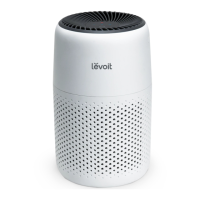
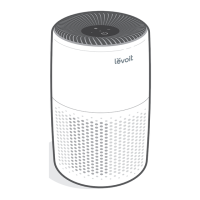
Levoit Core
TM
Mini Air Purifier
Models: LAP-C161-AUSW
Questions or Concerns?
Please contact us MonFri, 9:00 am5:00 pm PST/PDT
at support@levoit.com or at 888 7268520.
USER MANUAL

Questions and Answers

  • J
    James BrownAug 7, 2025
    What to do if my Levoit LAP-C161-AUSW will not turn on?
    • G
      greenerinAug 7, 2025
      If your Levoit Air Cleaner won't turn on or respond to button presses, try these steps: First, ensure the air purifier is properly plugged into a working outlet. If it is, disconnect the AC power adapter from the air purifier and then reconnect it. Check the AC power adapter for any damage; if damaged, discontinue use and contact Customer Support. Also, try plugging the air purifier into a different outlet. If none of these steps work, the air purifier may be malfunctioning, and you should contact Customer Support.
  • M
    michael01Aug 12, 2025
    Why is the airflow significantly reduced in my Levoit LAP-C161-AUSW?
    • B
      bellmatthewAug 12, 2025
      If you notice a significant reduction in airflow from your Levoit Air Cleaner, ensure the filter is correctly installed after removing it from its packaging. Increase the fan speed by pressing the Control Button. Ensure there's at least 15 inches / 38 cm of clear space around the air purifier. Also, the pre-filter may be clogged by particles such as hair or lint, so clean the pre-filter. Finally, the filter may need replacing.
  • J
    Jonathan CamposAug 19, 2025
    Why is my Levoit Air Cleaner making an unusual noise?
    • D
      Desiree KingAug 19, 2025
      If your Levoit Air Cleaner is making unusual noises, first ensure that the filter is correctly placed and that all plastic packaging has been removed. Next, confirm that the air purifier is sitting on a hard, flat, level surface. If the noise persists, the filter may need to be replaced. If the problem continues, stop using the air purifier, as it may be damaged or have a foreign object inside, and contact Customer Support. Do not attempt to repair the air purifier yourself.
  • J
    Joseph HarrisAug 25, 2025
    Why does my Levoit LAP-C161-AUSW Air Cleaner have a strange smell?
    • K
      Kimberly DiazAug 26, 2025
      If your Levoit Air Cleaner emits a strange smell, try cleaning the filter and aroma pad, replacing them if necessary. Also, avoid using your air purifier in areas with high humidity. If the smell persists, contact Customer Support.
  • G
    Gary CarterAug 31, 2025
    How to improve air purification quality of my Levoit LAP-C161-AUSW?
    • T
      Tiffany MaysAug 31, 2025
      To improve the air purification quality of your Levoit Air Cleaner, increase the fan speed using the Control Button. Check that nothing is blocking the sides or top of the unit, where the air inlets and outlet are located. Make sure the filter is correctly installed after removing it from its packaging. Close doors and windows while the air purifier is running. Note that if the room is larger than 178 ft² / 17 m², it will take longer to purify the air. It also may be time to replace the filter.

Summary

Safety Information

General Safety

General safety guidelines and precautions for using the air purifier.

Power Adapter & Cord

Safety instructions for the power adapter and cord.

Electromagnetic Fields (EMF)

Information on the air purifier's compliance with electromagnetic field standards.

Getting to Know Your Air Purifier

Getting Started

Using Your Air Purifier

About the Filters

Details about the 3-stage filtration system and filter types.

Essential Oils

Instructions and warnings regarding the use of essential oils.

Humidity

Guidance on humidity levels for optimal air purifier performance.

Care & Maintenance

Cleaning the Air Purifier

Instructions for cleaning the exterior and interior of the air purifier.

Check Filter Indicator

Explanation of the filter indicator light and its meaning.

Resetting the Check Filter Indicator

Steps to reset the filter indicator after filter replacement.

Cleaning the Filter

Procedure for cleaning the pre-filter and maintenance for HEPA/Carbon filters.

When Should I Replace the Filter?

Replacing the Filter

Step-by-step instructions for replacing the air purifier filter.

Cleaning the Aroma Pad

Instructions for cleaning the aroma pad for aromatherapy.

Replacing the Aroma Pad

Information on when and how to replace the aroma pad.

Storage

Recommendations for storing the air purifier when not in use.

Troubleshooting

Air purifier will not turn on or respond to button controls

Solutions for the air purifier not responding to controls.

Airflow is significantly reduced

Troubleshooting steps for reduced airflow.

Air purifier makes an unusual noise while the fan is on

Possible causes and solutions for unusual noises from the fan.

Poor air purification quality

Tips to improve air purification quality.

Federal Communication Commission Interference Statement

Warranty Information

Terms & Policy

Details on the product's warranty terms, conditions, and limitations.

Customer Support

Contact information and support hours for customer assistance.

Levoit LAP-C161-AUSW Specifications

General IconGeneral
ModelLAP-C161-AUSW
Product TypeAir Purifier
BrandLevoit
CADR (Dust)120 m³/h
Power Consumption28 W
Control TypeTouch Control
Fan Speeds3
Night LightYes
Filter Replacement IndicatorYes
Coverage Area161 sq ft
Filter TypeTrue HEPA Filter
Timer2/4/8 hours
Effective Range161 sq ft

Related product manuals