7
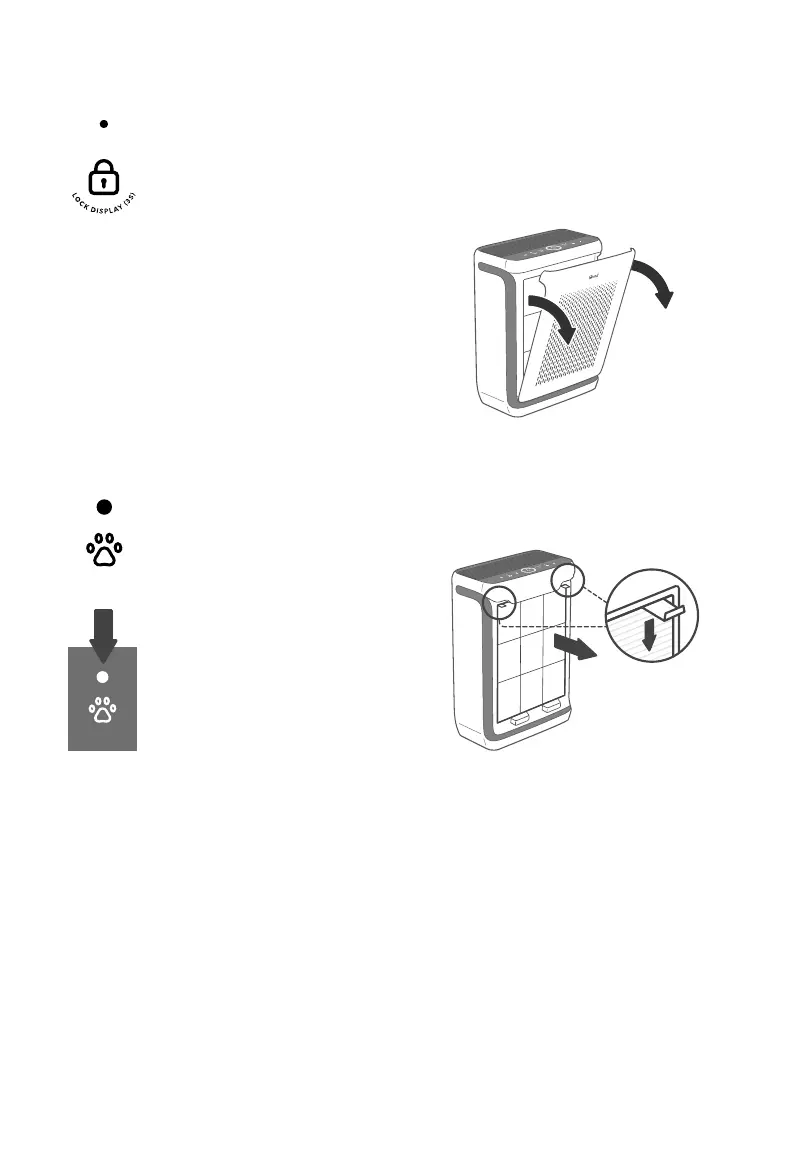
Display Lock Button &
Indicator
• Prevents current settings
from being changed (see
page 12). Press and hold
for 3 seconds to lock and
unlock the display.
Pet Mode Button
• Turns Pet Mode on (see
page 12).
CONTROLS & DISPLAY (CONT.)
Light Sensor
The Light Sensor detects the
amount of light in the room to
automatically adjust the air purifier
settings (see Light Detection,
page 11).
• Light Detection can be turned
on/o in the VeSync App.
• Press and hold display
button for 3 seconds
also turns on/o the light
detection function.
Note: Display Lock can also
be controlled through the
VeSync app.
GETTING STARTED
1. Place the air purifier on a flat, stable
surface such as the floor.
2. Pull both sides of the front cover to
remove it. [Figure 1.1]
Figure 1.1
3. Push the pre-filter’s tabs downward and
pull to remove the pre-filter from the air
purifier. [Figure 1.2]
• The Display Lock Indicator
will light up when the
display is locked and blink
when any other button
is tapped to indicate the
display is locked.
Figure 1.2





 To Next Page