128
Chapter 7: Solving printer problems
4
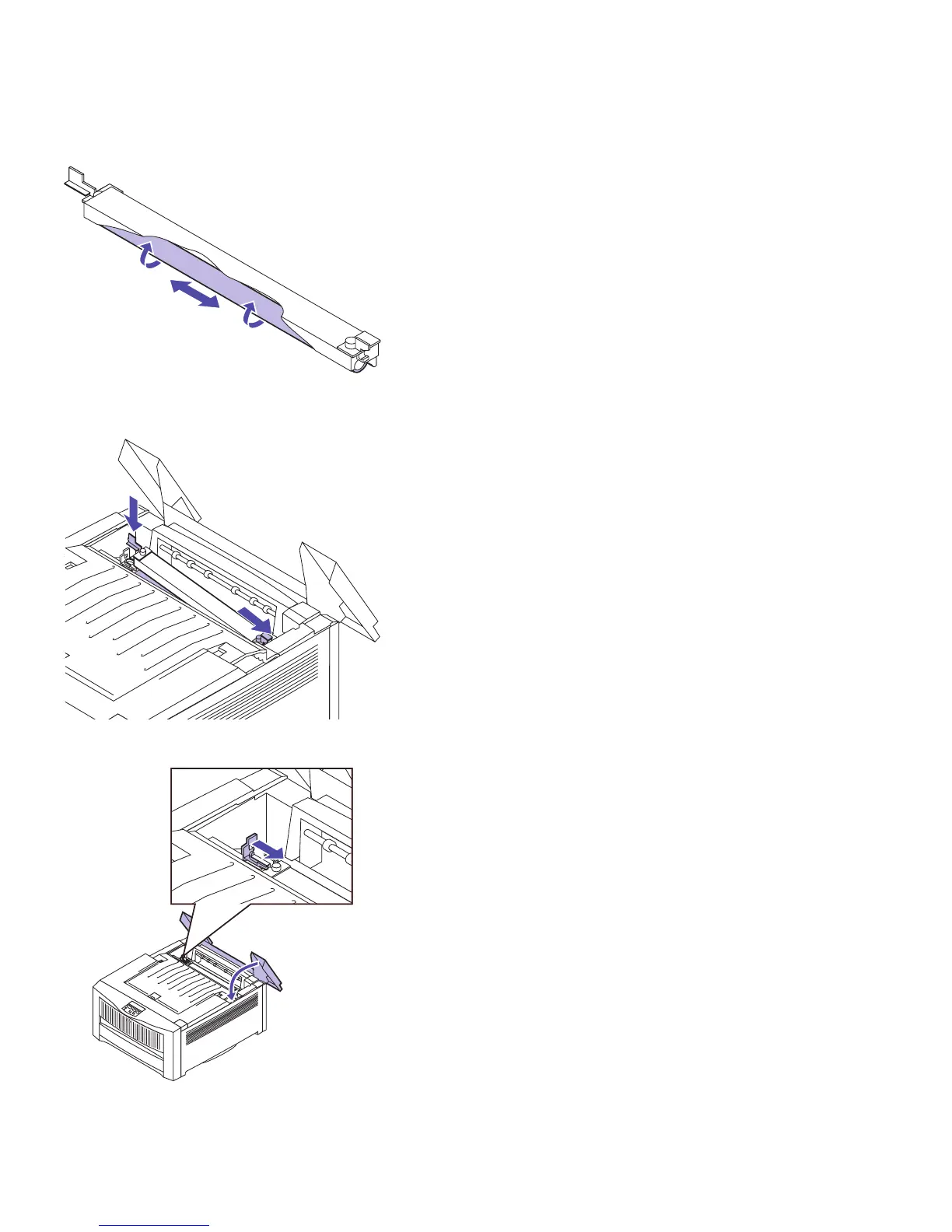
Use a dry, lint-free cloth to clean the roll.
Rotate the roll to make sure you clean the
entire surface.
5 Reinstall the fuser coating roll, as shown.
6 Slide the locking plate to the right to secure the
fuser coating roll in place.
7 Close the rear cover.



 To Next Page