2
Contents
Chapter 1: Overview ........................................................................................................... 4
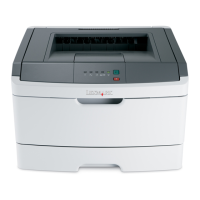
Basic model ..................................................................................................................................................... 4
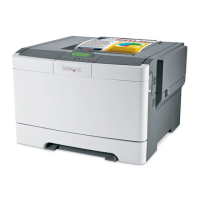
Configured model ............................................................................................................................................ 4
Understanding the printer operator panel ........................................................................................................ 5
Chapter 2: Installing and removing options ..................................................................... 7
Installing a 530-sheet drawer ........................................................................................................................... 8
Securing the drawer to the printer ............................................................................................................ 9
Removing options .......................................................................................................................................... 11
Removing the printer from the optional 530-sheet drawer ...................................................................... 11
Chapter 3: Printing ............................................................................................................ 15
Tips for successful printing ............................................................................................................................ 15
Tips on storing media ............................................................................................................................. 15
Avoiding jams ......................................................................................................................................... 15
Sending a job to print ..................................................................................................................................... 15
Canceling a print job ...................................................................................................................................... 15
Canceling a job from the printer operator panel ..................................................................................... 16
Canceling a job from a computer running Windows ............................................................................... 16
Canceling a job from a Macintosh computer .......................................................................................... 16
Printing the status page ................................................................................................................................. 17
Chapter 4: Media specifications ...................................................................................... 18
Media guidelines ............................................................................................................................................ 18
Paper ...................................................................................................................................................... 18
Storing paper ................................................................................................................................................. 20
Transparencies ....................................................................................................................................... 22
Envelopes ............................................................................................................................................... 22
Labels ..................................................................................................................................................... 24
Card stock .............................................................................................................................................. 25
Storing media ................................................................................................................................................. 25
Identifying media sources and specifications ................................................................................................. 25
Using the output bin ....................................................................................................................................... 30
Loading the trays ........................................................................................................................................... 30
Loading envelopes in the standard tray .........................................................................................................34
Using the media support in the output bin ..................................................................................................... 37
Chapter 5: Maintenance ................................................................................................... 38
Maintaining your printer ................................................................................................................................. 38
Determining the status of supplies ................................................................................................................. 38
Ordering supplies and maintenance items ..................................................................................................... 38
Ordering toner cartridges ........................................................................................................................ 38



 To Next Page