126 errors
126 error messages
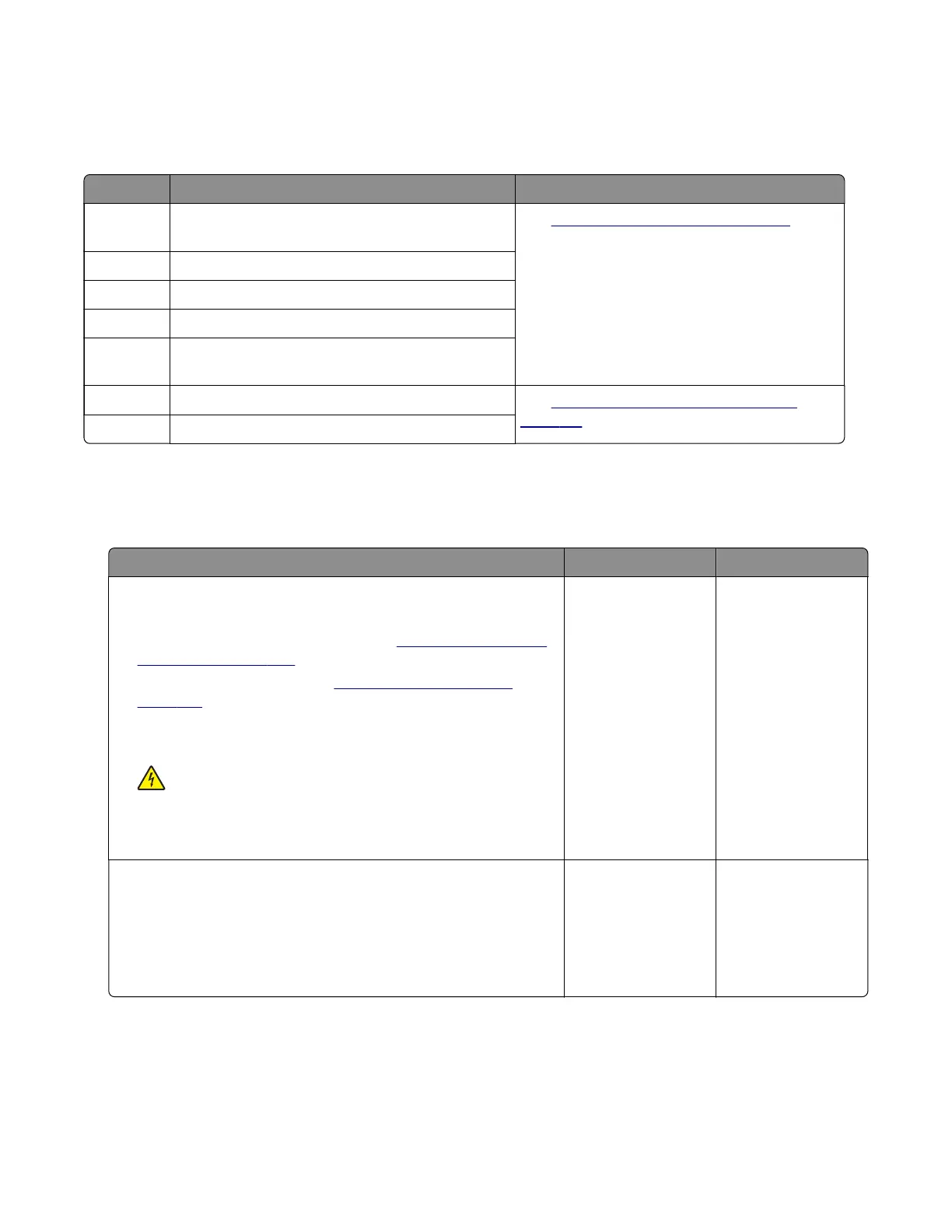
Error code Description Action
126.05 The LVPS power dropped but the printer was not
in sleep mode.
See
“LVPS service check” on page 114.
126.06 LVPS 25V line error was detected.
126.07 LVPS 5V rail was down during power‑on.
126.10 No line frequency was detected.
126.11 Line frequency has gone outside the operating
range.
126.12 LVPS mismatch was detected. See
“LVPS mismatch service check” on
page 115.
126.13 LVPS mismatch was detected.
LVPS service check
Note: Make sure that the voltage output of the electrical outlet matches the voltage rating of the printer.
Action Yes No
Step 1
a Turn o the printer, and then unplug the power cord.
b Remove the rear door and cover. See “Rear door and cover
removal” on page 234.
c Remove the right cover. See “Right cover removal” on
page 186.
d Reseat all the cables from the controller board.
e Reseat all the cables from the power supply.
CAUTION—SHOCK HAZARD: To avoid the risk of
electrical shock, do not touch the exposed wires and circuits.
Does the problem remain?
Go to step 2. The problem is
solved.
Step 2
a Turn o the printer, and then remove the power cord.
b Check if the resistance (between terminals A and D) of the
power supply socket is close to 30 ohms.
Does the socket have a normal resistance value?
Go to step 3. Go to step 5.
4600-830, -835, -895
Diagnostics and troubleshooting
114



 To Next Page