4 Remove the front door. See “Front door removal” on page 453.
5 Remove the toner cartridge.
6 Remove the imaging unit.
7 Remove the MPF feeder lift plate. See “MPF feeder lift plate removal” on page 465.
8 Remove the media turn guide. See “Media turn guide removal” on page 462.
9 Remove the media vertical guide. See “Media vertical guide removal” on page 463.
10 Remove the duplex exit diverter. See “Duplex exit diverter removal” on page 451.
11 Remove the inner guide deflector. See “Inner guide deflector removal” on page 455.
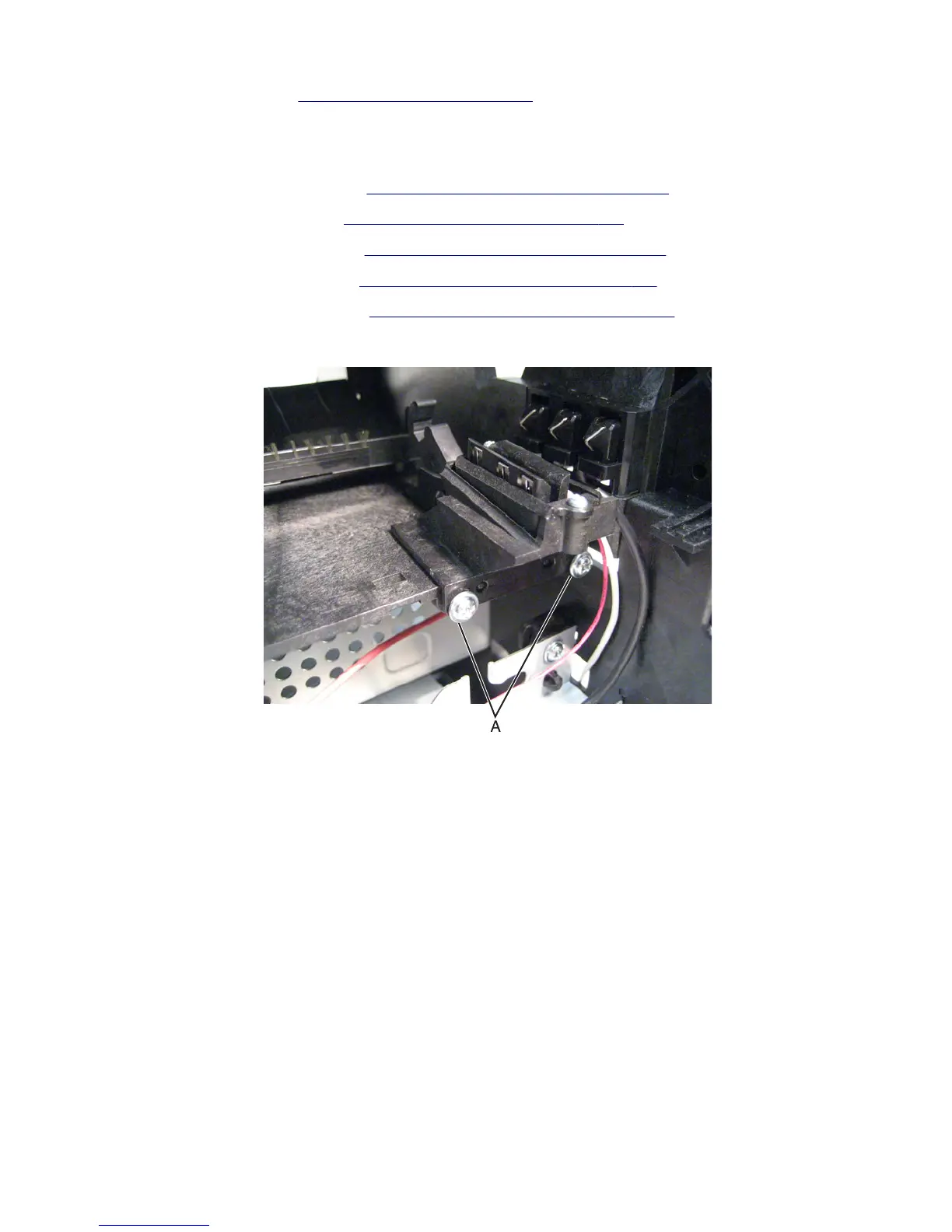
12 Remove the two screws (A) securing the toner level contact to the machine.
7463
Repair information
478



 To Next Page