6 Remove the output bin sensor cover. See “Output bin sensor cover removal” on page 564.
7 Remove the sensor (standard bin full) with actuator. See “Sensor (standard bin full) removal” on page 564.
8 Remove the standard bin cover. See .“Standard bin cover removal (MX71x)” on page 565.
9 Remove the control panel. See “Control panel removal (MX71x)” on page 488.
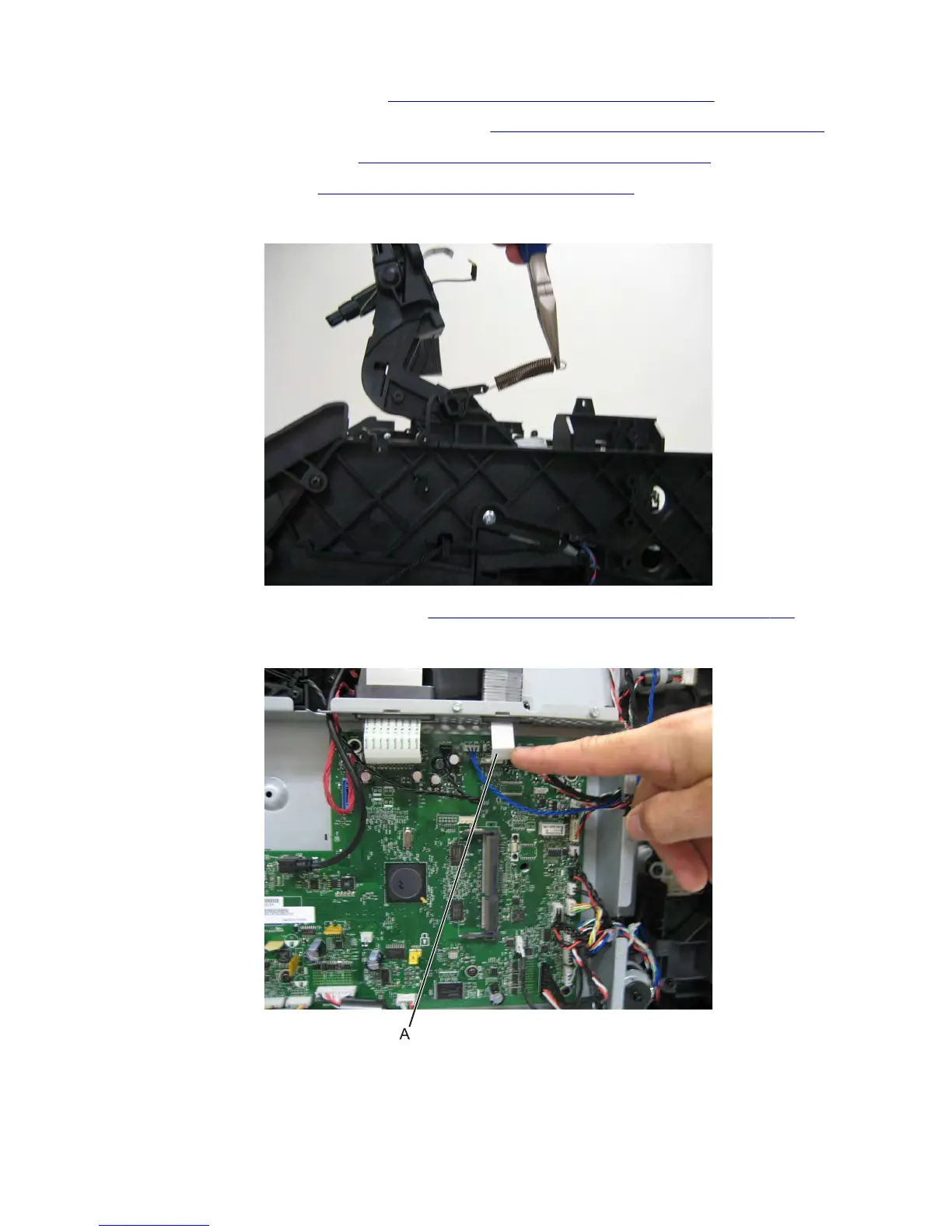
10 Disconnect the right recoil spring.
11 Remove the controller board access shield. See “Controller board access shield removal” on page 424.
12 Disconnect the control panel ribbon cable (A) from the controller board.
7463
Repair information
520



 To Next Page