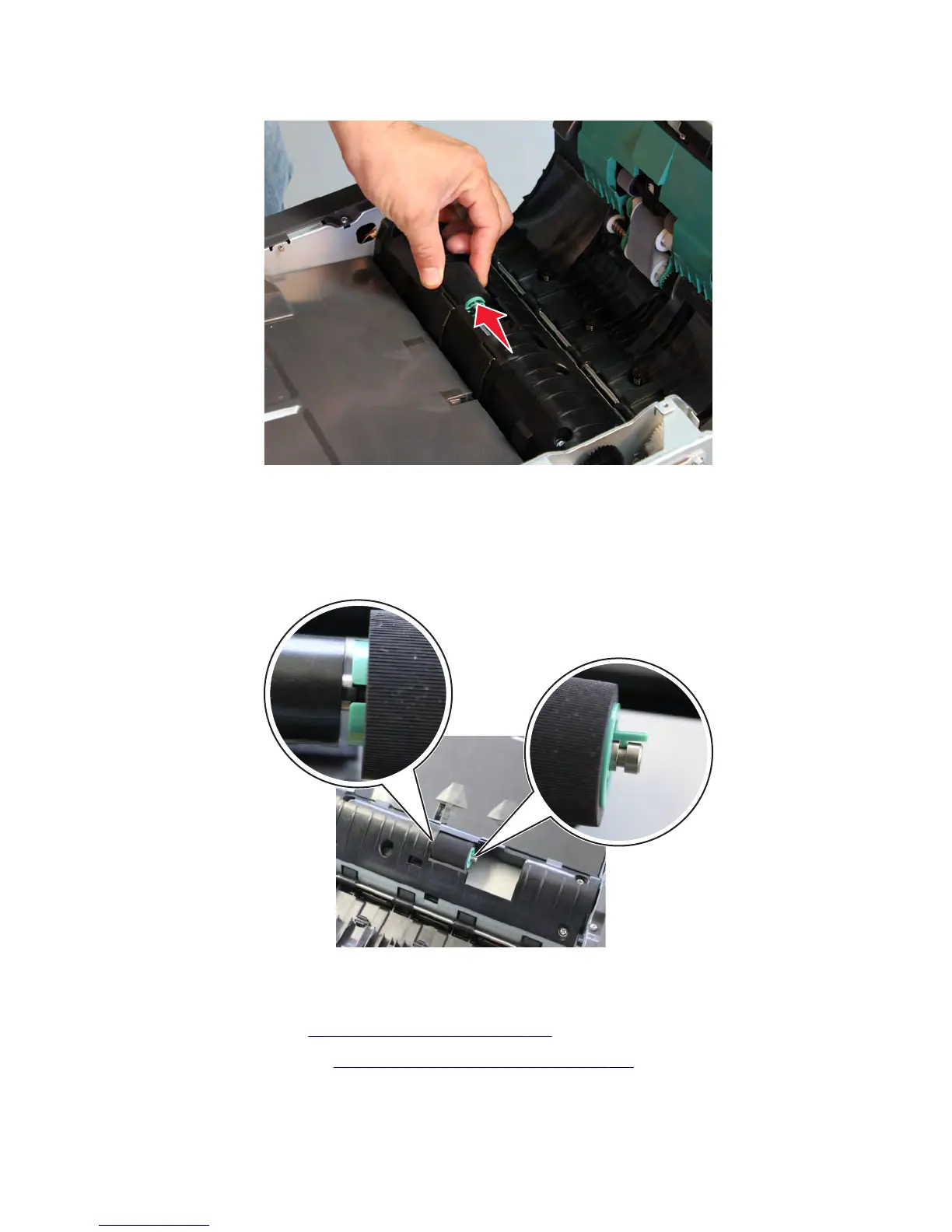
4 Remove the ADF separator roller.
Installation note: Make sure the separator roller is properly secured to the shaft. An improperly installed roller will
jam the ADF and cause a 295 error.
1 Align the notch on the left with the protrusion on the shaft.
2 Push in the separator roller. The latch on the right should align with the groove on the shaft.
Sensor (ADF 1st scan) removal
1 Remove the ADF lift tray. See “ADF lift tray removal” on page 594.
2 Remove the separator roller. See “ADF separator roller removal” on page 602.
7463
Repair information
604



 To Next Page