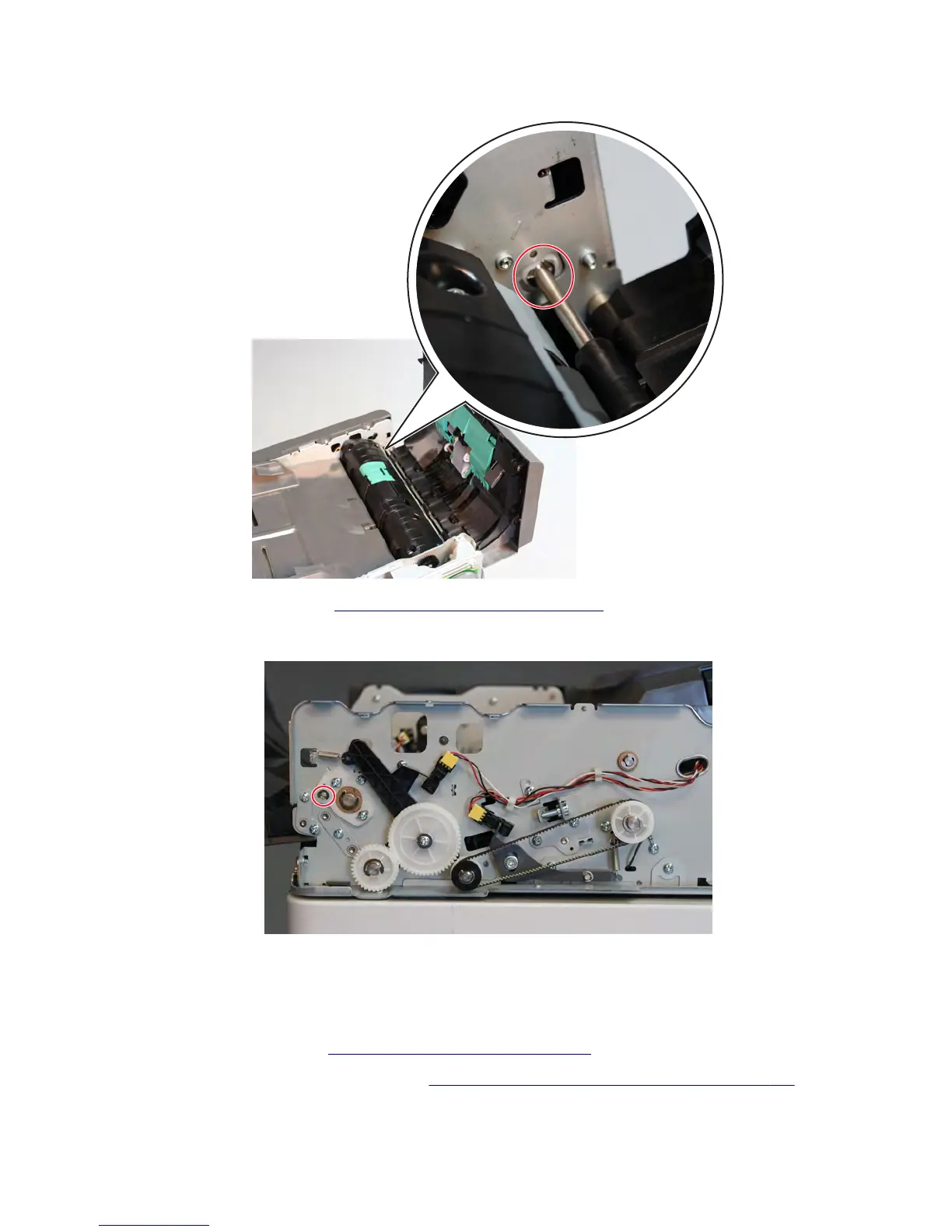
2 Remove the e-clip securing the deskew idler shaft from the inside of the ADF.
3 Remove the ADF front cover. See “ADF front cover removal” on page 587.
4 Remove the e-clip securing the deskew idler shaft from the front of the ADF.
5 Remove the deskew idler shaft.
First scan roll drive gear (40t) removal
1 Remove the ADF rear cover. See “ADF rear cover removal” on page 598.
2 Remove the ADF rear side drive parts pack. See “ADF rear side drive parts pack removal” on page 600.
7463
Repair information
613



 To Next Page