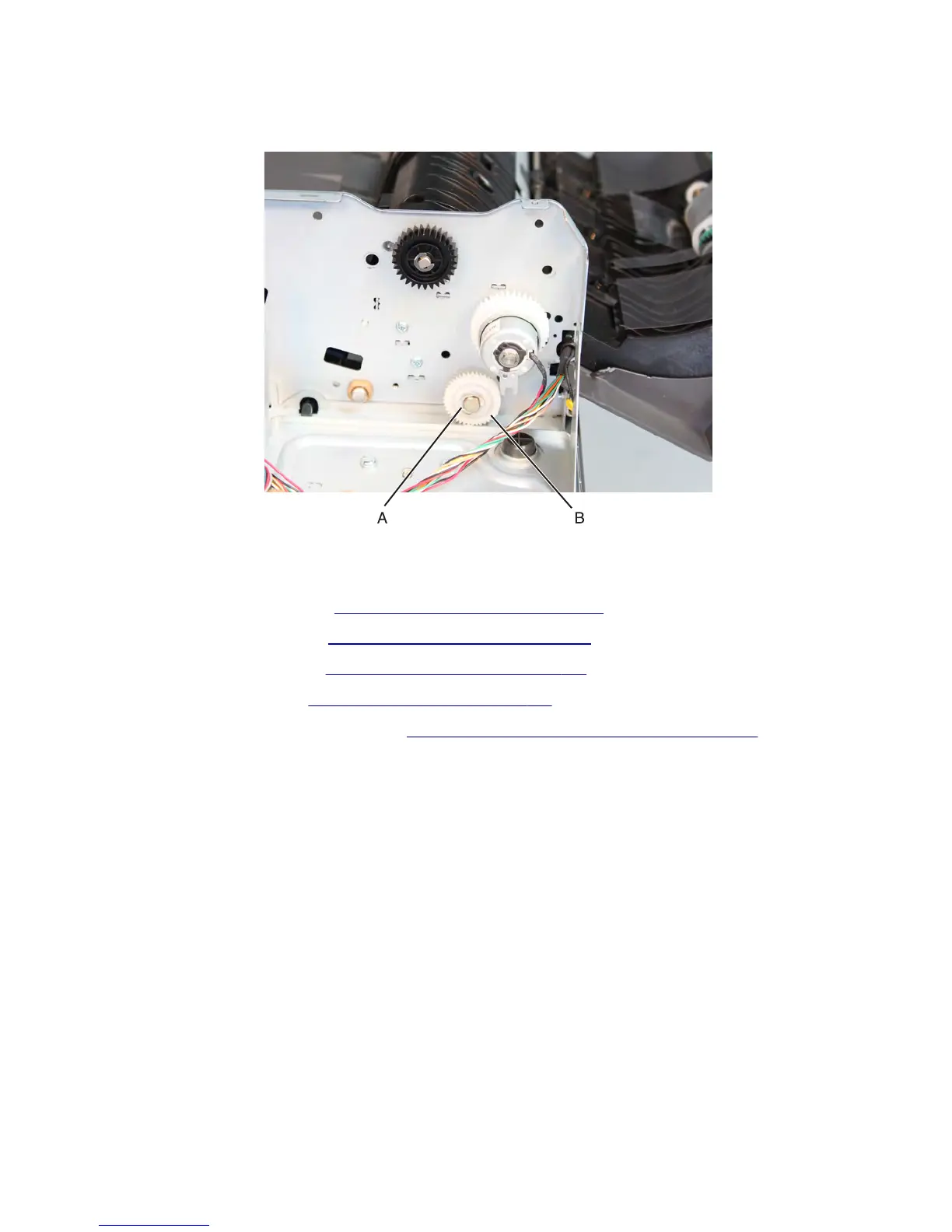
3 Remove the e-clip (A) on the first scan roll drive gear.
4 Remove the first scan roll drive gear (B).
Interrupt with flag sensor (ADF 2nd scan) removal
1 Remove the ADF front cover. See “ADF front cover removal” on page 587.
2 Remove the ADF rear cover. See “ADF rear cover removal” on page 598.
3 Remove the ADF input tray. See “ADF input tray removal” on page 589.
4 Remove the ADF lift tray. See “ADF lift tray removal” on page 594.
5 Remove the ADF float plate with spring. See “ADF float plate with springs removal” on page 585.
6 Remove the mylar, and then release the interrupt with flag sensor from the ADF frame.
Note: Use a a flat-head screw driver to access and disengage the snaps (A) on the interrupt with flag sensor.
7463
Repair information
614



 To Next Page