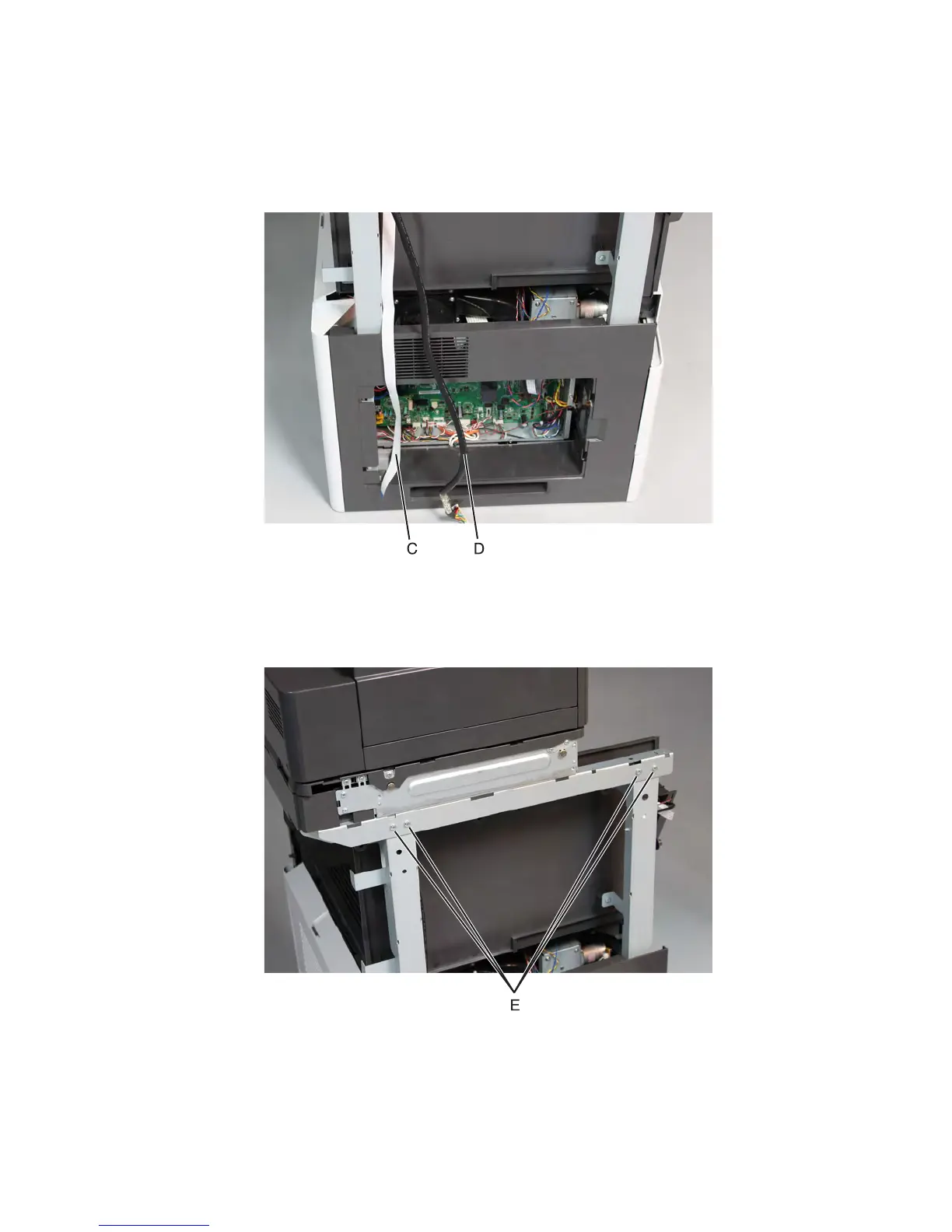
6 Remove the column left front cover.
7 Remove the flatbed scanner front cover.
8 Remove the flatbed scanner right cover.
9 Take out the J51 cable (C) and JADF1 cable (D).
10 Remove the control panel.
Note: Do not disconnect the cables and do not entirely remove the control panel from the machine.
11 Remove the four screws (E) securing the flatbed scanner on the left of the machine.
7463
Repair information
626



 To Next Page