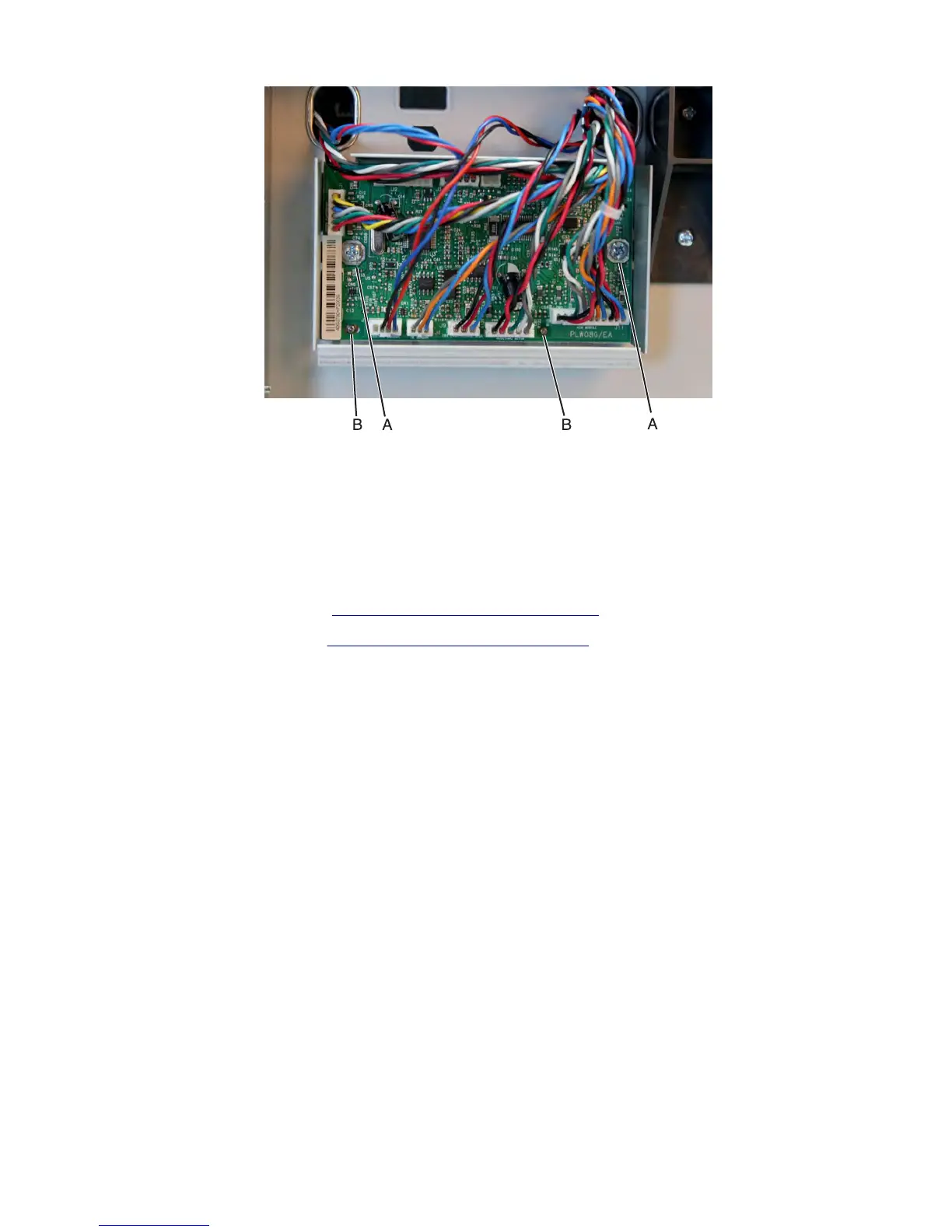
4 Remove the controller board.
Installation note: Make sure the controller board is properly mounted by aligning the pins (B).
HCIT top cover assembly removal
Note: This is not a FRU.
1 Remove the HCIT rear cover. See “HCIT rear cover removal” on page 671.
2 Remove the HCIT left cover. See “HCIT left cover removal” on page 672.
3 Disconnect all cables from the controller board.
Note: Pay attention to the original routing of the cables. Make sure that the cables don't interfere with the
drawer's moving parts. Use cable ties to keep the cables organized.
7463
Repair information
677



 To Next Page