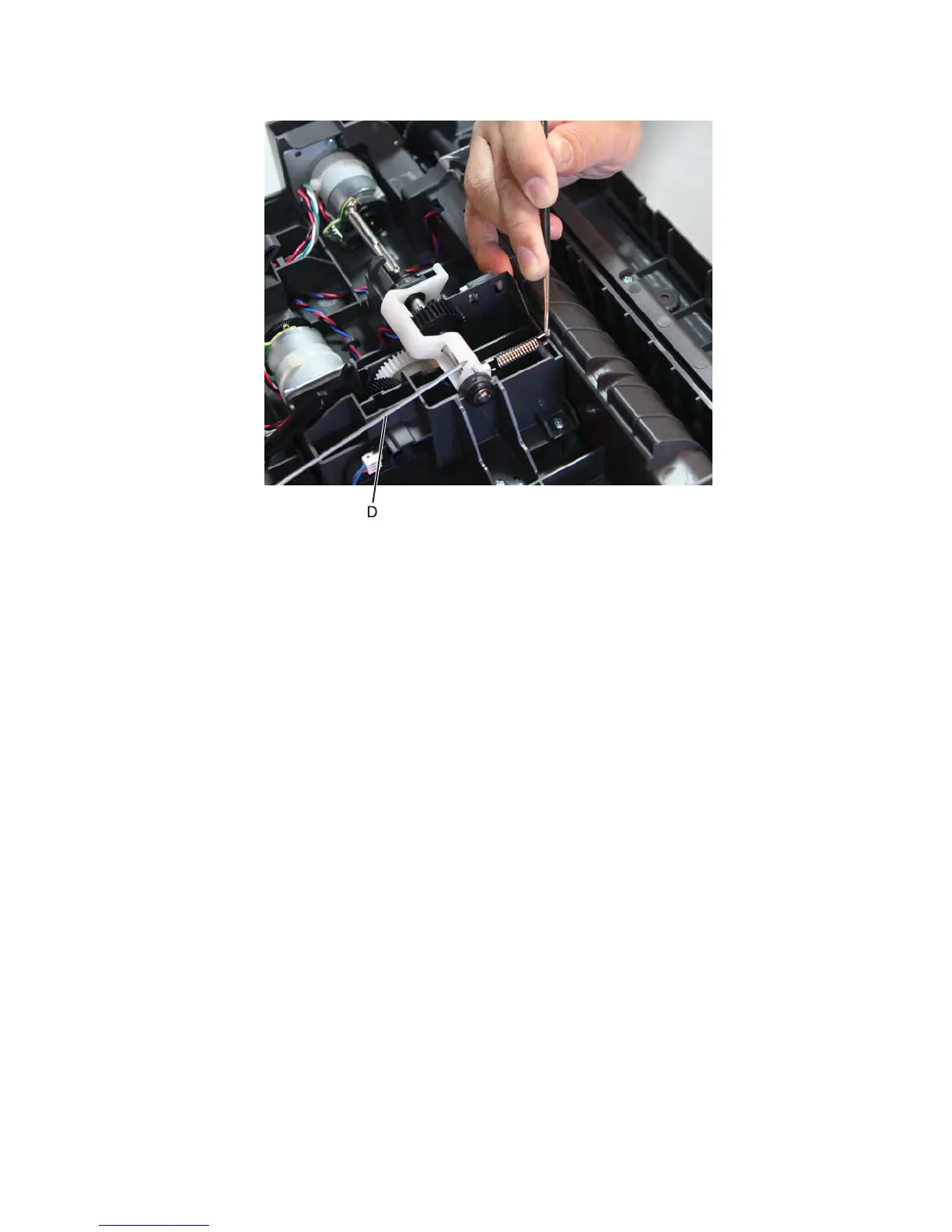
9 With a prying tool, release the spring to loosen the link (D).
10 Lift the media feeder and release the link holding the media feeder.
11 Ease the media feeder off the drawer, and remove.
550-sheet media tray option removals (MX810, MX811, and
MX812)
550-sheet media tray option removal
1 Push the latch to unlock the drawer.
2 Lift the printer or drawer above it, and separate.
7463
Repair information
688



 To Next Page