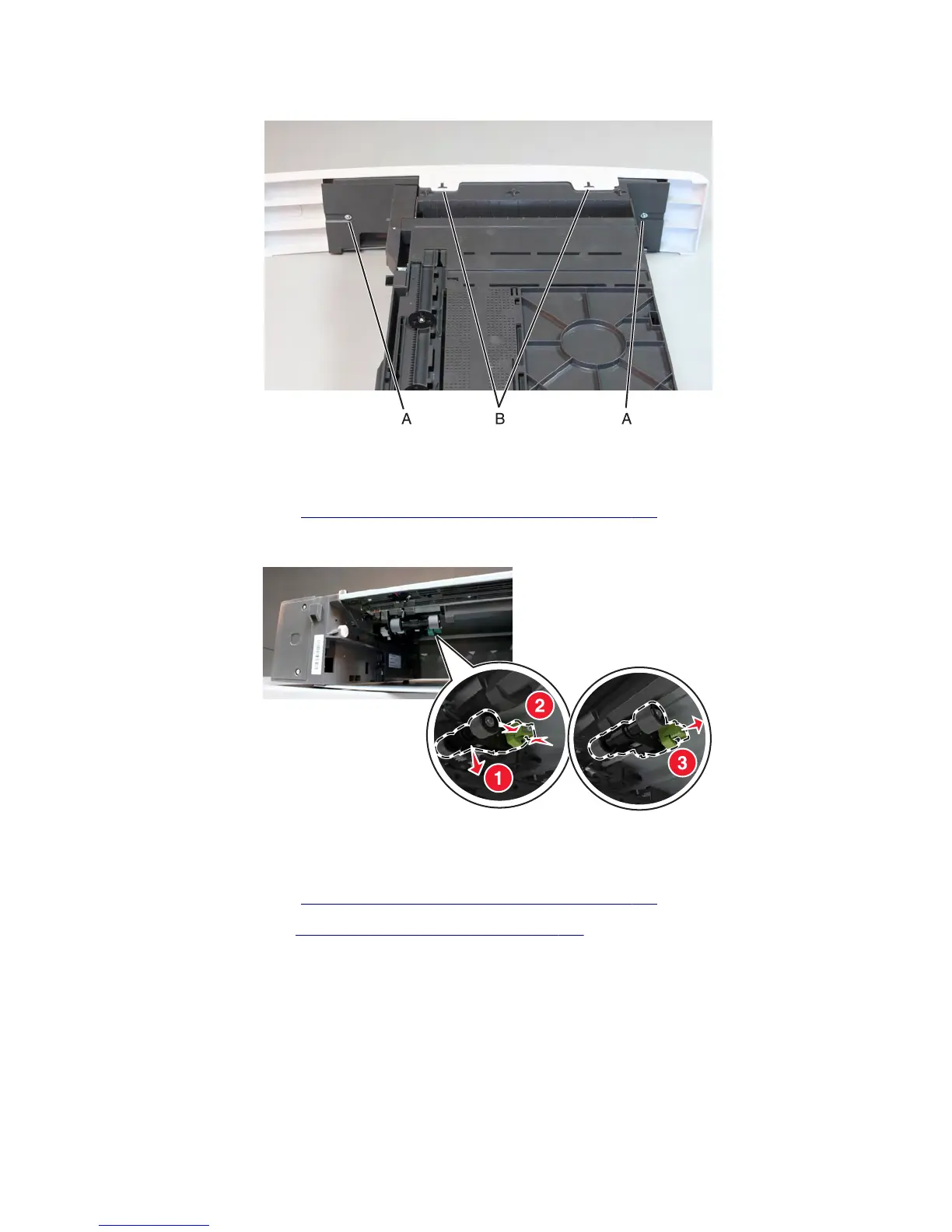
3 Release the tabs (B) at the bottom, then remove the front tray cover.
Drawer pick roller removal
1 Remove the media tray. See “550-sheet media tray option removal” on page 688.
2 Move the rollers downward (1), then push the latches inward (2), and pull out the pick roller (3).
Sensor (pick roll position) removal
1 Remove the media tray. See “550-sheet media tray option removal” on page 688.
2 Remove the pick roller. See “Drawer pick roller removal ” on page 690.
3 Release the latches (A), then pull away the sensor.
7463
Repair information
690



 To Next Page