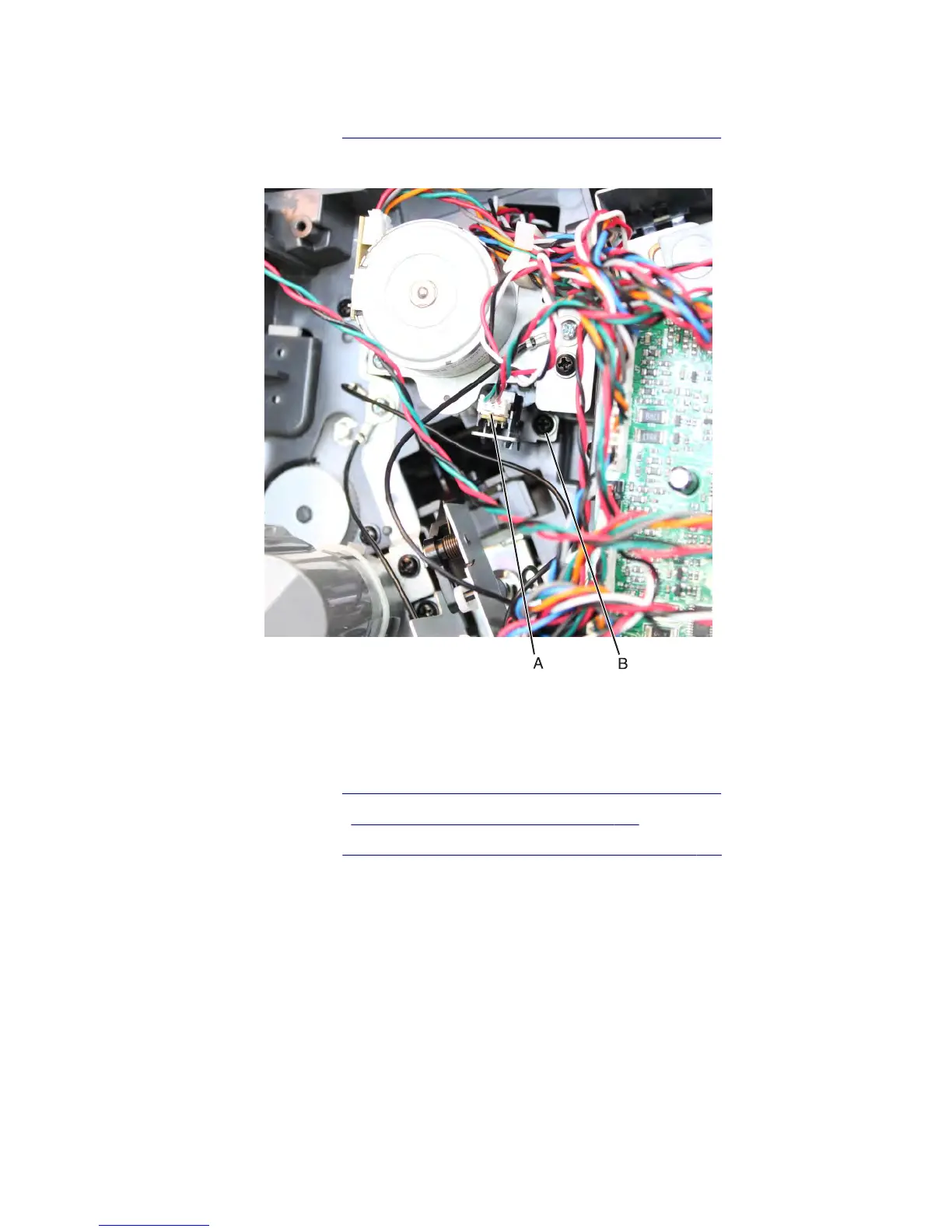
Sensor (paddle motor HP) removal
1 Remove the stapler left cover. See “Stapler/offset stacker left cover removal” on page 726.
2 Disconnect the cable (A) from the sensor. Remove the screw (B), and then remove the sensor bracket.
3 Release the latches securing the sensor to the bracket, and then remove the sensor.
Media stack flap (right) removal
1 Remove the stapler left cover. See “Stapler/offset stacker left cover removal” on page 726.
2 Remove the stapler right cover. See “Stapler right cover removal” on page 782.
3 Remove the stapler top cover. See “Stapler/offset stacker top cover removal” on page 728.
7463
Repair information
736



 To Next Page