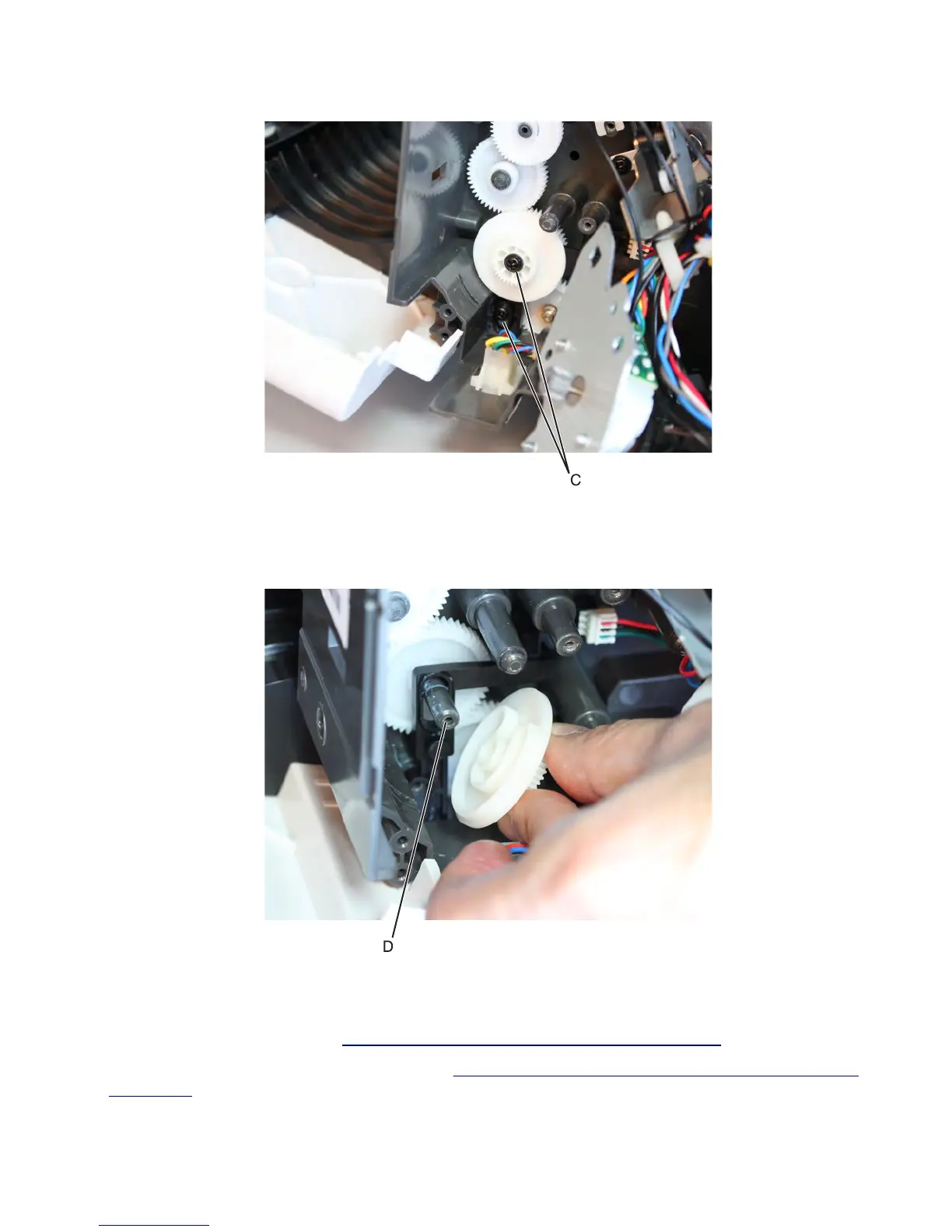
4 Remove the two screws (C) securing the diverter plunger and cam.
5 Remove the cam first, and then remove the plunger.
Installation note: Make sure that the locating pin (D) is correctly inserted into the diverter cam. The C-shaped
slot on the cam must be engaged with the locating pin (D) on the plunger.
Stapler/offset stacker drive gear assembly removal
1 Remove the stapler left cover. See “Stapler/offset stacker left cover removal” on page 726.
2 Remove the stapler diverter plunger assembly. See “Stapler/offset stacker diverter plunger assembly removal”
on page 760.
7463
Repair information
761



 To Next Page